
Participant
March 30, 2021
Answered

Issue Element 3d: flickering shadows

  • March 30, 2021
  • 2 replies
  • 2772 views

Hi! I have a problem with rendering this Element 3d object I made in blender. The shadows flicker and even changing the renders settings (very high sampling etc) the problem happens. You can see it in the clip below. Also with no particular lights the edges flickered. AO is switched on. Do you know how to solve this please??
Correct answer praveshp86183039

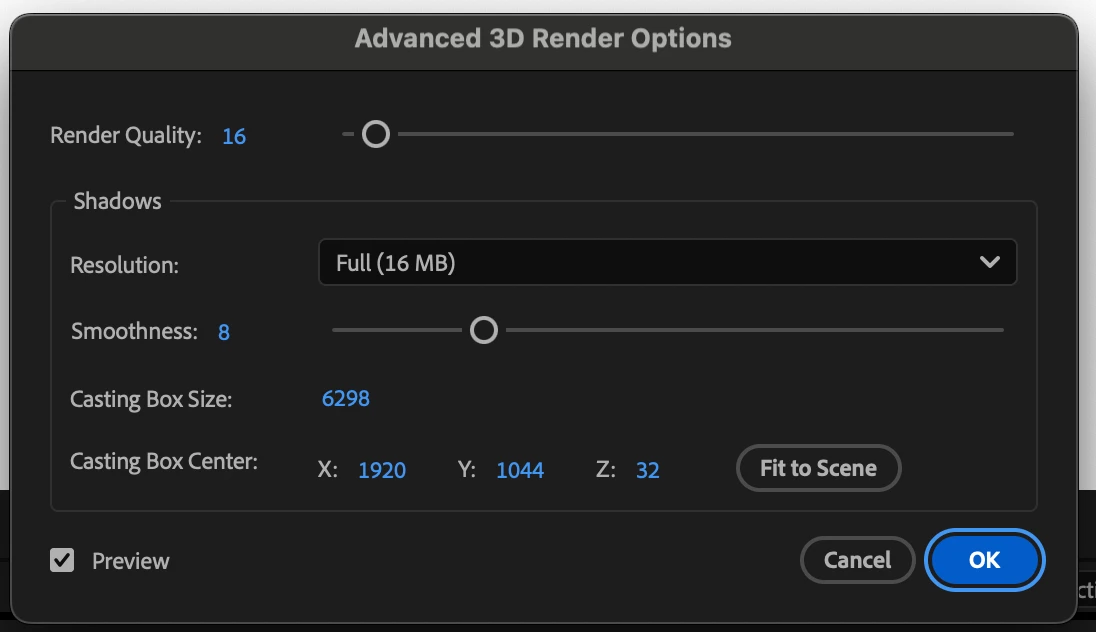
Simply Go To Render Option and Click - (Fit to scene)
i wasted 3 hrs to find the solution, and it was right there with one single click.
if you are using 4K reslution then you might have to increase the area with increasing number of ( 16 render quality and Smoothness 10 Would work fine)

2 replies

praveshp86183039Correct answer
Participant
February 4, 2025

Simply Go To Render Option and Click - (Fit to scene)
i wasted 3 hrs to find the solution, and it was right there with one single click.
if you are using 4K reslution then you might have to increase the area with increasing number of ( 16 render quality and Smoothness 10 Would work fine)

Mylenium
Legend
March 30, 2021

You simply expect too much. Your clip has all the wrong features for such a use case - thin lines, flat camera angle, noisy textures. Since due to how AE works the shadows in E3D cannot be larger than the comp size, you simply don't have enough detail available and you see artifacts. Since you are already using Blender, why even make things so complicated? I'm sure even a basic Evee render looks better than what you can get in AE and doing a conventional 2D composite would work just as well. The old rule applies: Use the best tools for every task.


Mylenium