yash-lucid
Inspiring
October 14, 2022
Answered

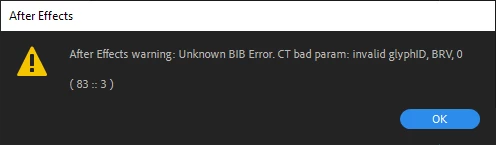
Issue when trying to use BentonSans Bold - Unkown BIB Error
  • October 14, 2022
  • 1 reply
  • 665 views


In Adobe Illustrator, transport my vectors over via Overlord as usual, now however I am getting issues with BentonSans Bold, via the one supplied by my corporate client and OTF/TTF files from the web.


Any solution? 

This topic has been closed for replies.
Correct answer Mylenium

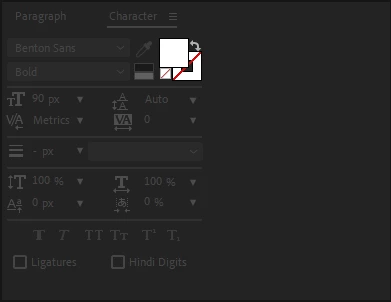
The invalid glyph warning suggest that there is soemthing going on with substitutions like stylistic alternatives or ligatures that AE cannot replicate. Check the relevant settings in the character panel's flyout menu in AI and also check the actual encoding of the text. In case of doubt simply convert to outlines or re-type the text in AE. No point hunting down complicated solutions for soemthing so simple.


Mylenium

1 reply

Mylenium
MyleniumCorrect answer
Legend
October 14, 2022

The invalid glyph warning suggest that there is soemthing going on with substitutions like stylistic alternatives or ligatures that AE cannot replicate. Check the relevant settings in the character panel's flyout menu in AI and also check the actual encoding of the text. In case of doubt simply convert to outlines or re-type the text in AE. No point hunting down complicated solutions for soemthing so simple.


Mylenium

yash-lucid
Inspiring
October 17, 2022

Thanks for your feedback, I deleted my fonts, reinstalled fresh ones, and retyped the copy in Illustrator - thus removing the glitchy glyphs.