
Issue when using using logic in expressions
I'm currently working on a project whereby at every frame an image has a 5% chance to flash on the screen for a duration of 2 frames. Otherwise the image is not visible.
After the image has flashed for 2 frames the image remains invisible for the rest of the timeline.
I have achieved this using 4 checkbox control's and a simple opacity script,
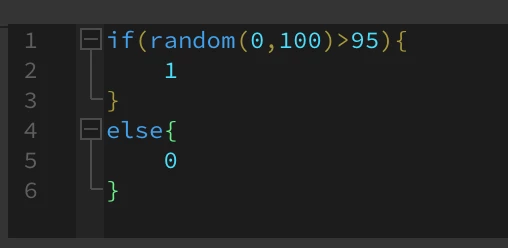
- The 1st checkbox (named 'hit')will begin as 0 and turn to 1 when a randomly selected number is greater than or equal to 95
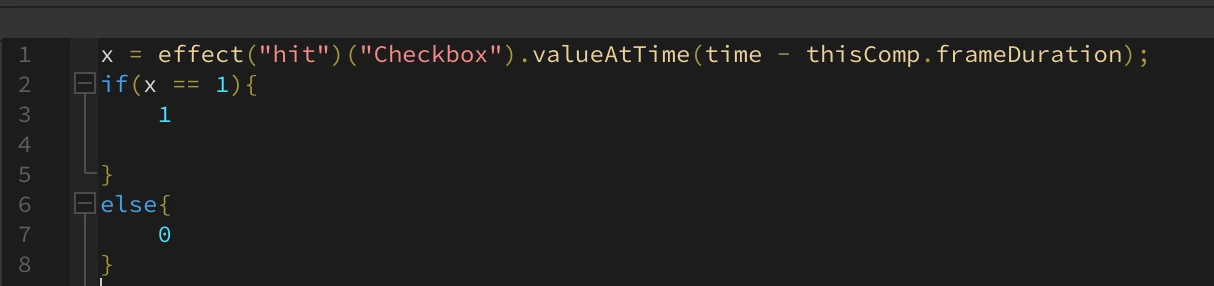
- The 2nd checkbox (named '2ndFrame' will check the first checkbox's value at the previous frame. If this equals 1 then the 2nd checkbox will equal 1 (Thus keeping the image visible for another frame)
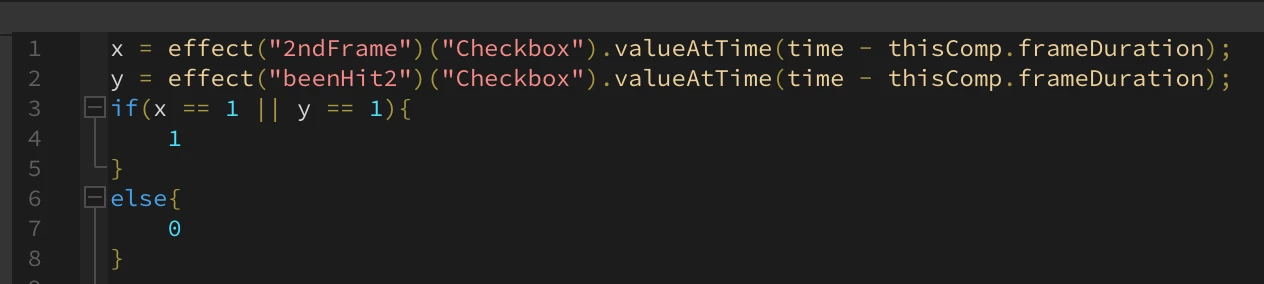
- The 3rd checkbox (named 'beenHit') checks the 2nd and 4th checkbox's value at the previous frame. If this equals 1, then the 3rd checkbox will equal 1. Further it checks if the 4'th checkbox equals 1 and will equal 1..
- The 4th checkbox (named 'beenHit2') will check the 3rd checkbox's value at the previous frame. If this equals 1 then the 4th checkbox will equal 1.
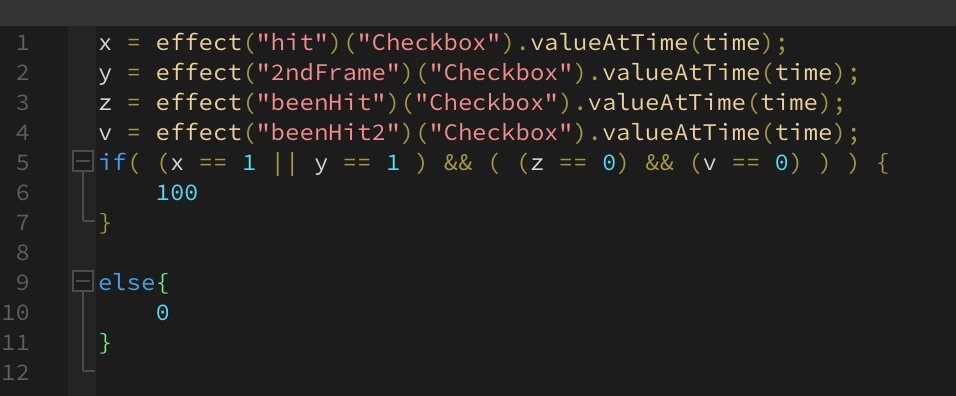
The Opacity expression will default opacity to 0 and change to 1
if either checkbox 1 or 2 are on and checkbox 3 and 4 are both off
My issue is that when playing back this the image will sometimes not recognise the positive previous frames and break the logic cycle leading to the image flashing multiple times. This seems to be random and sometimes fixed by refreshing or deleting cache but will come and go regardless
This is especially annoying as I intend to have many of the these images conver the screen which has caused majority of their expressions to not work as intended.
if anyone could point out any errors with my code or just this method in general or suggest an alternative method I would greatly appreciate it. I have suspicions that it is just a bug but I am a beginner with expressions and am likely missing something here.
I've added screenhots of the individual expressions below and a video demoonstation
Thank you in advance.
1st checkbox
2nd checkbox
3rd checkbox
4th checkbox

Opacity expression
video demo


 AdChoices