
Participant
June 13, 2018
Answered

Issue with animating 2 layers

  • June 13, 2018
  • 2 replies
  • 1827 views

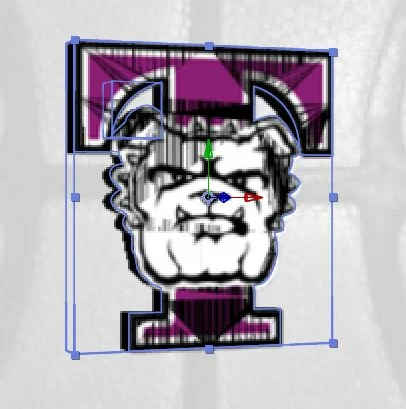
I am pretty new to after effects but am having issues where when I try to animate 2 layers at the same time (they are on top of each other) one layer starts creating weird lines onto the other. I thought it was just in After Effects but it shows up on final product. Here is what I am actually trying to do. I am trying to create a 3D rotating logo of this logo. The vector file comes up with "too many small triangles" when trying to extrude so I took the basic shape and extruded that and then have the details as a gif ontop.
    This topic has been closed for replies.
    Correct answer Iferg

    Ok...was thinking changing back to 3D might alleviate that.

    For the null to work, it obviously has to be placed dead center of the two images and dead center in the space between them.

    BTW, have you also considered other methods for extrusion like Element 3D or FreeForm Pro?

    Eric


    I don't have access to those. I have something that I think works. I just had to move the front image forward in the Y axis. Exporting now. Thank you guys for all your help!

    2 replies

    kirkeric
    Inspiring
    June 13, 2018

    Well, the reason for the weird lines is mostly like, one is rotating THROUGH the other, so the line is likely that cut point.

    Try precomposing them first, then make that layer 3D and connect to the null.

    Eric

    IfergAuthor
    Participant
    June 13, 2018

    Kirkeric,

    Doing so removes the Extrusion effect on the image.

    kirkeric
    Inspiring
    June 13, 2018

    Ok...was thinking changing back to 3D might alleviate that.

    For the null to work, it obviously has to be placed dead center of the two images and dead center in the space between them.

    BTW, have you also considered other methods for extrusion like Element 3D or FreeForm Pro?

    Eric

    Community Expert
    June 13, 2018

    attach both layers to a Null object(using the pick whip tool), make the null object 3D,

    then animate the null object instead of animating the layers

    IfergAuthor
    Participant
    June 13, 2018

    Carlos,

    I have tried that with the same result

    Community Expert
    June 13, 2018

    Can you please share more of your workflow to understand better whats going on ?

    just trying to help you out here

    I also would like to share these help tips as well

    Extruding text and shape layers in After Effects