Inspiring
October 18, 2024
Answered

Issue with artifacts in 'Classic 3D' render in After Effects

  • October 18, 2024
  • 1 reply
  • 324 views

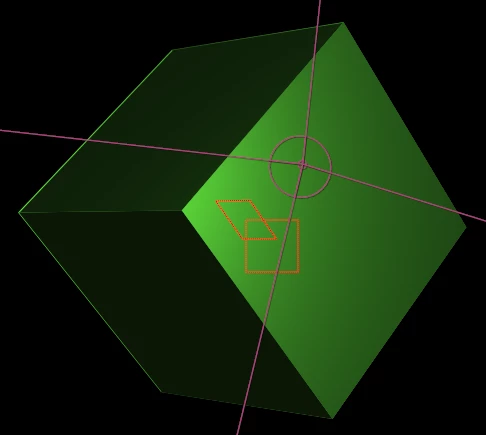
I've created a perfect cube using 6 3D solid layers in After Effects. Everything looks fine when using the 'Cinema 4D' and 'Advanced 3D' renderers, but when I switch to the 'Classic 3D' renderer, I start seeing artifacts around the edges of the cube. (See attached images: first two are fine, last one shows the artifacts).
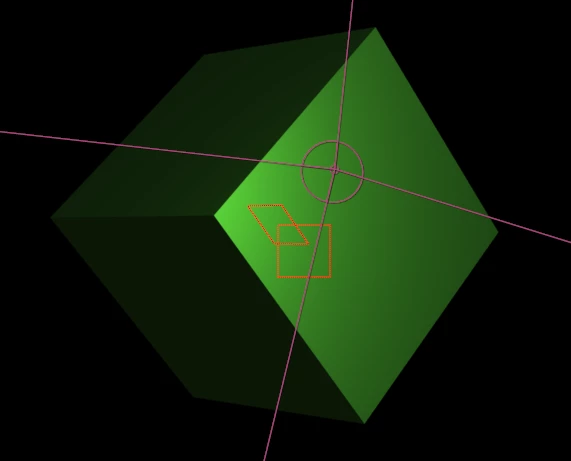
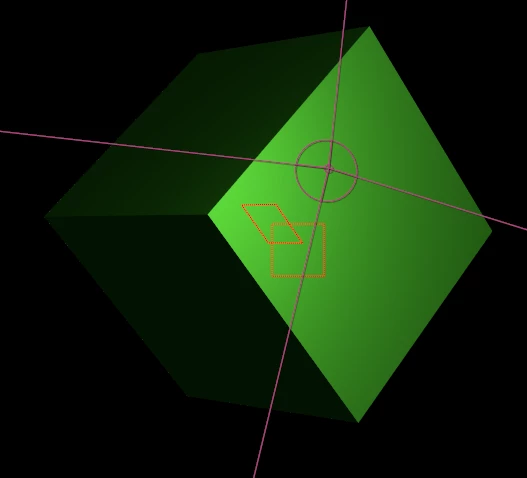
Has anyone encountered this issue before? Any tips on how to fix the artifacts in 'Classic 3D'? Thanks in advance.

This topic has been closed for replies.
Correct answer Mylenium

Nothing to fix because nothing is broken. It has always been this way due to the old filtering algorithm. All you can do is to resize the layers to minimize the effect, but it will never go away completely.


Mylenium 

1 reply

Mylenium
MyleniumCorrect answer
Legend
October 18, 2024

Nothing to fix because nothing is broken. It has always been this way due to the old filtering algorithm. All you can do is to resize the layers to minimize the effect, but it will never go away completely.


Mylenium