Ok - you're not being silly. I rebuilt this per the tutorial to see if the issue was just with your project or not ...
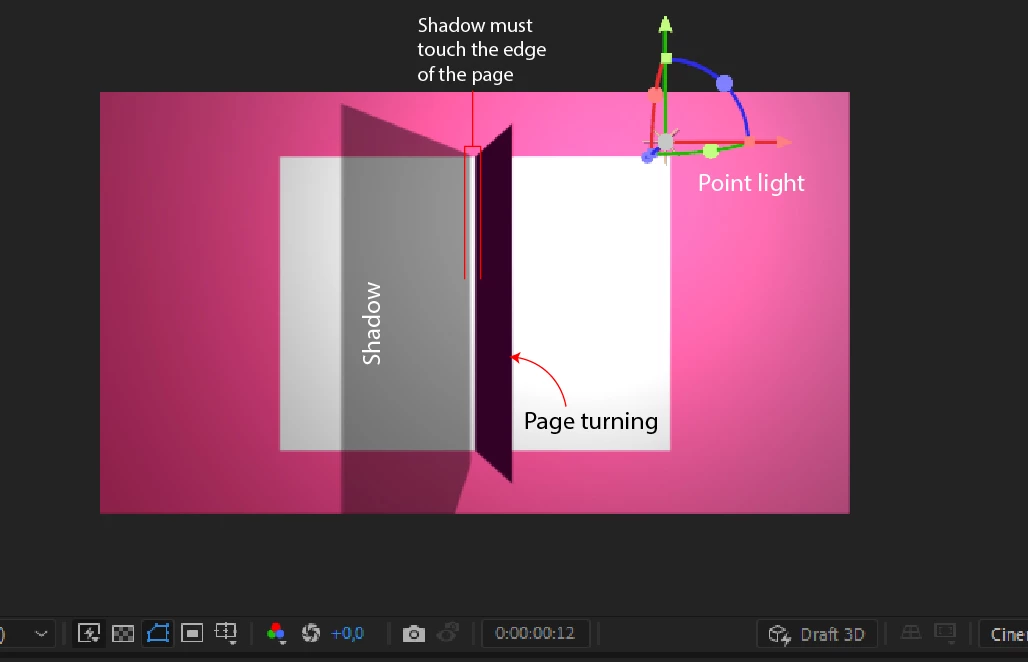
Classic 3D is giving (close enough to) the correct look, while the Cinema 4D renderer is creating that gap.
Investigating to see if I can figure out what's actually at play here.
I never noticed this gap in the tutorial, but he also never really stops on the few frames where this gap is visible. So I followed a hunch and ... for what it's worth, Manuel's project (which you can download from Gumroad) has the same shadow gap, if you look for it. After bringing this up with a member of the Ae team, it sounds like this is actually a limitation of the C4D Renderer - no contact shadows!
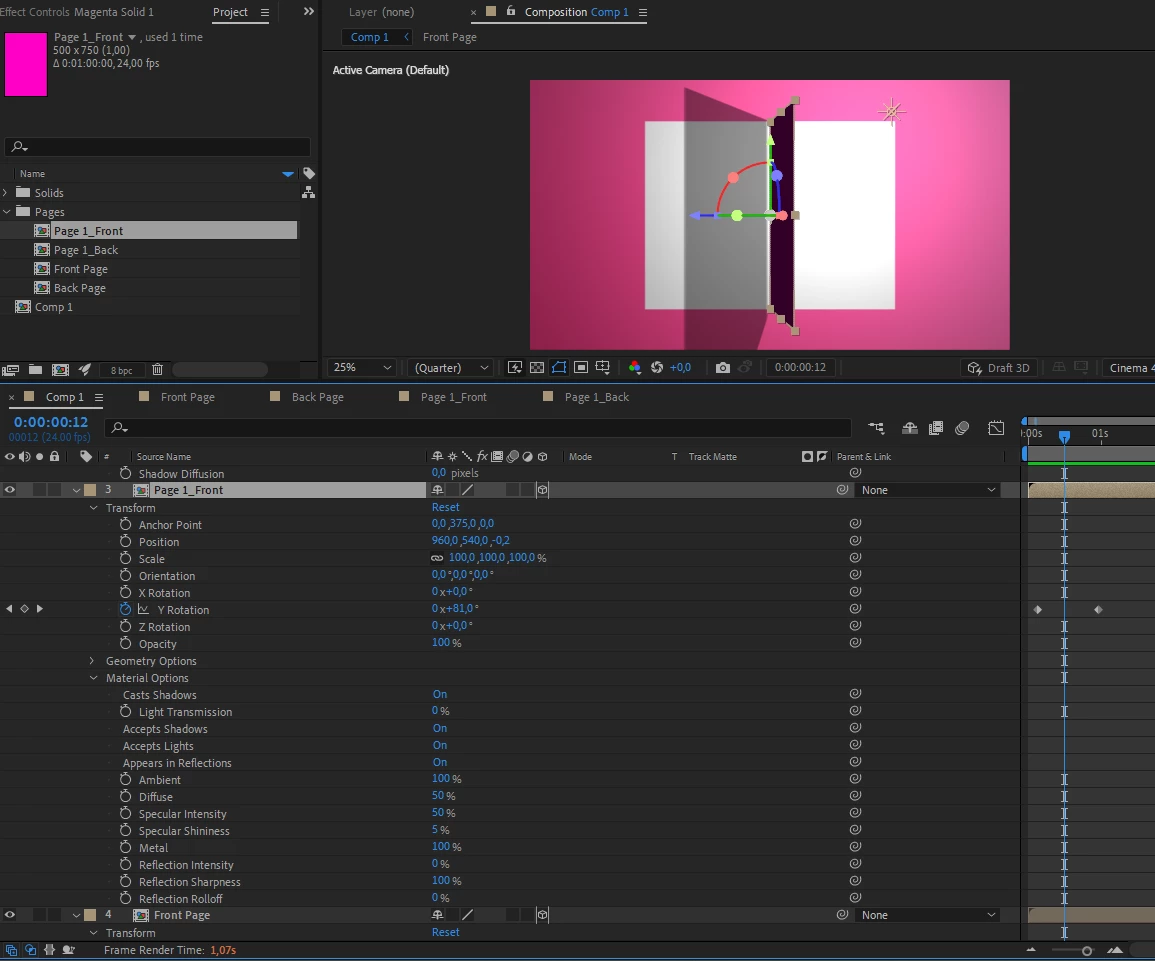
In Manuel's tutorial, cranking up the Diffusion on the shadow seems to hide it well enough, so that's what I'd recommend in your case. Adjusting the timing of the actual page turn may also help hide this, since it's really only visible on those few frames when the page is on-edge to us.
The Beta version of Ae has an additional new 3D rendering engine, which enables some new lighting & shadow behavior. You could certainly explore that as a solution as well, though it'll somewhat change the lighting setup from what Manuel does.

 AdChoices