
Issues with Frame.io within After Effects
Hi there, I'm trying to start a new project using the Frame.io cloud storage, so I can easily work on the project across different devices. I'm able to login to using my Adobe account to Frame.io on the web app, and I can also launch After Effects from the Adobe Creative Cloud application without any issue.
I'm trying to follow the steps in these guides to open Frame.io in After Effects and have the project and its assets all stored on the Frame.io cloud.
Everytime I try to load up the "Review with Frame.io" window, I get an error message and it never loads up.
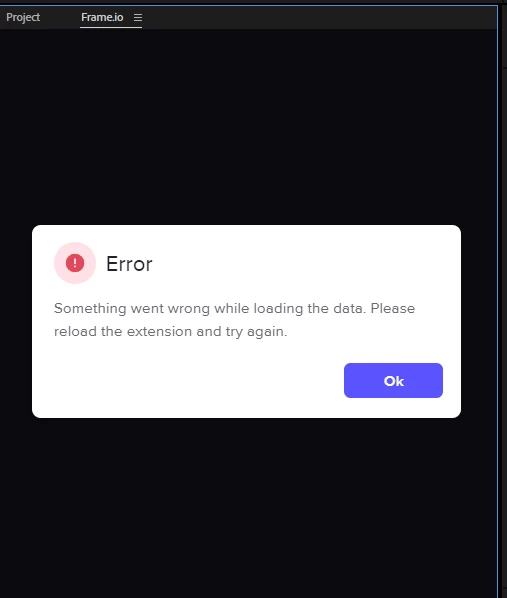
If I press OK after this, it goes on the load for seemingly forever.
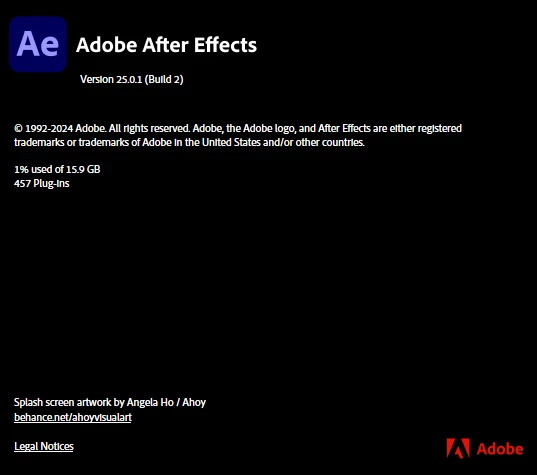
I tried updating AE to the latest version available, and it did not help. Here's the version I'm on:
I already tried the steps in these two articles to troubleshoot and they did not work.
1. https://community.adobe.com/t5/premiere-pro-discussions/frame-io-error/td-p/14063396
2. https://support.frame.io/en/articles/2816517-deleting-the-adobe-extension-s-cache-and-preferences
I saw that Creative Cloud Files storage has been discontinued in favor of Frame.io, so I'm wondering how it's possible now to share these files/assets across devices? Thank you


 AdChoices