Deaf_Guy
Inspiring
December 20, 2016
Resuelto

It's hard to grab the camera to do an arc movement?

  • December 20, 2016
  • 1 respuesta
  • 1134 visualizaciones

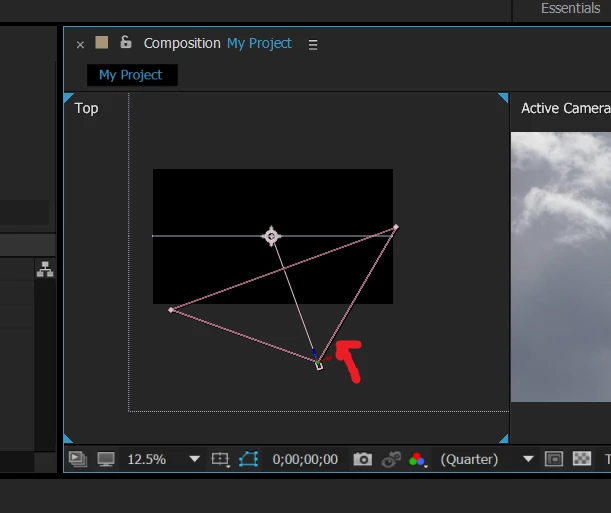
i keep trying to grab the arrow right around where the red arrow is to make the camera do an "arc" but every time i try to grab it i keep missing it over and over again.  then luckily i'll grab it and move the camera in an arc, then I can't grab it any more for 3 or 4 times.

for a camera with a 200mm lens i've given up even trying to grab it to perform the same function.  i'm new at this but there has to be a better way to make the arc cam movement.  are there shortcuts or is there a specific key and click function to do this?

    Este tema ha sido cerrado para respuestas.
    Mejor respuesta de Roei Tzoref

    Controlling the Ae camera takes practice and for more then simple movement you will be better off using a Rig (more about it later in this post). for a basic control in the camera (to create a dolly) you can click and drag on any of the Axis arrows to constrain the movement.
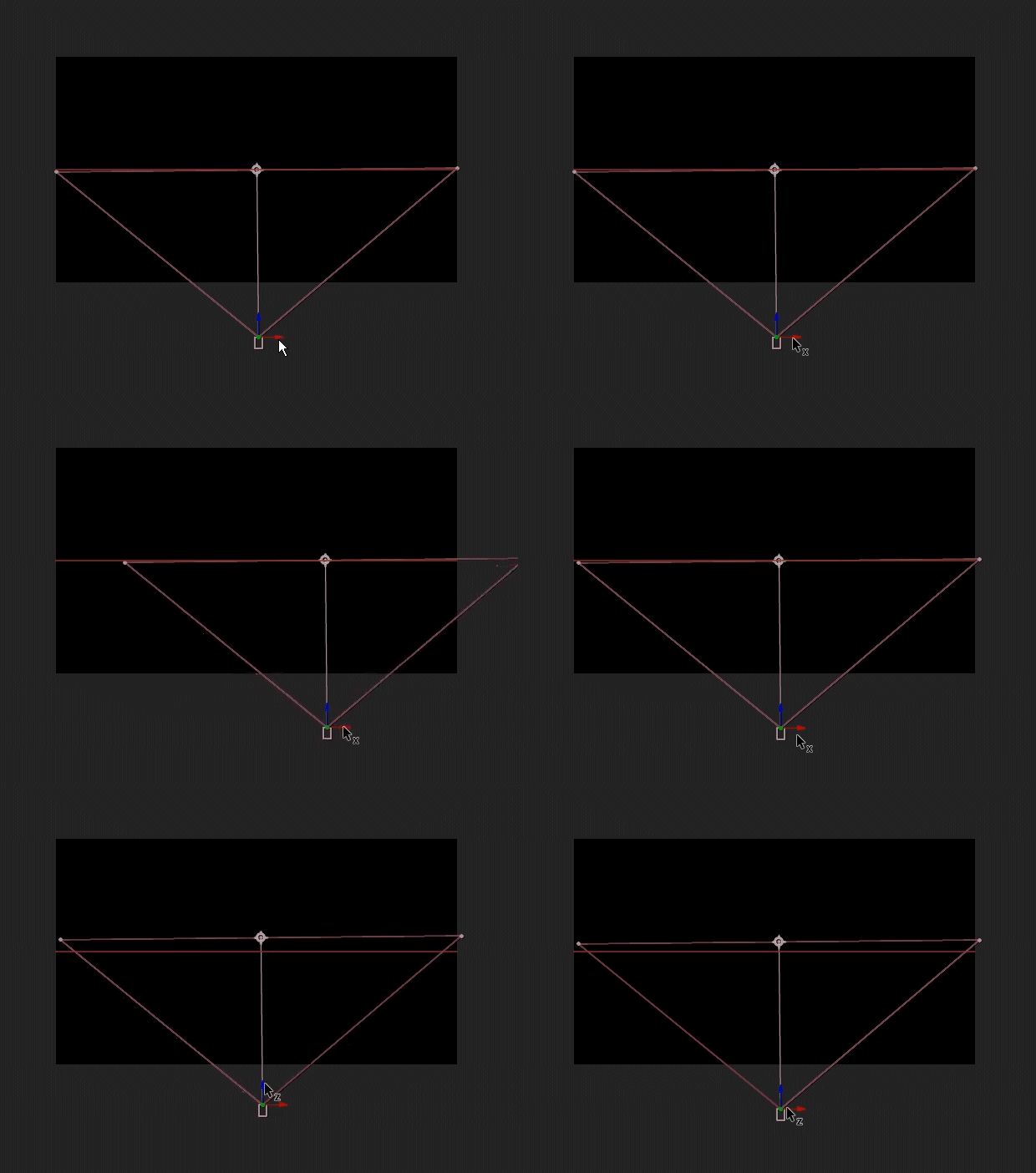
    if you want to move just the position and not the POI you can hold Ctrl as you drag
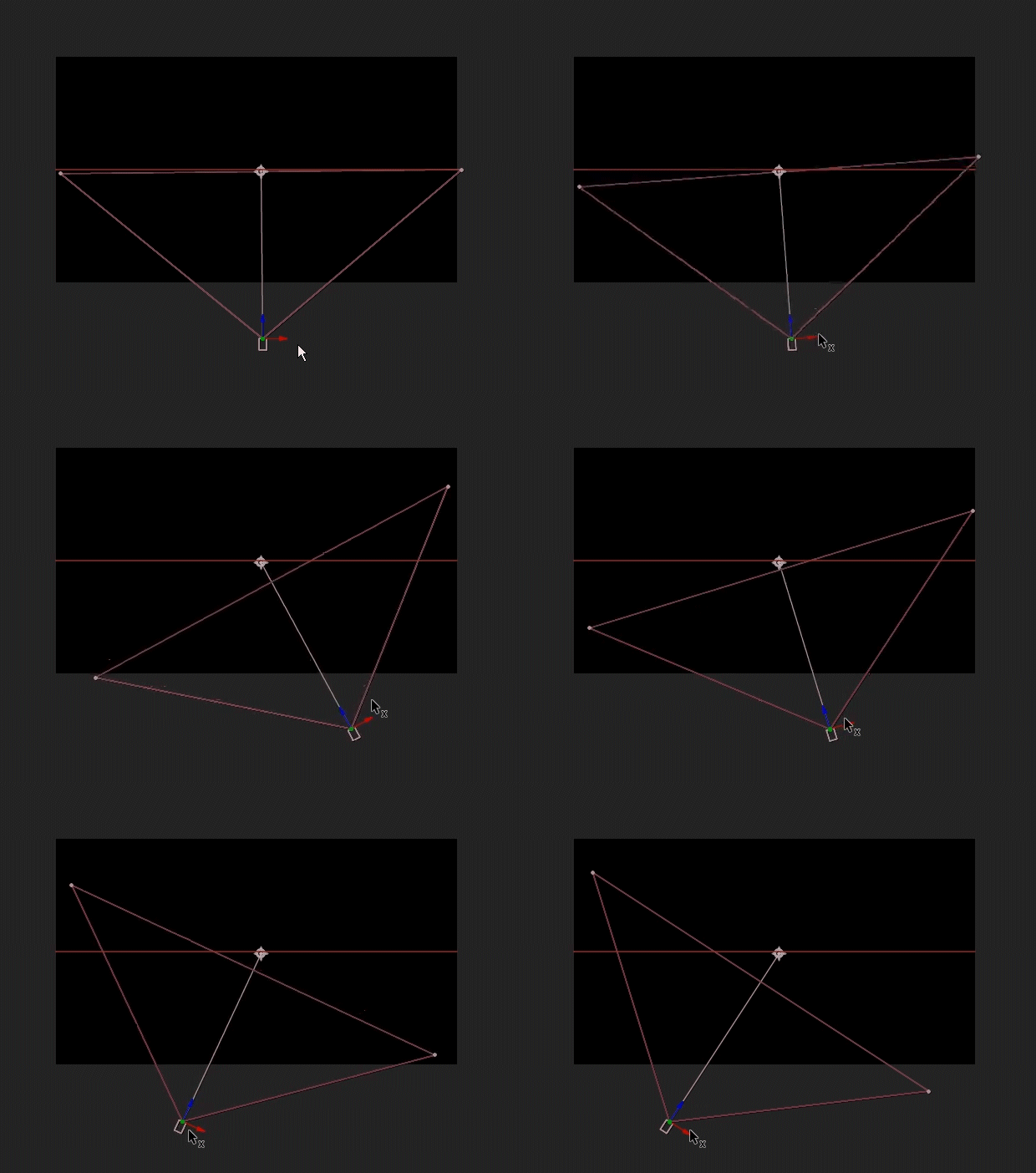
    if you want to really create camera animations, you may need more control than just moving the position or POV. it depends what kind of movement you are going for. different Rigs for different movement:

    • if you want just a dolly forward or to the side - one node camera is fine
    • if you want to orient towards a point of interest - 2 node camera will do it.
    • if you need more that one movement and to move around different objects you can use the orbit camera rig that's easy available in Ae via shortcut: right click on the camera at it's default position and choose "Create Orbit Null". this will give you a null at the camera's focal distance. if you want to move between different points you can just copy their position to the null. this method is also a good option to rotate around an object because you just rotate the null and the camera will rotate around it.
    • if you are more comfortable in using the graph editor than adjusting motion paths in the composition panel, you can use separate the xyz dimensions via preset or the transformations http://www.provideocoalition.com/after-effects-apprentice-free-video-roughing-out-a-camera -move/ and also here VIDEO COPILOT | After Effects Tutorials, Plug-ins and Stock Footage for Post Production Professionals
    • for complex camera control - for example to create something like this:
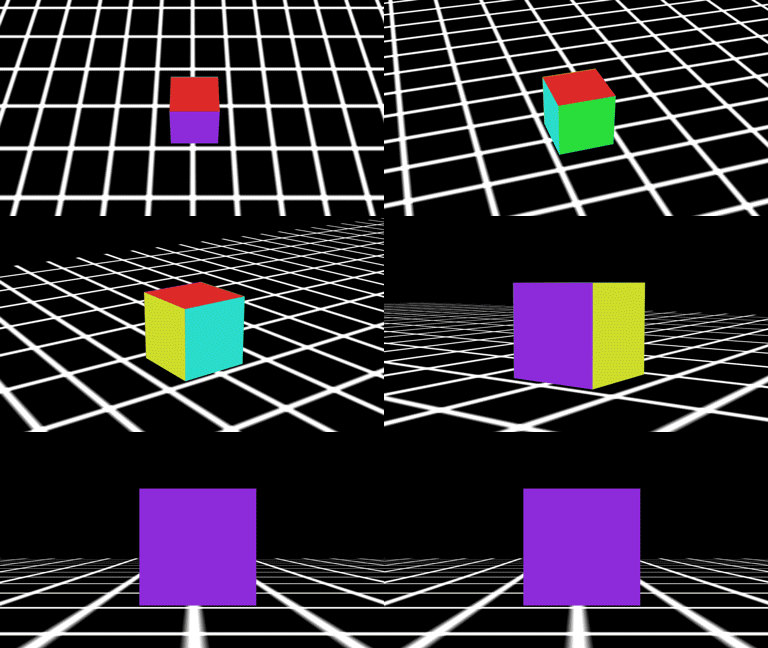
    for a deep understanding of the problem with creating this type of movement and some solution, I highly recommend you watch this 3 part series by Andrew Davis:

    Animating a Camera 1: Camera Difficulties - YouTube

    Animating a Camera 2: Simple Rig - YouTube

    Animating a Camera 3: Controllers & Point of View - YouTube

    if you want to save the trouble in creating this RIg yourself, you can use this script:

    malty: Simple Camera Rig - aescripts + aeplugins - aescripts.com

    1 respuesta

    Roei Tzoref
    Roei TzorefRespuesta
    Legend
    December 20, 2016

    Controlling the Ae camera takes practice and for more then simple movement you will be better off using a Rig (more about it later in this post). for a basic control in the camera (to create a dolly) you can click and drag on any of the Axis arrows to constrain the movement.

    if you want to move just the position and not the POI you can hold Ctrl as you drag

    if you want to really create camera animations, you may need more control than just moving the position or POV. it depends what kind of movement you are going for. different Rigs for different movement:

    • if you want just a dolly forward or to the side - one node camera is fine
    • if you want to orient towards a point of interest - 2 node camera will do it.
    • if you need more that one movement and to move around different objects you can use the orbit camera rig that's easy available in Ae via shortcut: right click on the camera at it's default position and choose "Create Orbit Null". this will give you a null at the camera's focal distance. if you want to move between different points you can just copy their position to the null. this method is also a good option to rotate around an object because you just rotate the null and the camera will rotate around it.
    • if you are more comfortable in using the graph editor than adjusting motion paths in the composition panel, you can use separate the xyz dimensions via preset or the transformations http://www.provideocoalition.com/after-effects-apprentice-free-video-roughing-out-a-camera -move/ and also here VIDEO COPILOT | After Effects Tutorials, Plug-ins and Stock Footage for Post Production Professionals
    • for complex camera control - for example to create something like this:

    for a deep understanding of the problem with creating this type of movement and some solution, I highly recommend you watch this 3 part series by Andrew Davis:

    Animating a Camera 1: Camera Difficulties - YouTube

    Animating a Camera 2: Simple Rig - YouTube

    Animating a Camera 3: Controllers & Point of View - YouTube

    if you want to save the trouble in creating this RIg yourself, you can use this script:

    malty: Simple Camera Rig - aescripts + aeplugins - aescripts.com

    Deaf_Guy
    Inspiring
    December 20, 2016

    All of this info is I'm sure going to help me a lot!  Thanks so much and will read up on the links and info.

    Roei Tzoref
    Legend
    December 21, 2016

    Sure, Mike. Goodluck.