
Participant
November 17, 2025
Question

Keyframes bouncing back and forth despite interpolation being set to linear

  • November 17, 2025
  • 3 replies
  • 171 views

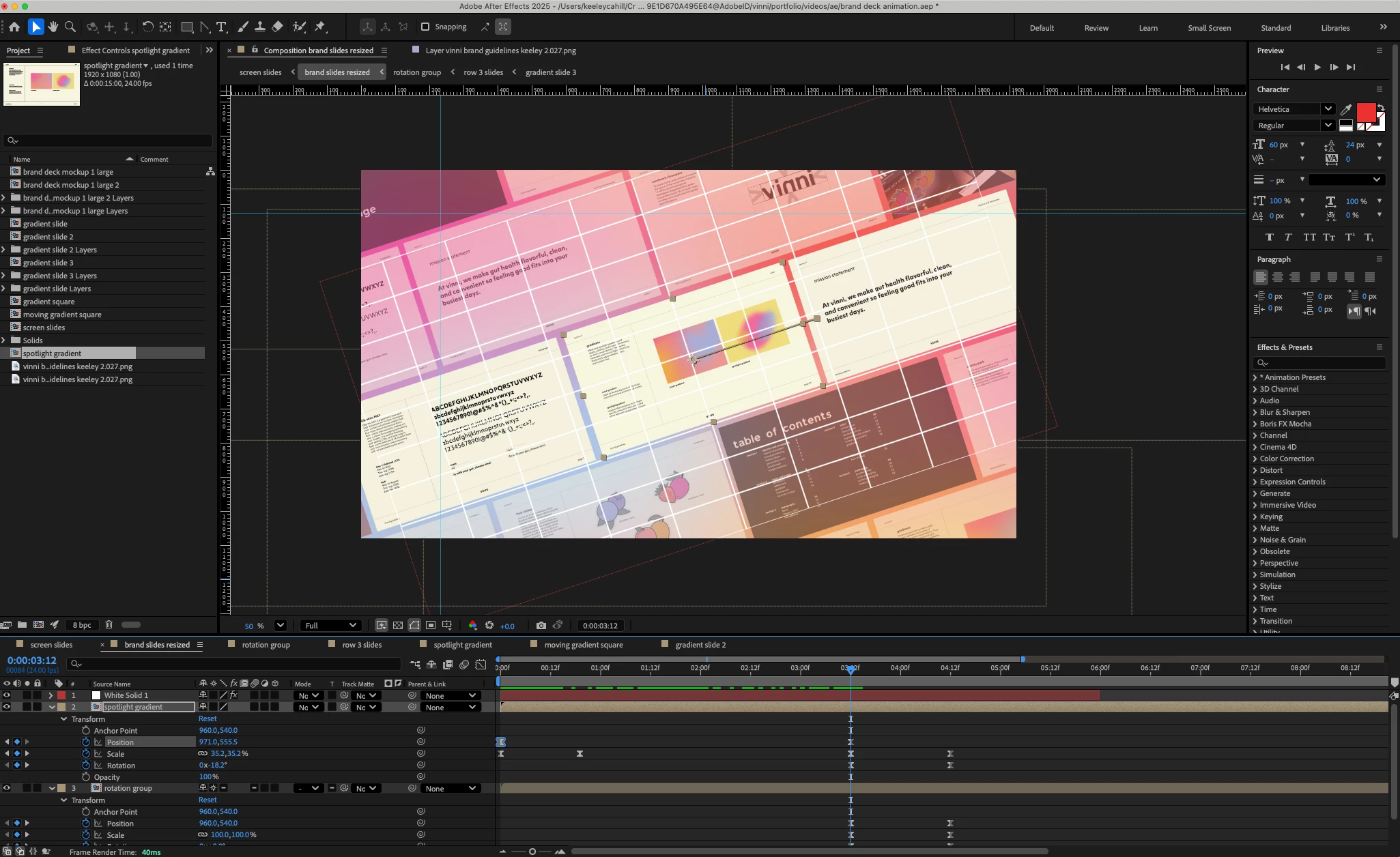
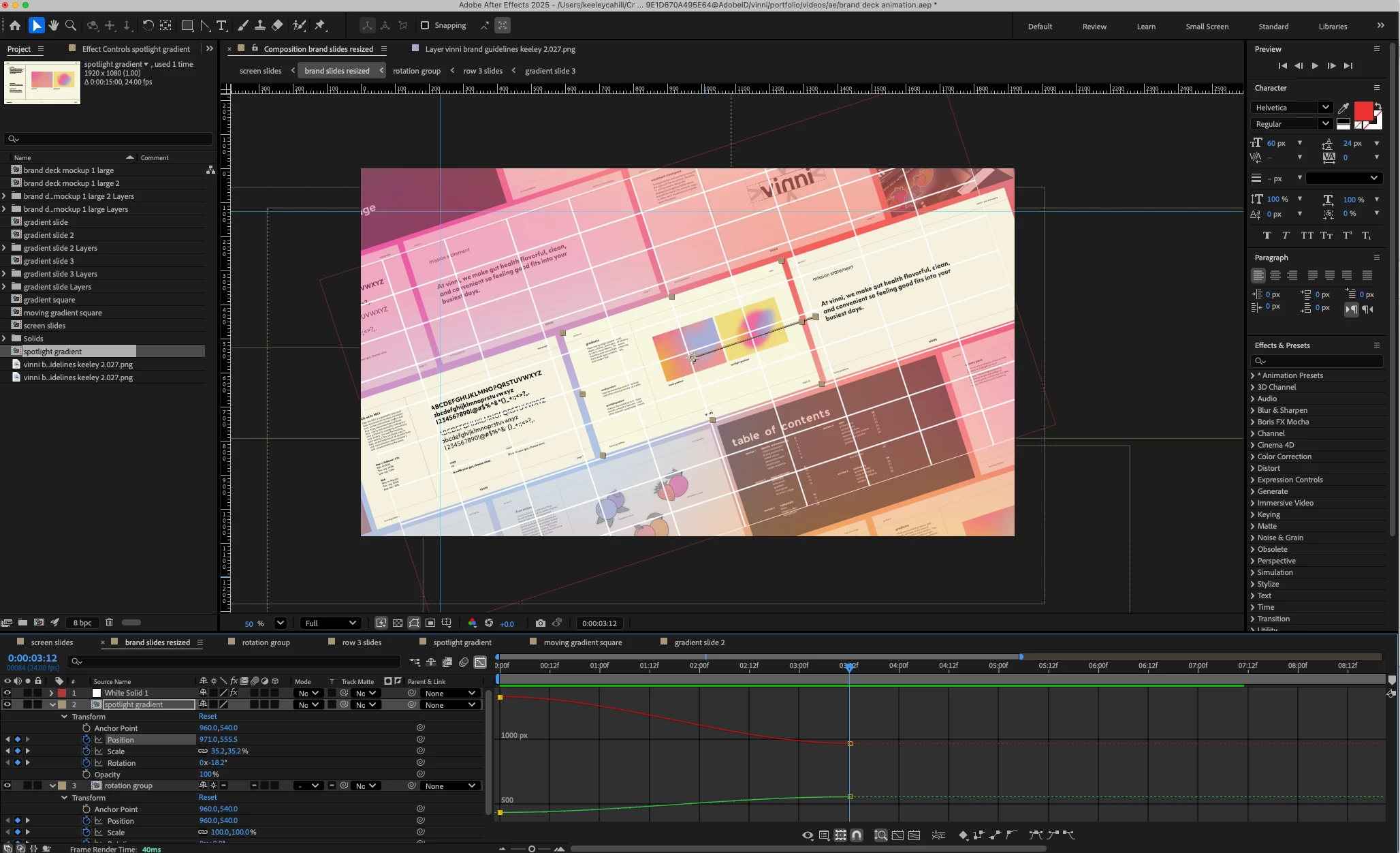
I’ve spent the past few hours trying to troubleshoot an issue where my position keyframes keep bouncing back and forth on one specific slide, and I can’t pinpoint the cause. The issue is with the spotlight gradient composition moving from the first keyframe to the second. I’ve already confirmed that all keyframe interpolation is set to linear and checked for any hidden bezier handles that might be affecting the motion path. I've checked the main comp panel as well as the value graph. I’ve deleted and rebuilt the keyframes multiple times, restarted both the software and my computer, and even updated the program, but the problem persists. None of the other keyframes are doing this, so I’m completely stumped at this point—has anyone run into this before or know what might be causing it? Maybe I'm not looking closely enough? Let me know if there are more helpful images I can attach. Thanks!
3 replies

nishu_kush
Community Manager
Community Manager
November 19, 2025

Let us know if the expert's suggestion helps. If it doesn't, please share a screen recording that shows the problem.

Looking forward to your response.


Thanks,
Nishu

Participant
November 19, 2025

Hi Nishu - 

Attahced is a video of the issue. Let me know if you see anything!

Warren Heaton
Community Expert
Community Expert
November 19, 2025


Hi, @Keeley21981778xjac 

Are both the Temporal Keyframe Interpolation and the Spatial Keyframe Interpolation set to Linear?


From your video link, it looks like Temporal Keyframe Interpolation has some easing or at least doesn't match the layers around it.


 - Warren

Community Expert
November 18, 2025

If you separate dimensions on the position, do you still have the issue? 

Participant
November 19, 2025

I separated the dimensions on position and it is still happening!

Kevin-Monahan
Community Manager
Community Manager
November 17, 2025

Hi,

Thanks for the post. That's pretty weird that you've set the interpolation to Linear, and you're still getting this movement. One workaround I've heard about is worth checking out. You select the keyframes on both sides of the bounce (all at once), CTRL-click on them to change them from easy-ease to linear (the diamond-looking one), then hit F9 to turn them back to easy ease, and the bounce is gone. Works for some users. I've heard this happens when you move already made keyframes and ease isn't at the same value because of that. Not sure, but perhaps that is what happened your case. Let the community know if this worked for you. Sorry for the hassle.


Thanks,
Kevin


Kevin Monahan - Sr. Community and Engagement Strategist – Adobe Pro Video and Audio
Participant
November 18, 2025

Hi Kevin - 

I actually already tried this, and it didn't work :(. It's also now occuring on any frame that I set. I made sure that in my settings "set default spatial interpolation" is set to linear as well. Not sure what is going on, I'm still having the issue!