December 7, 2019
Question

Keyframes not working properly

  • December 7, 2019
  • 3 replies
  • 1361 views

Hello,


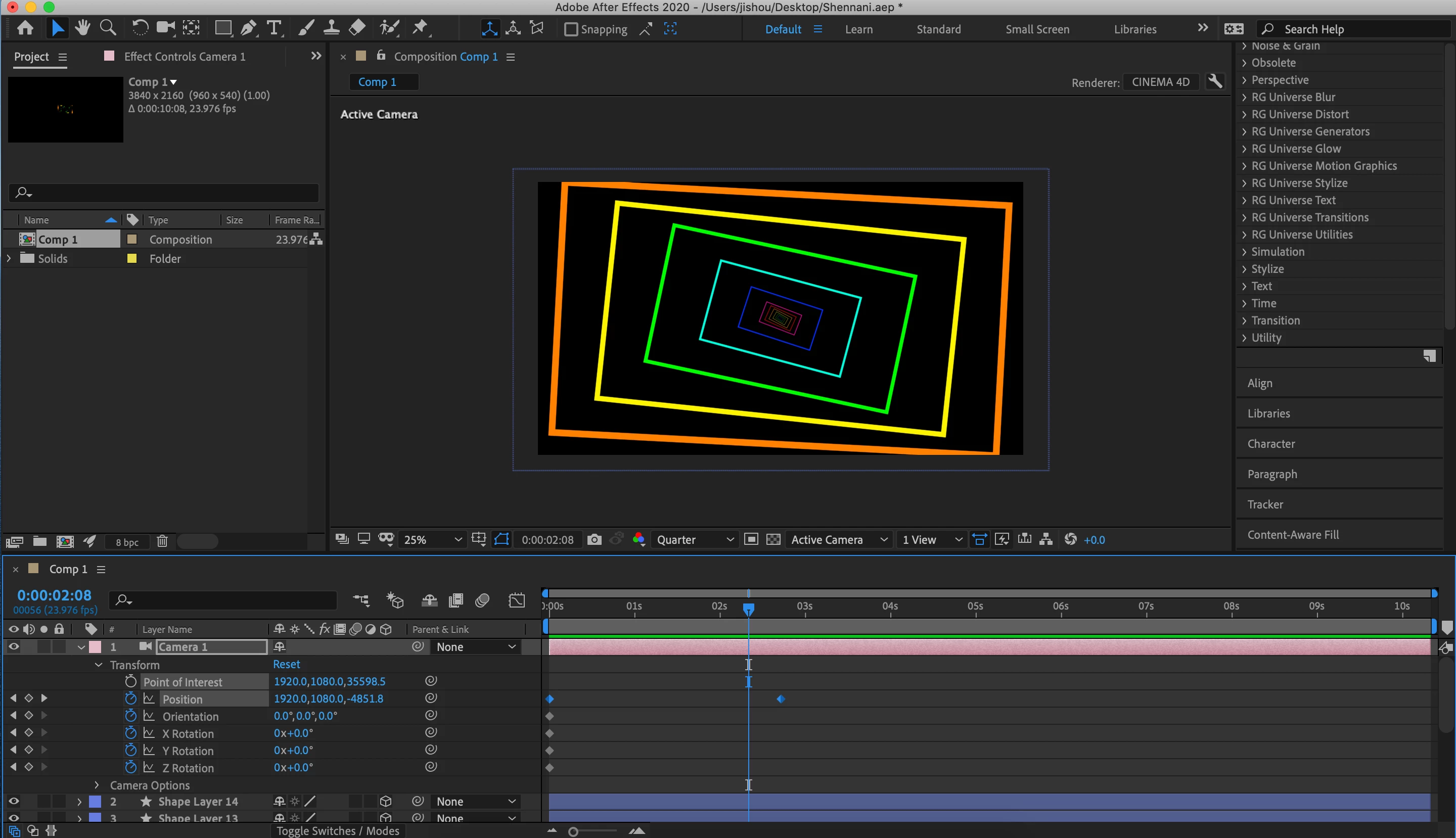
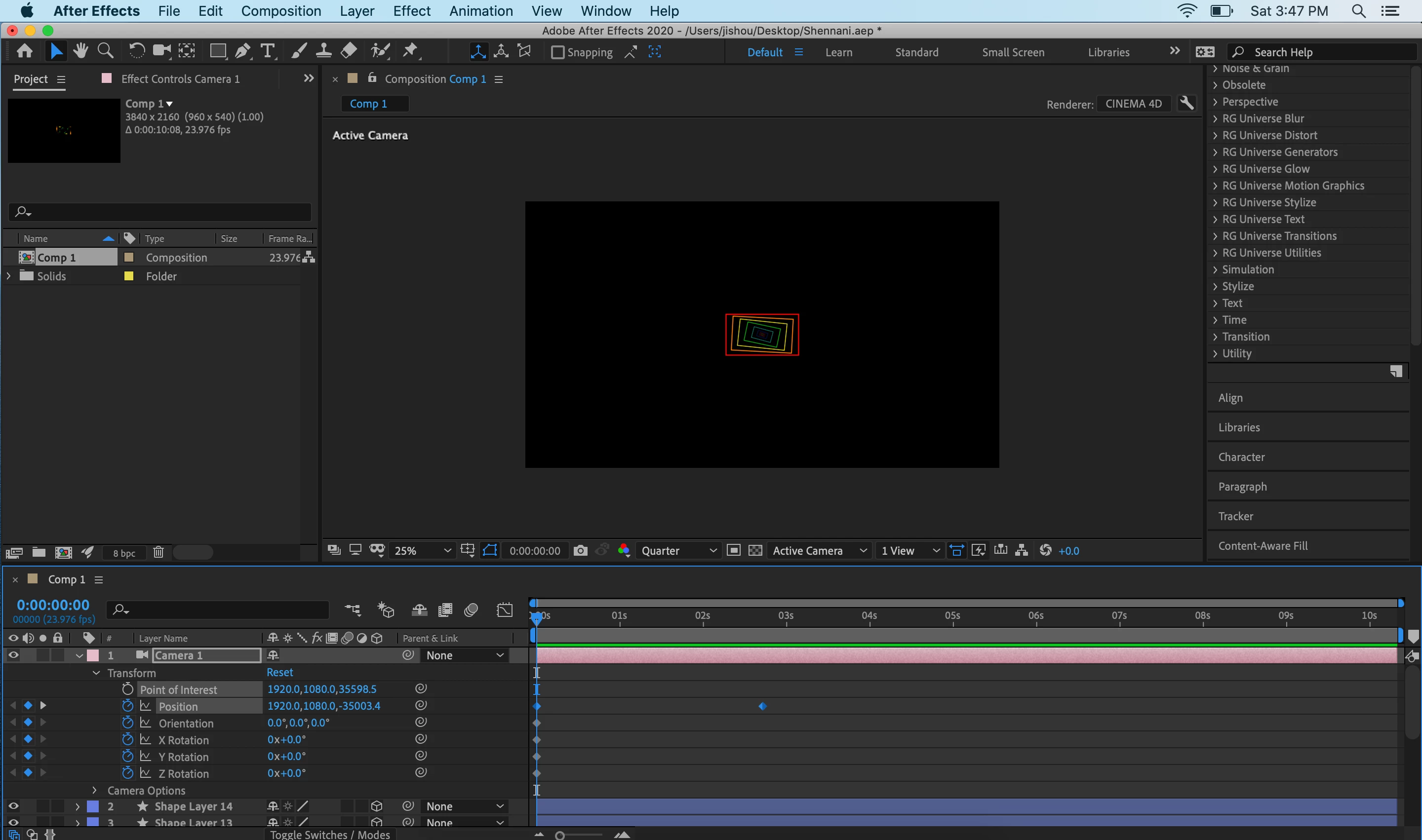
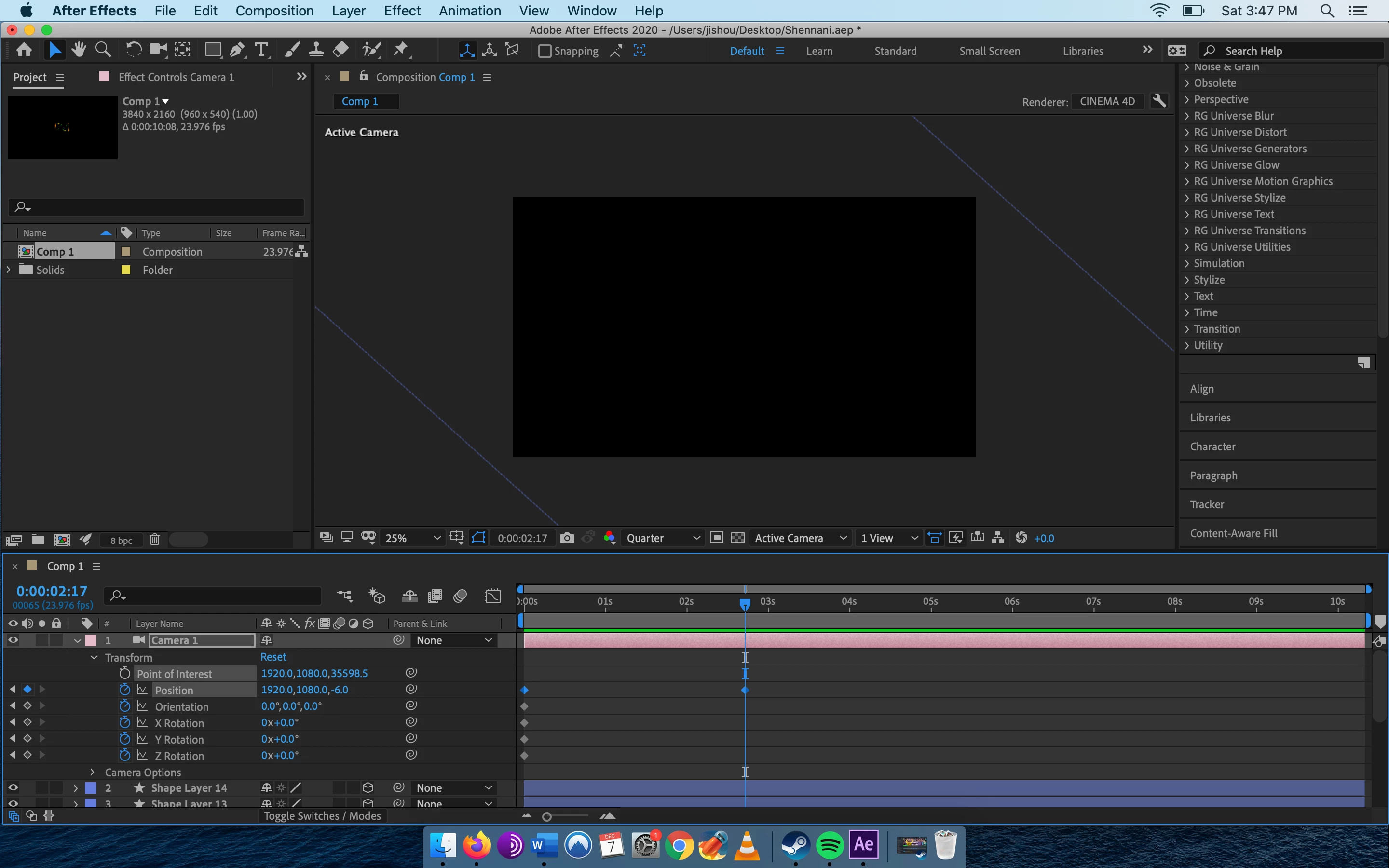
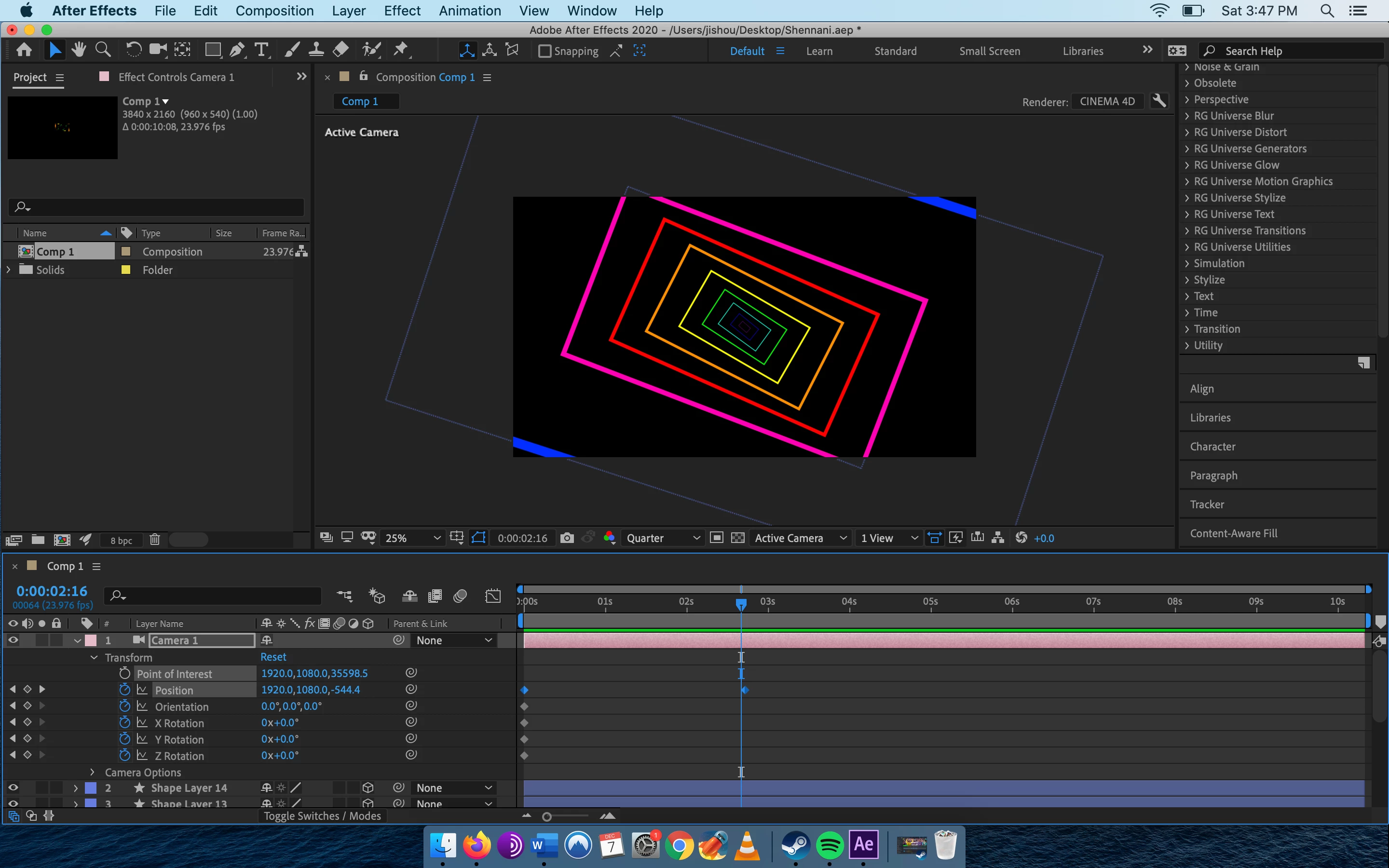
I've been having an issue with keyframes in the current project I'm wokring on. Basically I'm trying to zoom in massively with a camera on some rectangles. It works fine for the entire clip, but as it reaches the end point it is only halfway done with the animation. After that, it just jumps to the end. The effects is that its basically showing the animation as it should but then it just suddenly shows what it should on the final frame.

I've attached 4 photos.

The first is the start, second is the middle, third is one frame before the end point, the final is the end point.


Thank you for any help.
This topic has been closed for replies.

3 replies

Mylenium
Legend
December 8, 2019

I agree with Rick - the camera simply flips over once you are past the zero mark in the Z position and/ or clips out long before that. You are not considering the underlying math and the limitations thereof. And to be perfectly honest, to me the whole approach seems backwards. Unless you are going to add a ton of more 3D layers on top that would necessitate to use a camera animation, it would be much more straightforward and safe to just animate the shapes in 2D. Doesn't take much longer and avoids all the hassle.


Mylenium

Community Expert
December 8, 2019

It looks like the only thing you are animating is the Z position of the camera. Everything else stays the same. Camera and Point of interest appear to be at comp center for X and Y, the Point of interest Z stays at 35598.5 and the camera moves in z from 35003.4 at frame zero to - 6 at frame 65 (0:00:02:17). 


When the camera gets to -6 in z it has either moved past the shape layers or it is so close that you can't see any of them. From the screenshots, it looks like the camera moves closer to the rectangles as it should, then passes them when it gets to -6 in Z. In the 8 frames between 2:08 and 2:16 the size of the orange rectangle changes from just shy of the comp width to half the comp width. This tells me you have a fairly wide lens on the camera and that it is getting very close to the rectangles.


 When diagnosing this kind of problem it is really helpful to enable at least 2 views. This will tell you instantly if your camera has moved past the artwork. Check the top, left, or right view. There is a really good chance that is the problem. If it is not, post a screenshot showing the camera path and the shape layers using 2 views, top and Active Camera and I'll take another look.


Mike_Abbott
Legend
December 8, 2019

Are the shape layers themselves (the rectangles) all at the same location in Z ? If so, what is it?