Inspiring
September 4, 2018
Answered

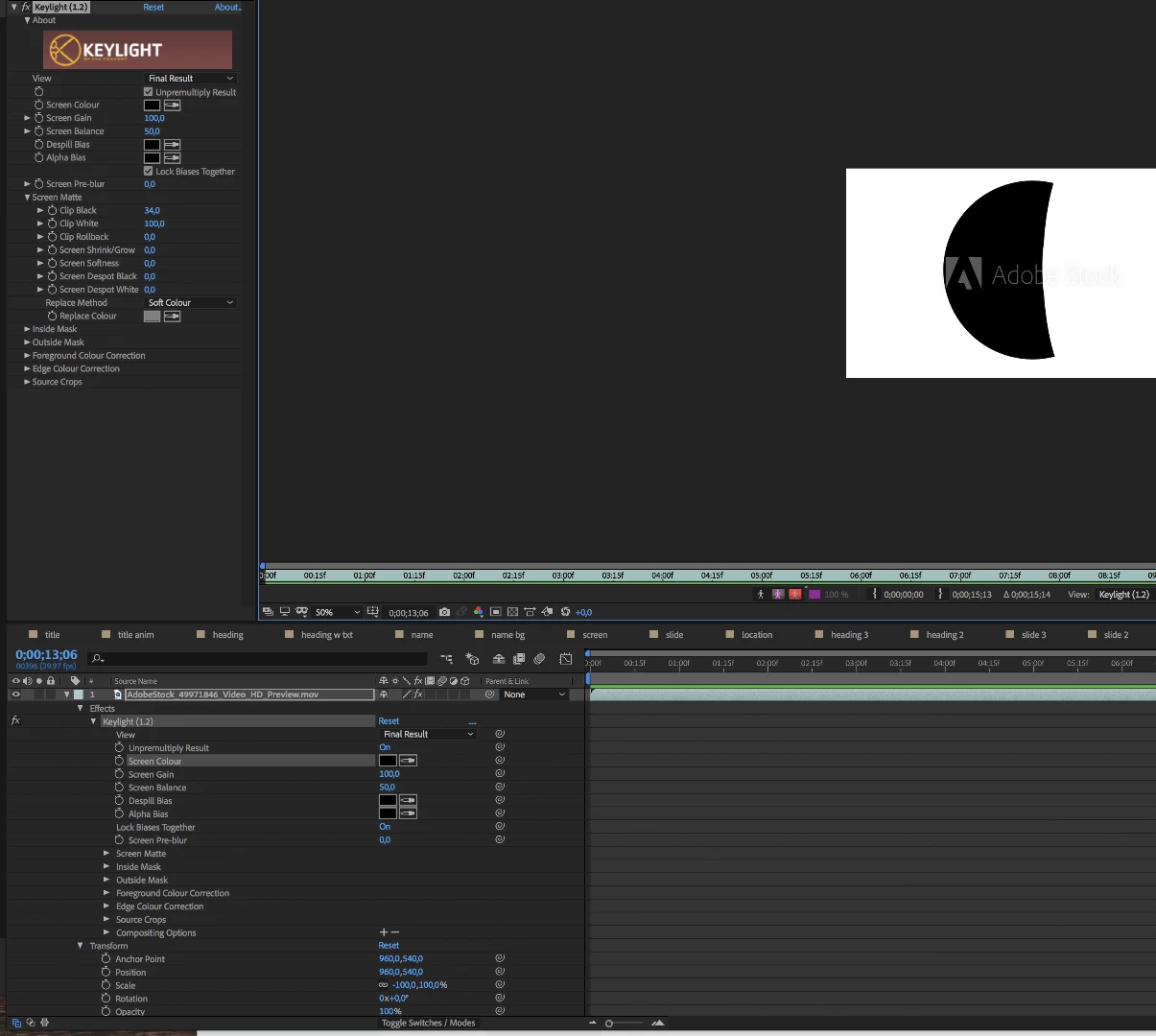
Keying not working with black?

  • September 4, 2018
  • 3 replies
  • 956 views

Hi,

What's up with the fact that I cannot key the black in the clip, but I can make gray as key?

Composition bg color is white atm.

https://www.dropbox.com/s/xc0zu2d9ibrh8rz/key.mov?dl=0

https://stock.adobe.com/fi/video/safe-door-animation/49971846

* * *

Update:

Apparently, in the end of the Adobe Stock preview mov, there's also a portion meant for keying.

How do I utilize that?

    This topic has been closed for replies.
    Correct answer Rick Gerard

    If you have black and white footage intended for use as a matte the best option is to use Track Matte. Just put it above the original footage and choose Luma Track Matte from the options. Please read up on using a track matte by typing "track matte" in the search help field at the top right corner of After Effects. This is a common production technique that you should fully understand.  Blend modes are not suitable for keying. The only thing they would do is darken or lighten the layer below depending on the mode you choose. Blend modes are useful for adding things like glows to footage because you can easily the black in something like a lens flair applied to a solid and see only the lighter colors by choosing Add or Screen for blend modes.

    You should also read up on blend modes and experiment with them. Almost every composite that I work on uses both blend modes and track mattes.

    3 replies

    OussK
    Community Expert
    Community Expert
    September 5, 2018

    Try Color Vibrance - a free plugin from videocopilot. they will help you remove black color

    Szalam
    Community Expert
    Community Expert
    September 5, 2018

    RIck is right. Track matte is the way to go for your situation.

    That said, for anyone else who stumbles on this thread in the future. If you actually do need to key out black, don't use blending modes - that's not keying. Use the Extract effect.

    angie_taylor
    Legend
    September 5, 2018

    I agree with Szalam and Rick on this one. One other thing that may be worth trying, dpending on the content, is the the Color Difference Key. Ive used this quite a

    pot to key out neutrals. Xmult and Unmult bother offer a similar solution to

    Color Vibrance so are also worth a punt! Footage is like

    fingerprints, each is different. And so each requires a unique solution but these are all good suggestions to try.

    Legend
    September 4, 2018

    You don't key black. Use blend modes.

    Rick GerardCommunity ExpertCorrect answer
    Community Expert
    September 4, 2018

    If you have black and white footage intended for use as a matte the best option is to use Track Matte. Just put it above the original footage and choose Luma Track Matte from the options. Please read up on using a track matte by typing "track matte" in the search help field at the top right corner of After Effects. This is a common production technique that you should fully understand.  Blend modes are not suitable for keying. The only thing they would do is darken or lighten the layer below depending on the mode you choose. Blend modes are useful for adding things like glows to footage because you can easily the black in something like a lens flair applied to a solid and see only the lighter colors by choosing Add or Screen for blend modes.

    You should also read up on blend modes and experiment with them. Almost every composite that I work on uses both blend modes and track mattes.