Participating Frequently
April 13, 2016
Answered

Keylight Crashing After Effects

  • April 13, 2016
  • 8 replies
  • 20653 views

Hello,

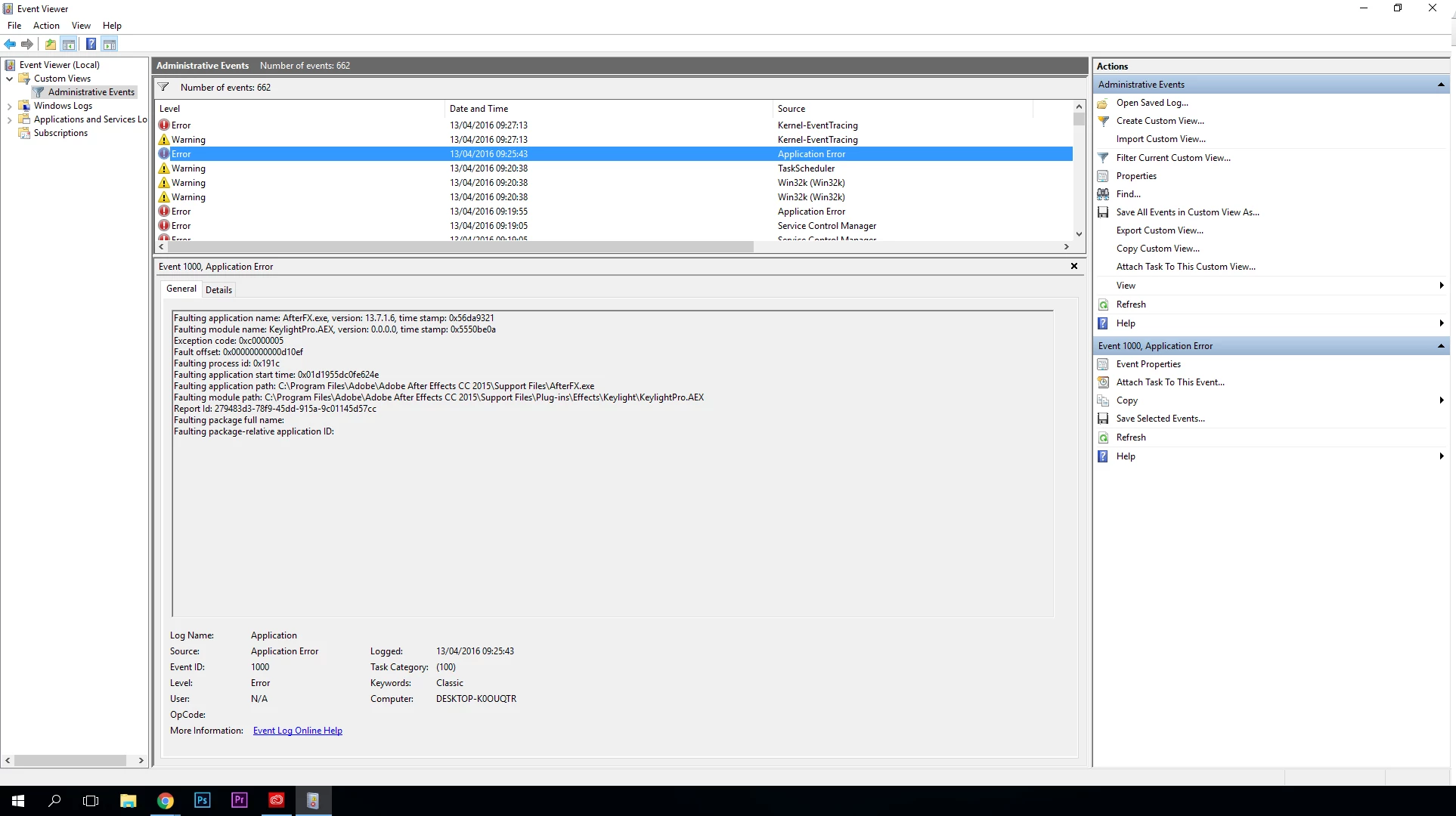
For the past few weeks Keylight has been crashing on me constantly while i use Ram Preview. It's a right pain especially when you are working on a green screen heavy project with a deadline looming. Several weeks ago it worked fine, no issues. However recently its just been crashing non stop, after checking my events viewer every error log states 'KEYLIGHT' as the problem. I currently have the newest most up to date version of the the software, have tried uninstalling/reinstalling the software, tried downgrading to previous versions of After Effects and have even re installed windows several times. I even changed my graphics card in a hope that would solve the issue but nope. My new graphics card driver is up to date and I have tried the keylight 1.2v16 update via The Foundry

I have contacted Adobe Technical support but they said that it's an issue with Keylight and to take it up with the. I have tried to get in contact with the Foundry numerous times via male and phone... but to no avail.

I have noticed several people have a similar issue to me, and I was wondering if they have found a solution to this?

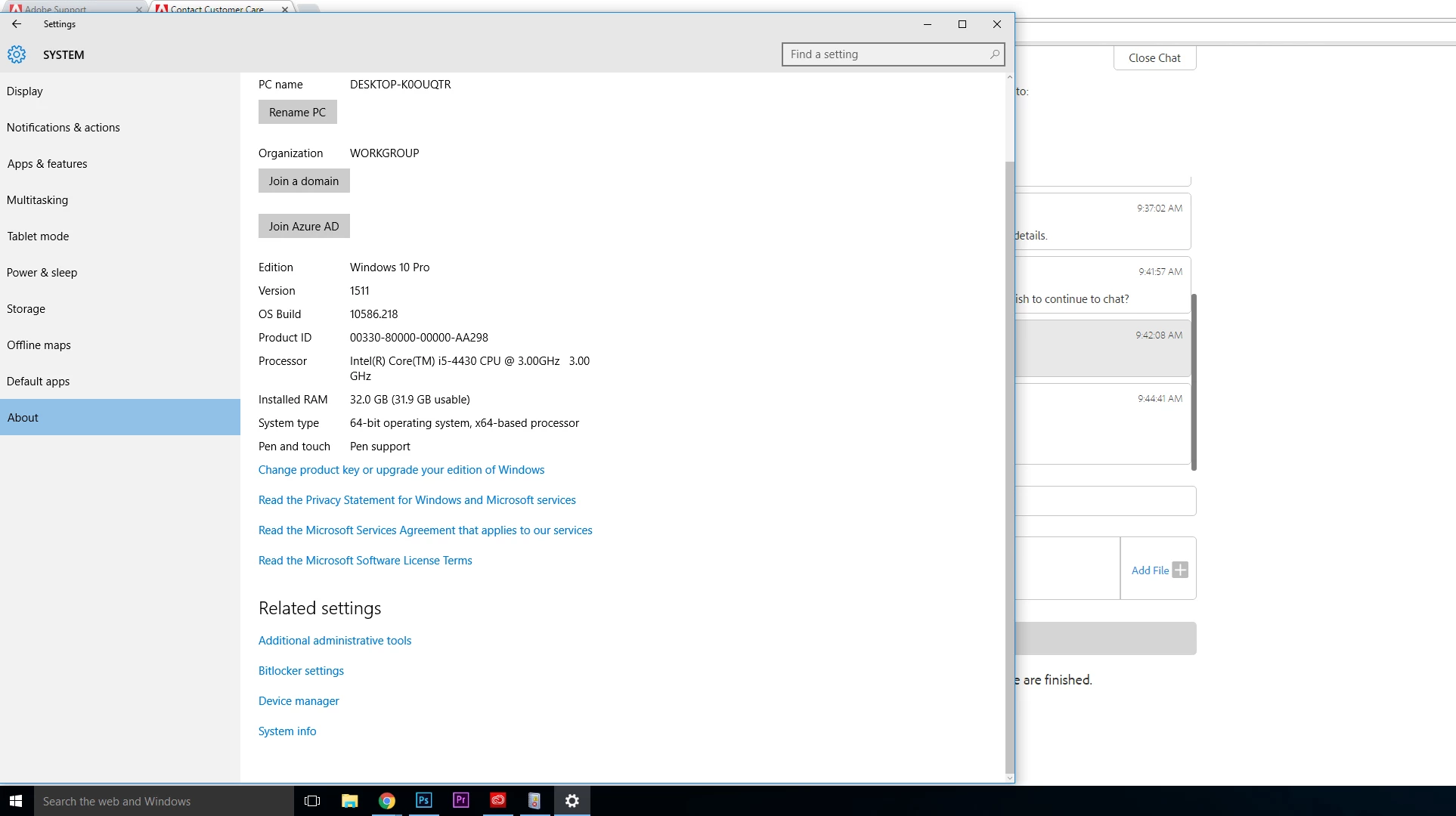
I have attached images of my specs and error logs -
Previous Graphics Card

GIGABYTE - Graphics Card - NVIDIA - PCI Express Solution - GeForce 600 Series - GV-N650OC-2GI (rev. 1.0)

Current Graphics Card

GIGABYTE - Graphics Card - NVIDIA - PCI Express Solution - GeForce 900 Series - GV-N960IXOC-4GD

I would really appreciate any help you guys could give me as this is affecting my job and I really have no idea what to do at this point.

Thanks,

Oliver Jones

This topic has been closed for replies.
Correct answer fuzzy34

I still use Adobe cc 2015.3 (4). I have here massive crash-problems (nearly every move), too. I use keylight and several layers. I have the impression, it crashes more often, if I use pre blur. I also use matte and treshold. keylight I use in the "combined matte" view. codec: prores 4:2:2.. I am afraid to upgrade to cc 2017, because I have to finish projects till the end of this year and unexpected problems would be too much. Best greetz.


I know this thread is almost a year old but I have been having the same issue. However, once I turned "Pre Blur" back to "0" I have not had a crash. Knock on wood. That is the fix.

8 replies

JaydenLawson
Participating Frequently
October 27, 2021

Here is what should be the accepted answer: Go to Preferences > Display, and then un-tick "Hardware Accelerate Composition, Layer, and Footage Panels"

Participant
October 25, 2018

I dont get it... This "effect" or plugin is absolutley worthless!!
Crashes no matter what I try from the tips above. Doesnt matter if I dont touch the Pre Blur, export as another codec, image sequence or what the f*** what I try NOT to touch!

Why do you keep including this plugin Adobe? It's CLEARLY trash in its current state!
If it worked as expected I assume it would be great! But as is... This is useless!

Szalam
Community Expert
Community Expert
October 25, 2018

Let me make sure I understand the issue you're having.

You converted your footage to an image sequence (What kind? PNG? JPEG? TIFF?).

Then you imported that image sequence and dropped it into a composition.

Then you applied Keylight and it immediately crashed? If not, at what point in the process does it crash?

Participant
October 26, 2018

You didnt really read the original post now did you?

Now this isnt something new. A quick google search and you will find this problem with this plfrom WAY back.
Original post is from back in April 2016, that's about 2 and a half years ago.

Here's a few more posts from other places with the same problem that has been ignored by Adobe for years:

If you have some greenscreen footage (I've ried DNxHD, ProRes 422, and some other different codecs as well), and you want to remove the background, as Keylight was MADE for.
Now, you can apply the effect and it doesnt immedietly happen.
So you start tweaking your settings and getting things right. Now you might even get to where you wanted! It all looks good!
Other times, you might not even get there. It can crash when trying to give you a single frame preview.

But god forbid you try to render this and preview it.
You can basically see your RAM usage go through the roof. Now I wouldnt have an issue with this, as pr. usual AE just stops the render when you dont have more RAM to use, and previews what it could. But no, Keylight crashes AE.

Now as mentioned above, do NOT use the mouse to drag the "pre blur". As this will in 90% crash it.
And if that was all, that would be great! But no...

Add to render queue (inside AE), and you might wanna export an AVI file with color and alpha. But no this will most likly crash again.

Ok, turn on Caps Lock to stop the RAM preview... But no, crash again...
Ok, add to Media Encoder and export as PNG sequence... This will work a while longer, but eventually... Crash again!

I stand by my previous statement, at the moment, Keylight is completly useless, and should be removed from AfterEffects as it causes more issues than it's worth.

My suggestion to anyone out there running into the same issue. Concider buying a third-party plugin for keying.

Participating Frequently
September 21, 2017

Ran into this same issue with keylight on a decently large resolution project, 6480x1080, also using the "pre-blur" setting. What solved the issue for me is turning on the caps lock key while rendering which will also prevent the frames from being viewed while rendering.

Participant
May 18, 2017

I'm facing the same problem now, but the new thing that when I only use the Pre-blur option or the Softness, it crashes.When i just use the heylight without activating the last 2 features nothing happens,but the picture is not clear cuz of that.

BTW i've tried this :

AE 2015 and it's the same

Reinstalling AE 2017

Updating Keylight Version

Changing the video codecs

All the same verdict,so What the heck should I do???!!!!!!!!!!

Szalam
Community Expert
Community Expert
May 19, 2017

What codecs have you tried? Most people I've talked to have had great success using image sequences.

ProKaader
Participant
December 9, 2016

Hi, thanks for the tips. I've noticed that many users have the "cannot produce timestamp" error with latest build of AE. I have the 14.01 version and updated GPU drivers and emptied cache. Still no luck. Now I will try to reinstall AE and see if that fixes it.

Participating Frequently
August 22, 2016

UPDATE

I also tried contacting the foundry via email. Just letting em know the specs of my computer, how new it was and what i was doing when keylight would crash (literally anything that involves moving settings or the timeline) and that there clearly was a bug.

A work around is to use PRIMATTE keyer from redgiant ($400!) Takes awhile to understand but works just as good, if not better than keylight

Szalam
Community Expert
Community Expert
August 22, 2016

Or, instead of buying a new plugin, you could try the Ultra Keyer in Premiere Pro. You would need to render the result with the alpha channel out of Premiere for further compositing in AE, perhaps, but that's easy to do. (QuickTime with the PNG codec set to RGB+A should do it.)

Participating Frequently
October 17, 2016

I'm starting to get crashes in AE also. I started with Premiere's key tool but that was even worse for crashing. Really bad. Up until 13.8.1.38 I had never experienced a crash using Keylight in AE.

Participating Frequently
August 19, 2016

Same thing here too

Spent so long testing my ram and such cause I felt one of the sticks was bad (Dropped it pretty hard)

Ram previews in keylight cause a crash

Messing with keylight settings too long? Crash

Pretty capable computer I just built a few months ago

I7 67k

DDR4 64 GB

Samsung evo SSD (x2)

windows 10 pro (a real copy)

GTX 960 FTW 4gb

Let me know when you plan to storm the adobe castle and flip cars over and burn shit. Ive got matches

Szalam
Community Expert
Community Expert
April 13, 2016

The GPU doesn't matter because the current version of AE doesn't use the GPU for much of anything.

What format and codec is the footage you're applying Keylight to?

Participating Frequently
April 13, 2016

They are MOV files taken from my 5D mk3 camera. I haven't had this issue before and have done several entirely green screen music videos with the camera, computer and After Effects 2015.

Szalam
Community Expert
Community Expert
April 13, 2016

So they're encoded with the h.264 codec. Try transcoding that footage to a proper production codec (Cineform, DNxHD, QuickTime with the PNG codec, etc.) and do the keying on that.