
Participant
January 10, 2018
Question

Layer mode options disappear when layer is converted to 3D.

  • January 10, 2018
  • 1 reply
  • 428 views

This seems to be a new bug in 2017, for some reason when you convert a layer to 3D it no longer gives you options for different layer modes.  Anybody found a workaround or a fix?
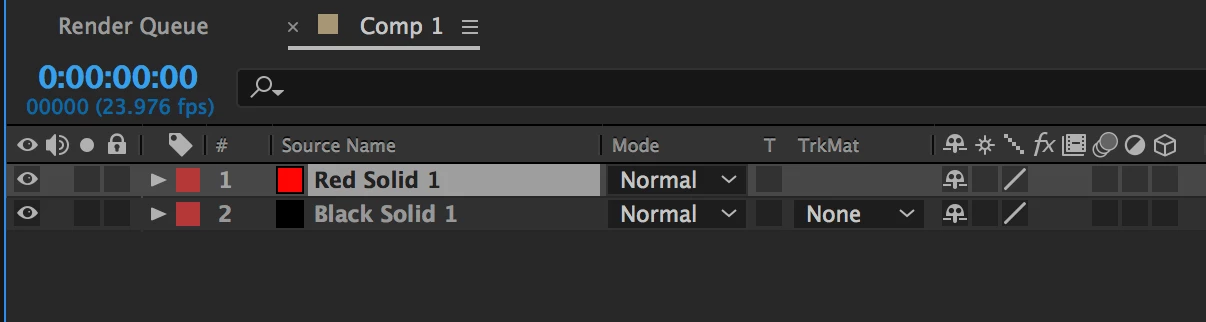
As you can see, both the trackmat and layer mode options just go away.

    This topic has been closed for replies.

    1 reply

    Jose Panadero
    Community Expert
    Community Expert
    January 10, 2018

    It is a normal procedure. Once you change the renderer for your composition to Raytrace or Cinema 4D, you will loose some options for your layers but you gain a few others (see attached image). The solution for this is to get back the Classic 3D renderer. Enter into your composition settings, go to the 3D Renderer tab and change it to Classic 3D.

    I_am_lonoAuthor
    Participant
    January 11, 2018

    Awesome... that fixed it... for some reason it defaults to Raytraced, and that turns off all the layer modes and other options.