
Layer not displaying in the correct position
Hi all,
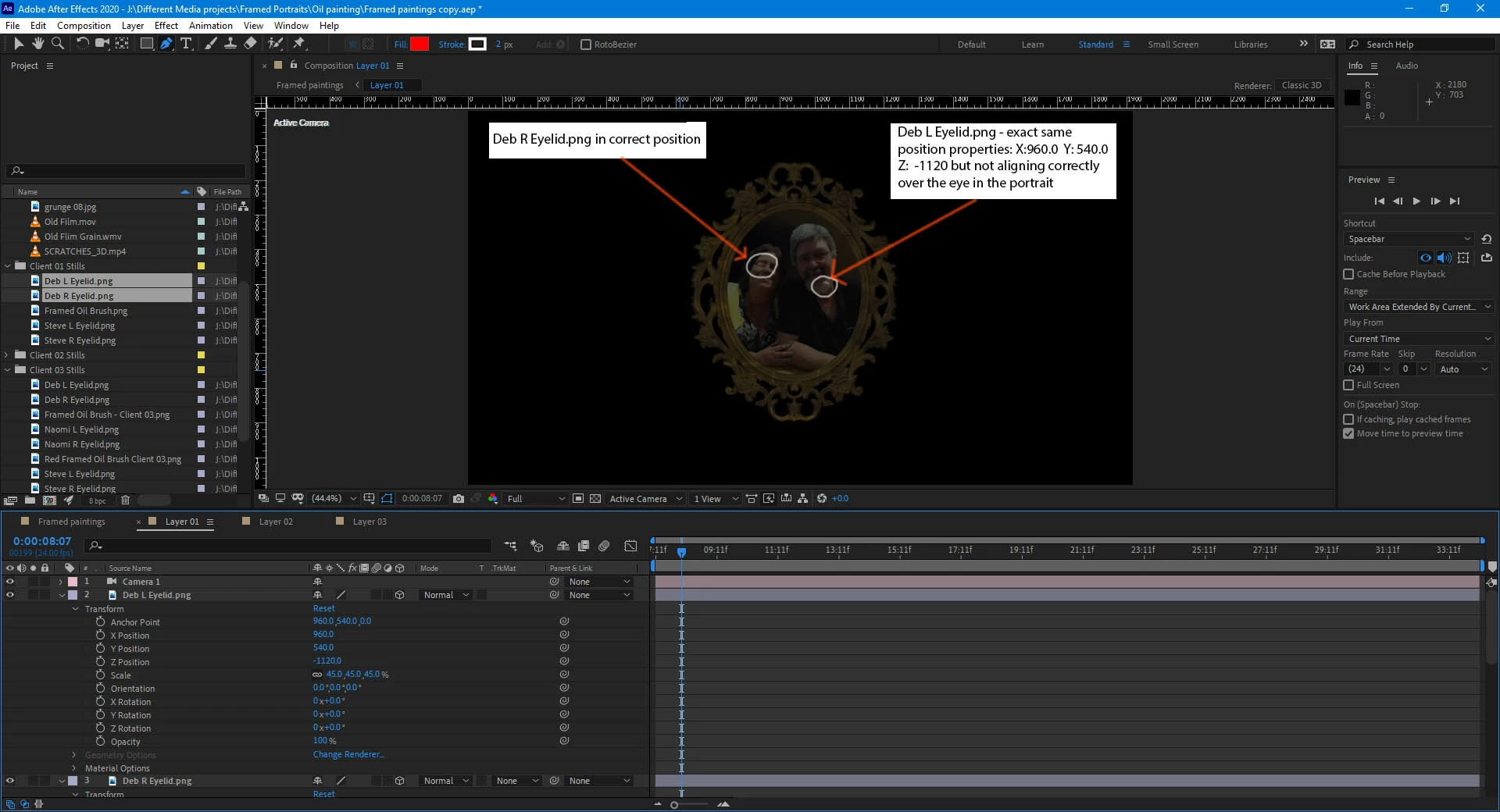
I have a problem with a png layer not displaying in the location that I would like.
I have two eyelids that are supposed to lay over the top of a pair of eyes in a portrait.
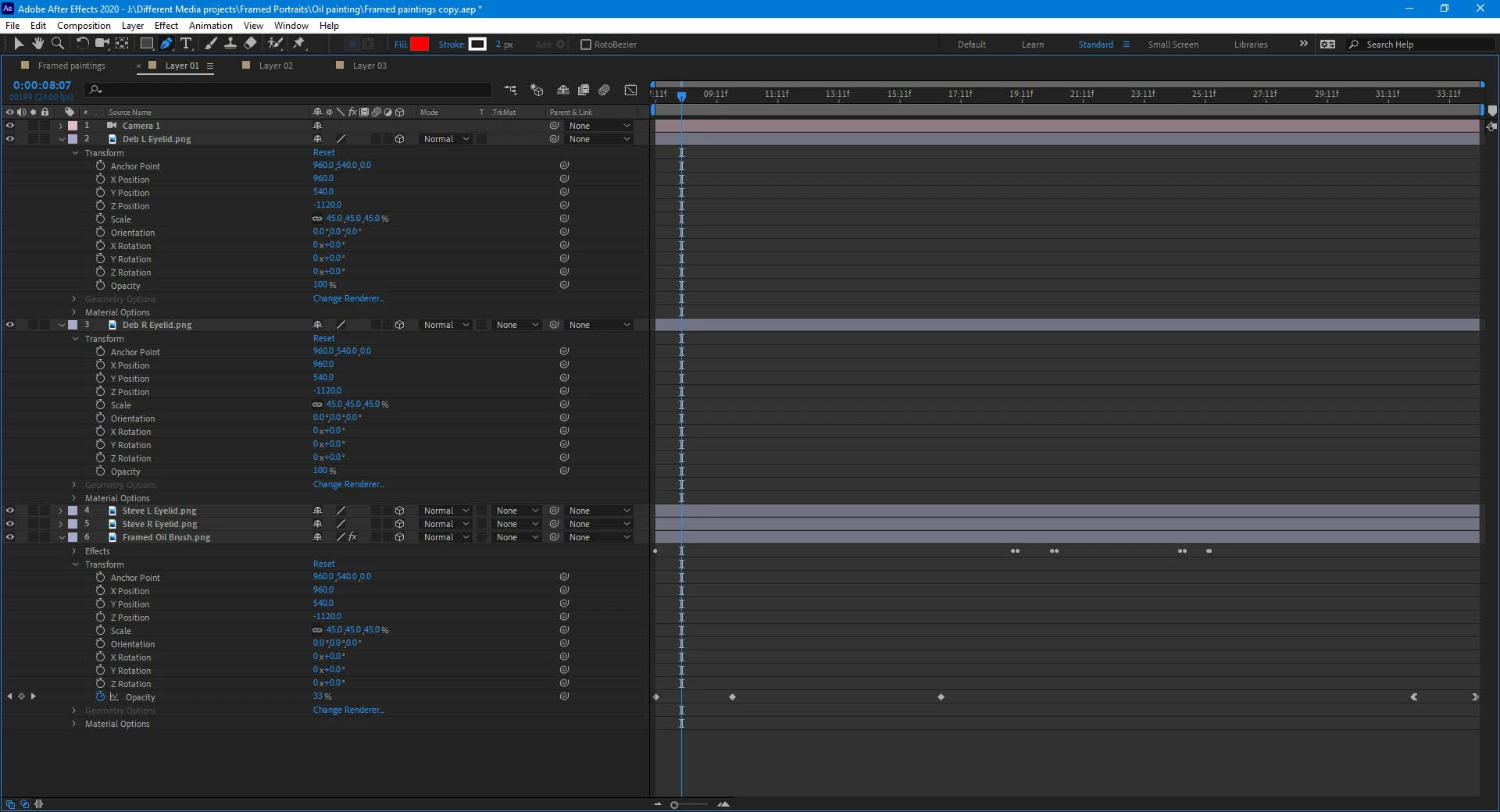
The position properties are exactly the same for both eyelid layers and they are both on 3D layers.
The issue has occurred after editing the offending png in Photoshop and then refreshing the image in After Effects. The png was in the correct position prior to editing the png.
I then deleted the layers in After Effects and re-imported the layers and reset the position properties, however, the issue still remains.
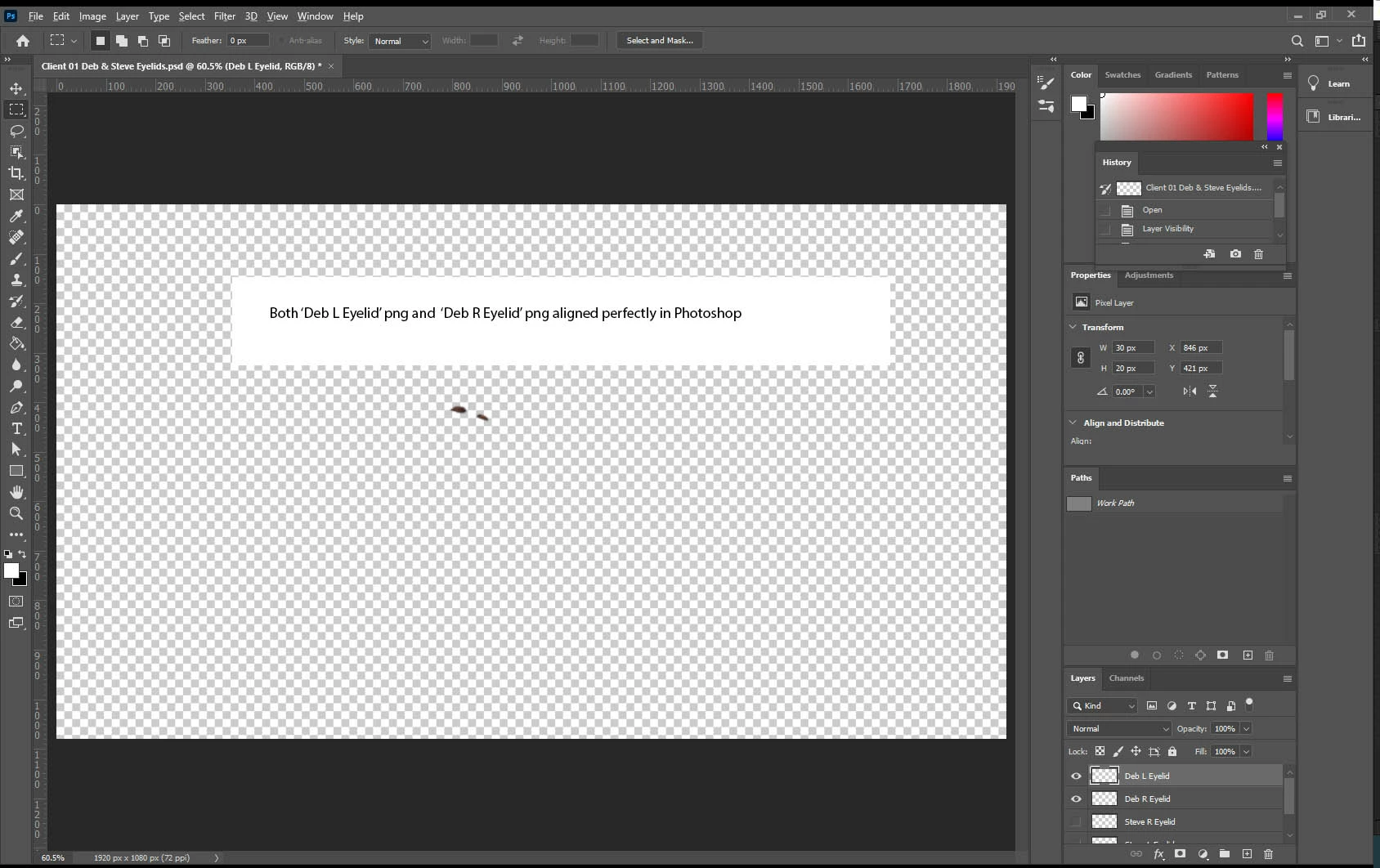
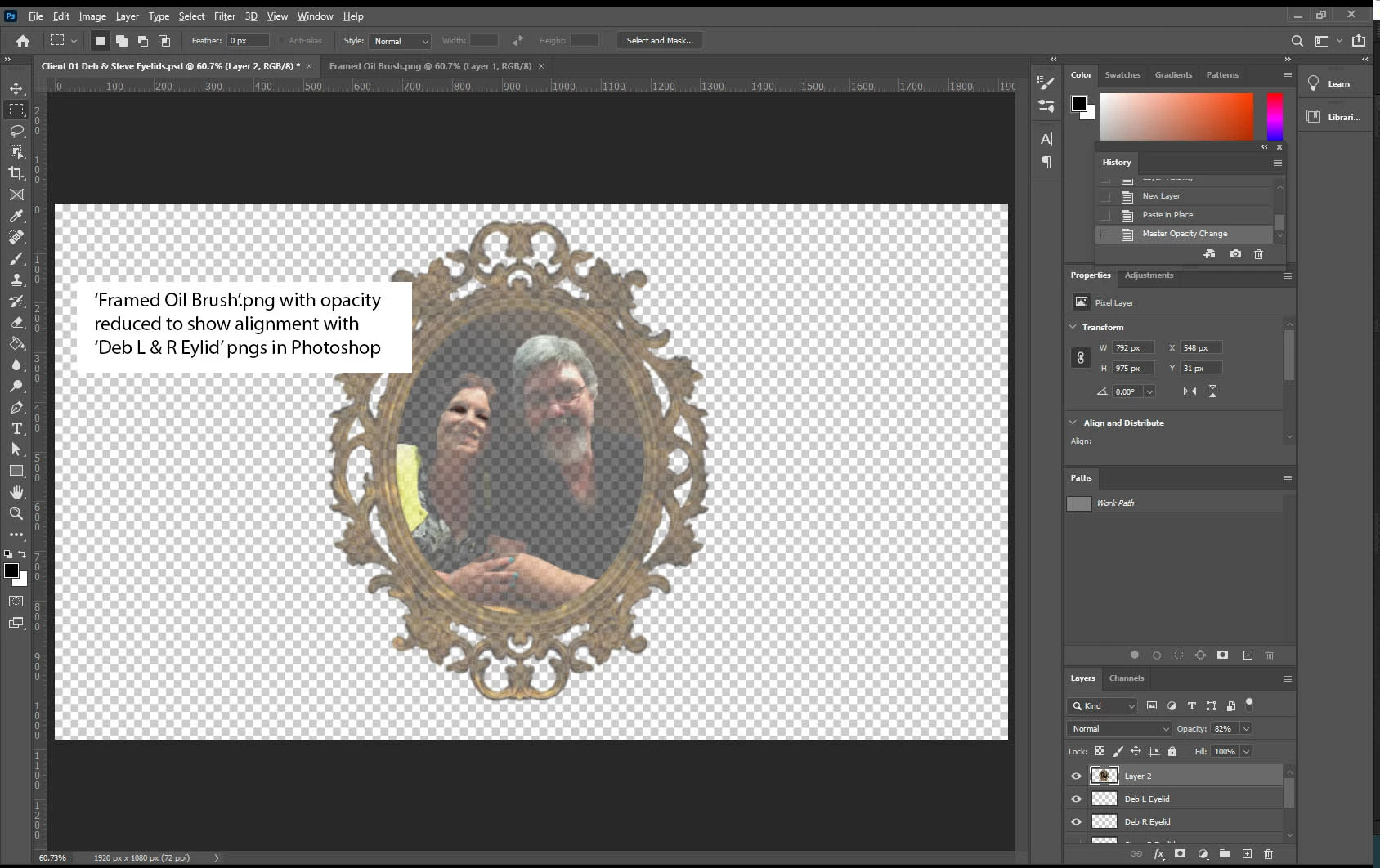
All layers align correctly in Photoshop but not in After effects.
I have no clue as to what is causing this issue but if anyone can help I would be extremely grateful.
Thanks.
OS Name Microsoft Windows 10 Pro
Version 10.0.18362 Build 18362
System Model Z97X-SLI
System Type x64-based PC
Processor Intel(R) Core(TM) i7-4790K CPU @ 4.00GHz, 4001 Mhz, 4 Core(s)
Installed Physical Memory (RAM) 32.0 GB
Total Physical Memory 31.9 GB
Available Physical Memory 20.3 GB
Total Virtual Memory 42.4 GB
Available Virtual Memory 28.1 GB
Page File Space 10.5 GB
Graphics card:
NVIDIA GeForce GTX 1050
NVIDIA Studio Driver
Version: 451.48
Release Date: 06/24/2020
After Effects version:
Version: 17.1.1 (Build 34)
PNG Specs:
Framed Oil Brush.png
Dimensions: 1920 x 1080
Bit depth: 32
Size: 1.21 MB
Deb L Eyelid.png
Dimensions: 1920 x 1080
Bit depth: 32
Size: 19.7 KB
Deb R Eyelid.png
Dimensions: 1920 x 1080
Bit depth: 32
Size: 17.2 KB
 AdChoices