


Participant
Mar 16, 2018 4:35 PM UTC
Answered

Layers not visible in my comp viewer in AE

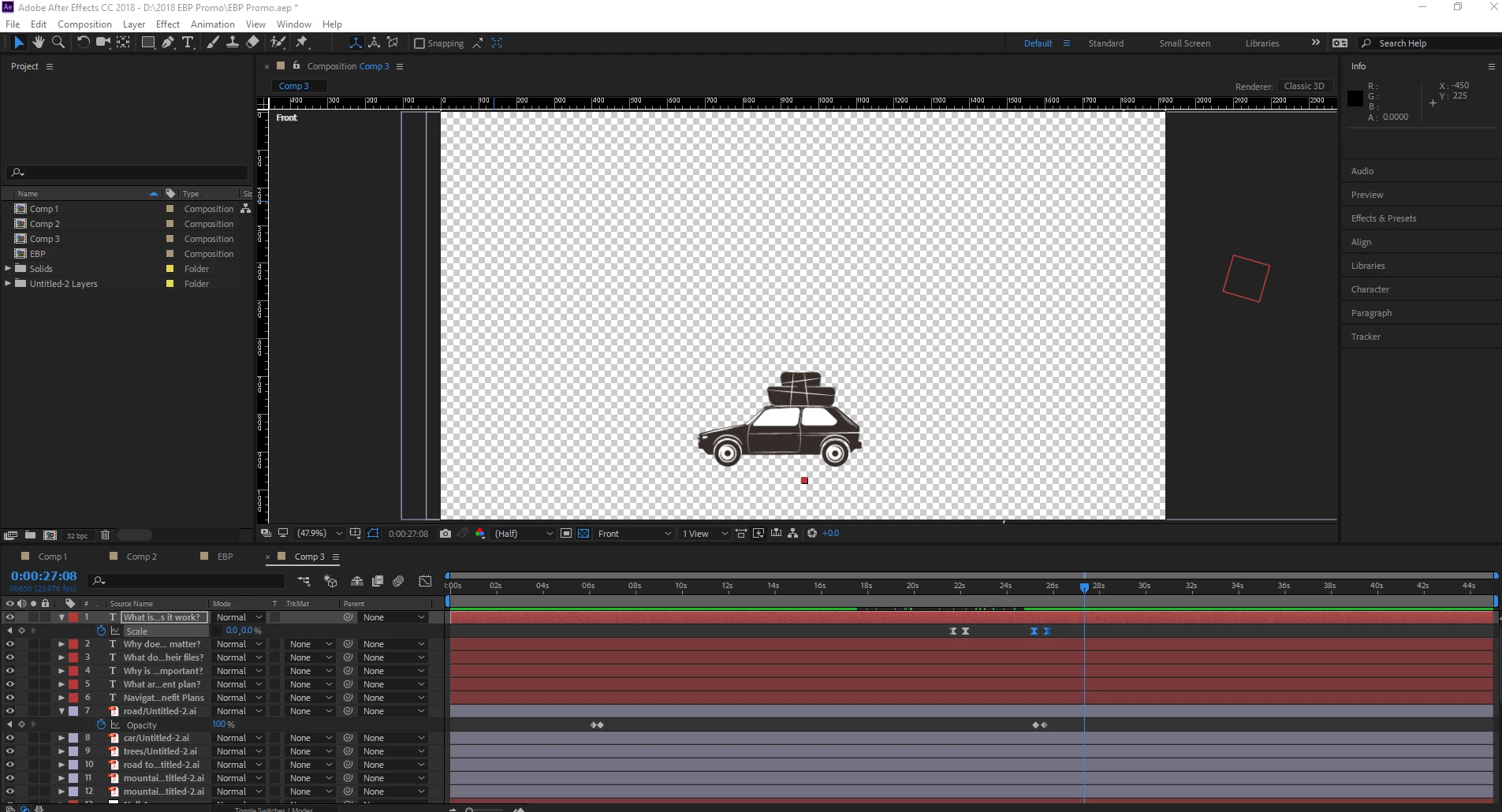
I am at a loss...the last thing I remember doing was hitting F9 to make an easy ease on a layer and suddenly all of my layers except for one disappered out of my comp viewer. The layers are still in my project, I just can't see them. The screen shot of what I am looking at is below. Please help!

Dave_LaRonde
Dave_LaRondeCorrect answer
Inspiring
Mar 16, 2018 5:55 PM UTC

Yeah -- change your view from Front to Active Camera, and turn off the 3D.

10 replies

Participant
Jul 21, 2022 8:44 PM UTC

Thank you!!! Was going crazy! Did the same thing - F9 for easy ease and suddenly everything is gone! Fixed! Thanks! Phew!

Translate
DanW R2R
Participating Frequently
Sep 24, 2020 5:59 PM UTC

I just came across this because I had the same issue but needed to leave on 3D. I found I was hitting the ESC key and flipping the view.

Translate
Dave_LaRonde
Inspiring
Mar 16, 2018 5:03 PM UTC

We can't see all your layers, so here's a guess -- you accidentally soloed the one layer you can see.

Translate
Participant
Mar 16, 2018 5:26 PM UTC

I have all my layers visible now...I don't have anything soloed...

Translate