

Answered
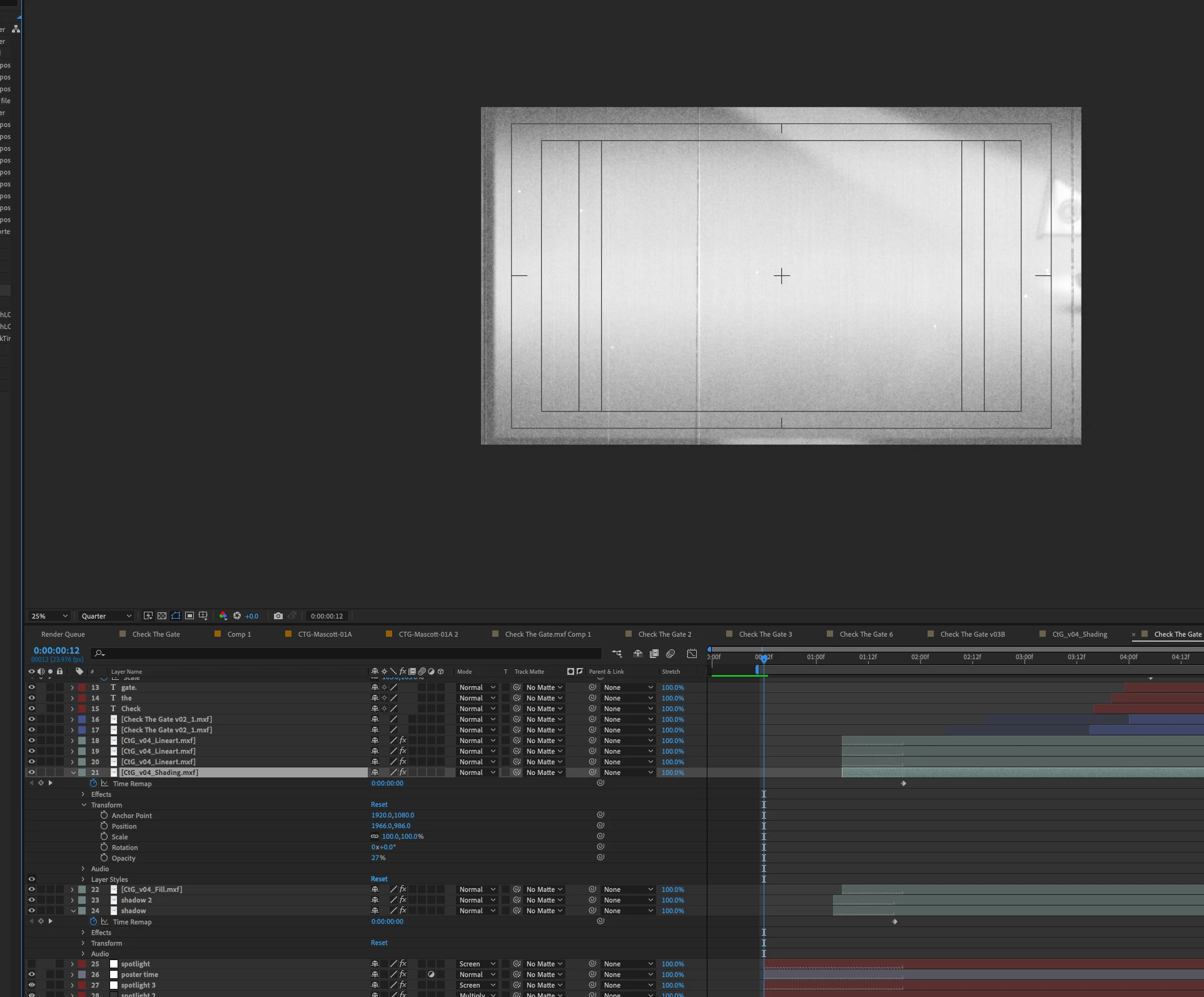
Layers showing when they should not be.
Strange error ... layers showing that should not be.
I have a cartoon mascot coming from right side raster, in the screenshot you can just start to see him coming on screen, but in my timeline the layers' in points are much later ...
How / why is this happening? Been using AE for 20 years, never seen this.
Yes, I checked all my layers, no weird time echo things going on.
Is this an MXF format vs. time remapping error? Even my in points are cut?


 AdChoices