Netcommercial
Known Participant
October 10, 2015
Answered

Leading Space Question Please Cs6

  • October 10, 2015
  • 1 reply
  • 468 views

Hi All,

Thanks for looking in, appreciate it.

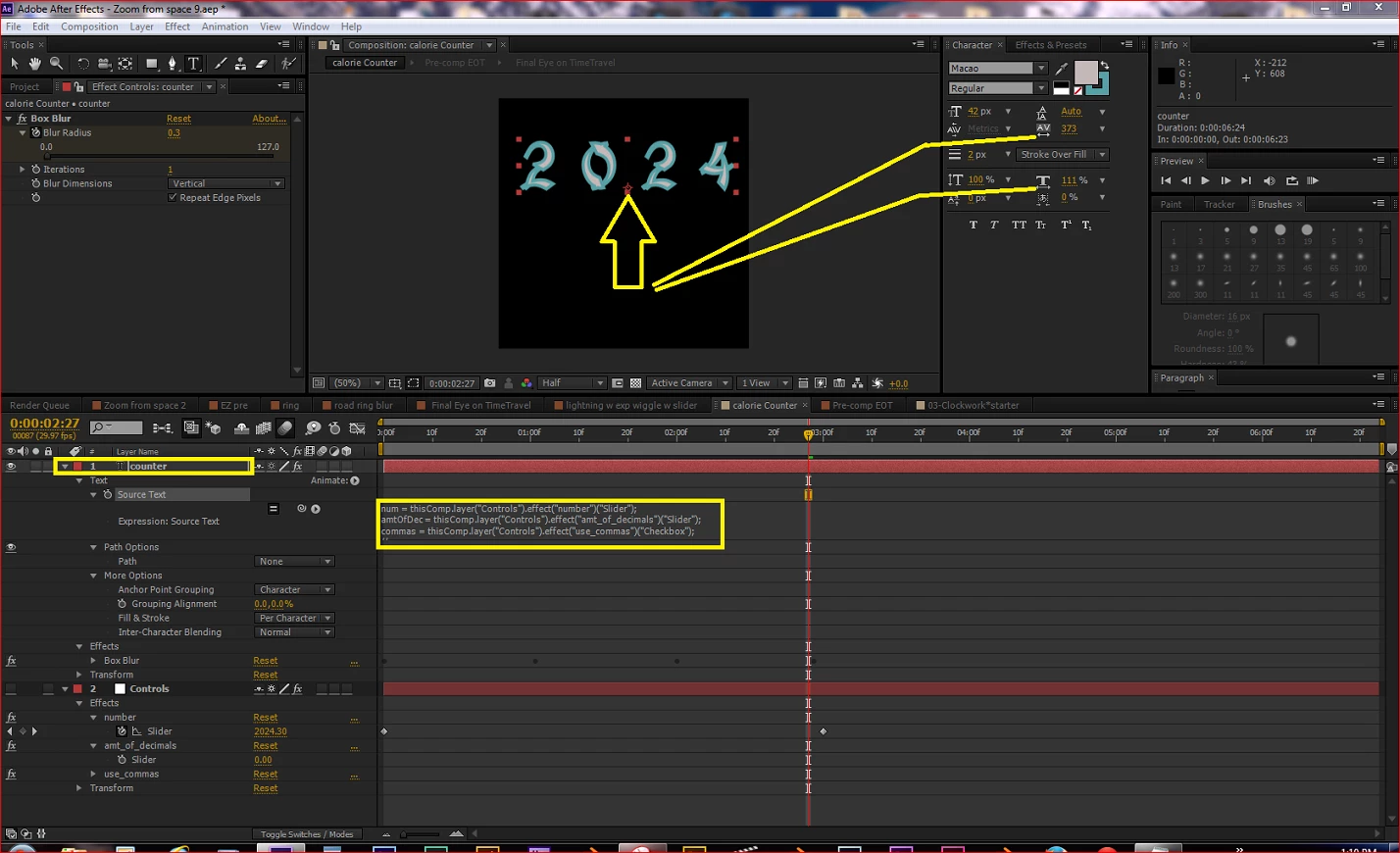
I have created a slider using an expression.

I cannot seem to be able to adjust the Leading (The space between the numbers individually)

I can adjust the Leading over all, (see nice spacing currently)  but I want a bigger gap just where the yellow arrow points below. Neither of

the two adjustments work. (see lines below)

Is this a limitation of AE coupled with an expression? OR is there another

approach that needs to be done.

Thanks in advance,

SF
This topic has been closed for replies.
Correct answer Dan Ebberts

When you create the text with a Source Text expression, all the characters get the formatting of the first character. You could though, add a Tracking animator with an Expression selector and craft an expression that would vary the tracking based on position in the string, what the character is, etc.

Dan

1 reply

Dan Ebberts
Community Expert
Dan EbbertsCommunity ExpertCorrect answer
Community Expert
October 11, 2015

When you create the text with a Source Text expression, all the characters get the formatting of the first character. You could though, add a Tracking animator with an Expression selector and craft an expression that would vary the tracking based on position in the string, what the character is, etc.

Dan

Netcommercial
Known Participant
October 11, 2015

Thank you Dan.  So I am going to cheat it. Duplicate the layer and have one doing half of my 4 figures and the other doing the other.

I would need to school myself on tracking animator then deal with the expression to direct it. Good to know I could not find the

solution as it did not exist as it was.

Regards

SF