Participant
August 25, 2021
Question

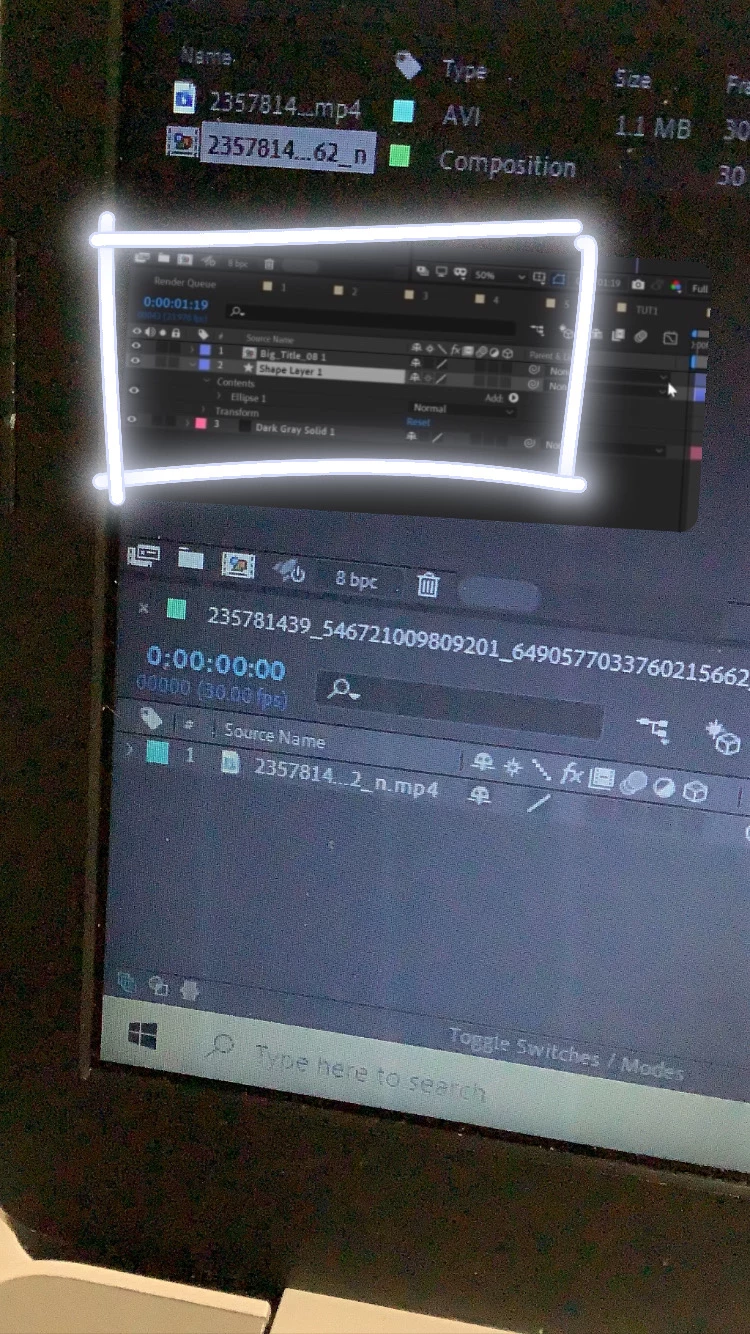
left part won’t show up

  • August 25, 2021
  • 2 replies
  • 171 views

The part in the box won't show up on my after effects.
This topic has been closed for replies.

2 replies

Community Expert
August 25, 2021

Right-click in the column headings in the timeline and turn on the columns you want to see. You can also drag columns around to organize them the way you like. You have access to all of the possible timeline columns in the popup menu that shows up when you right-click.


There are also a set of three icons at the bottom left corner of the timeline, The first looks like 3 overlapping boxes with a + sign in the front box. That turns the Layer and Switches column on or off. The second looks like an overlapping circle and square and that controls the Modes and Track matte column visibility. The third looks like this: {} and that turns on the In/Out/Duration/Stretch column. Pressing Shift + F4 turns the Parent/Link column. 

Kartika Rawat
Community Manager
Community Manager
August 25, 2021

Hi jordiana5FDD!

We can get this checked. Can you try resetting preferences? https://community.adobe.com/t5/after-effects/faq-how-to-reset-trash-preferences-in-after-effects/td-p/10634342?page=1


Let us know how it goes.

Thanks,

Kartika

Participant
August 25, 2021

no it still didn't show up :((
