Participant
Oct 31, 2023 9:55 AM UTC
Question

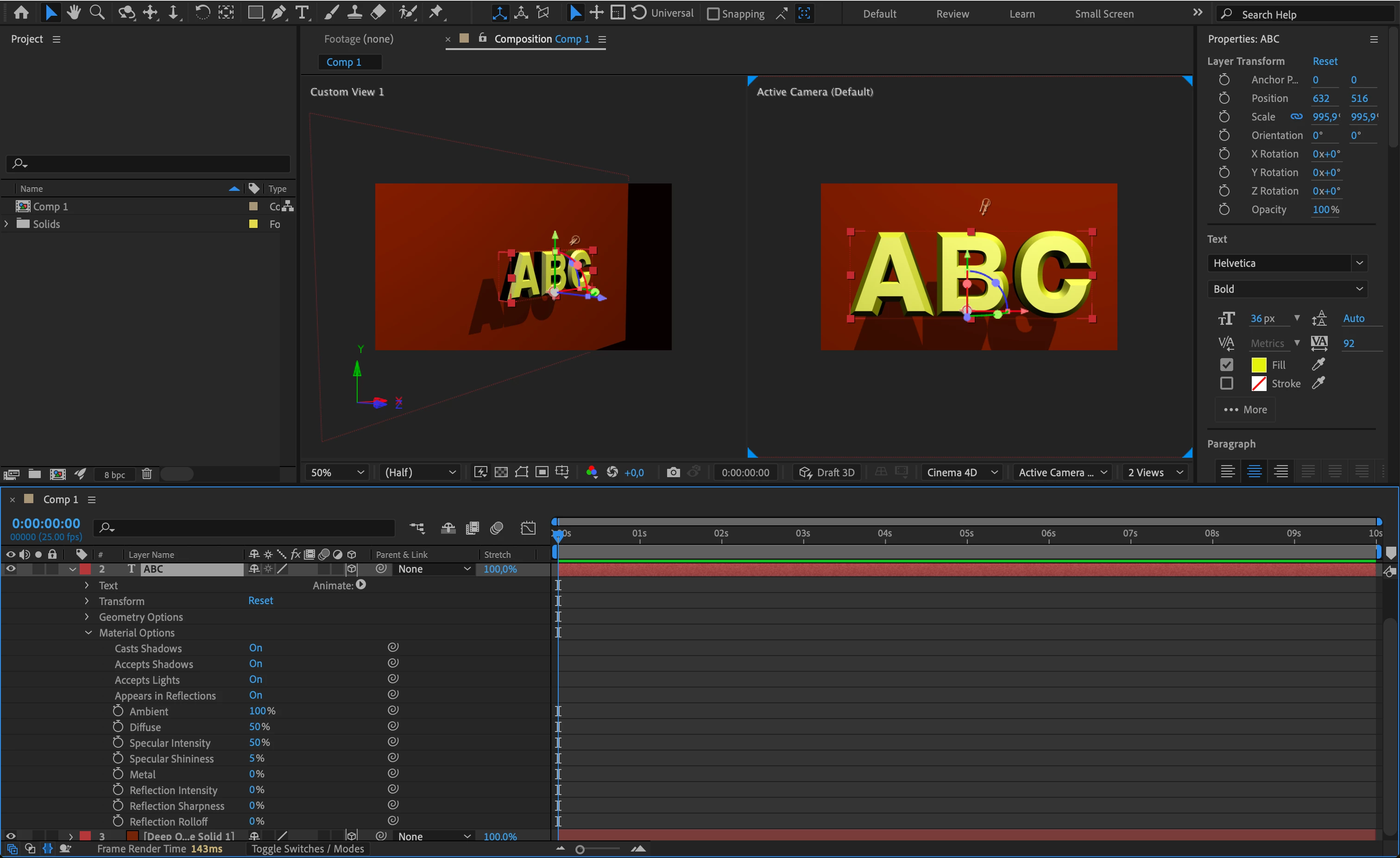
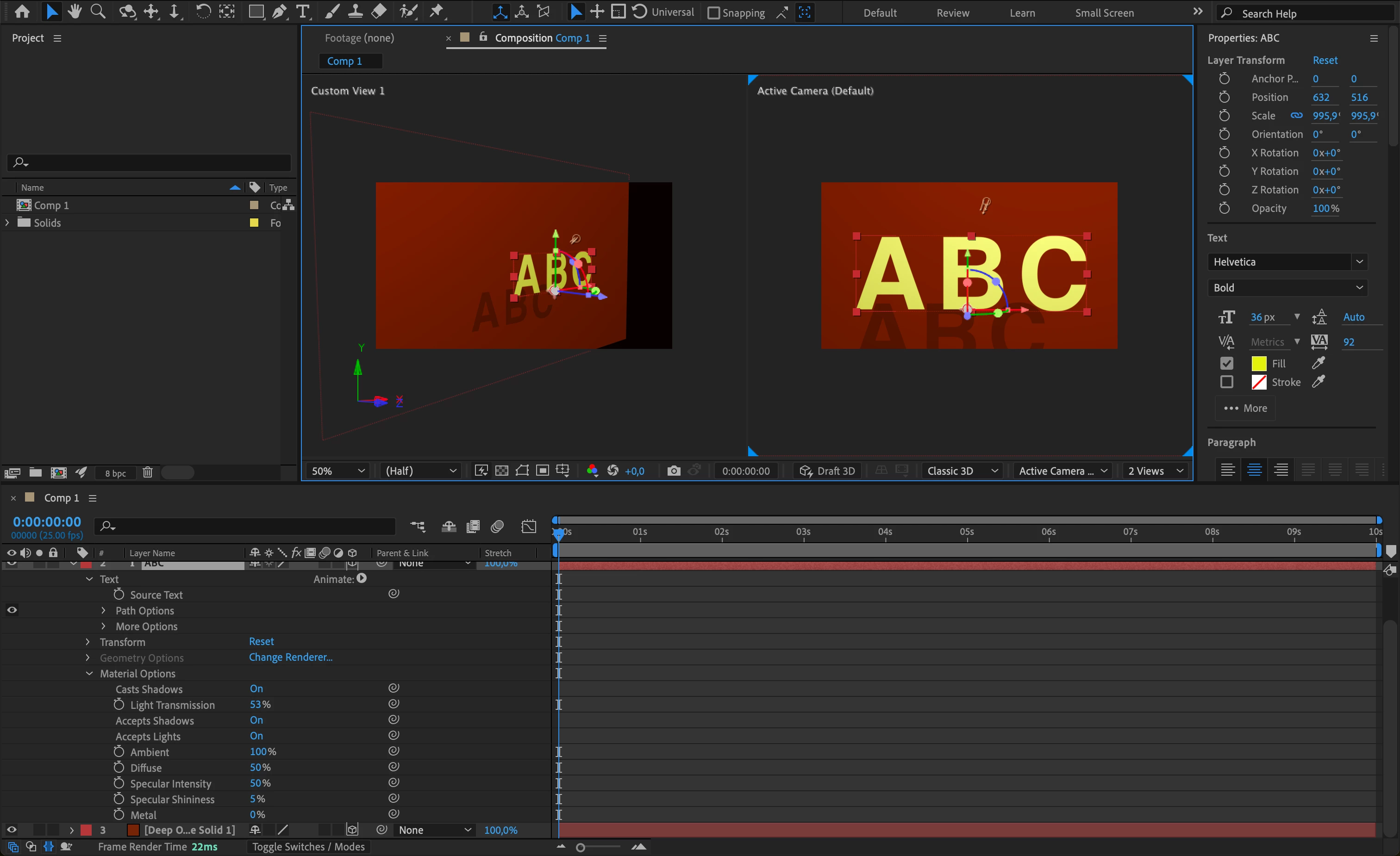
Light transmission not showing in material options

When I'm on Classic 3D, Geometry options are disabled and so I can't have "thickness"; when I'm on Cinema 4D, Geometry options appear but it disables all the light transmission options. What can I do? Mac M1.
Please see the two screenshots below. 
This topic is closed to new replies. Start a new post to keep the conversation going.

4 replies

Community Expert
Oct 31, 2023 12:34 PM UTC

If you open the Composition Settings/3D Renderer (Ctrl/Cmnd + K) and read the warning when you change to the C4D rendering option, you will discover a lot of unsupported features. 

It's not a bug. It is a limitation.

Translate
Participant
Nov 1, 2023 8:52 AM UTC

Hi, yes I know C4D doesn't support light transmission. My question is, if I use Classic 3D, how do I get the 3D letters like the ones on C4D, meaning having Geometry Options?
Thanks.

Translate
Mylenium
Legend
Nov 1, 2023 10:27 AM UTC

You can't. Those things are mutually exclusive. If you need advanced transparency trickery, you have to do things natively in a 3D program or buy plug-ins like Element 3D.


Mylenium

Translate