Participant
October 31, 2023
Question

Light transmission not showing in material options

  • October 31, 2023
  • 1 reply
  • 369 views

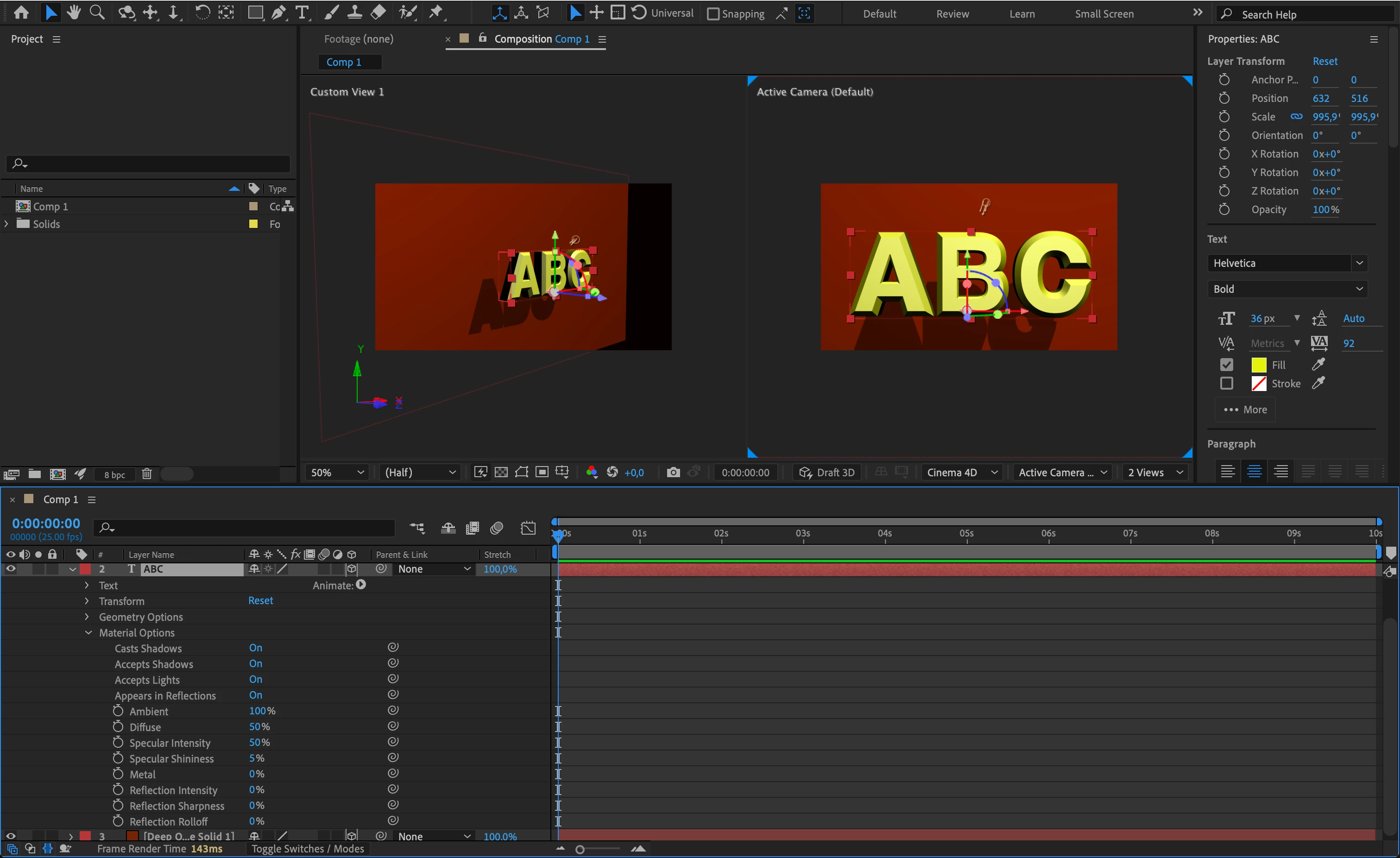
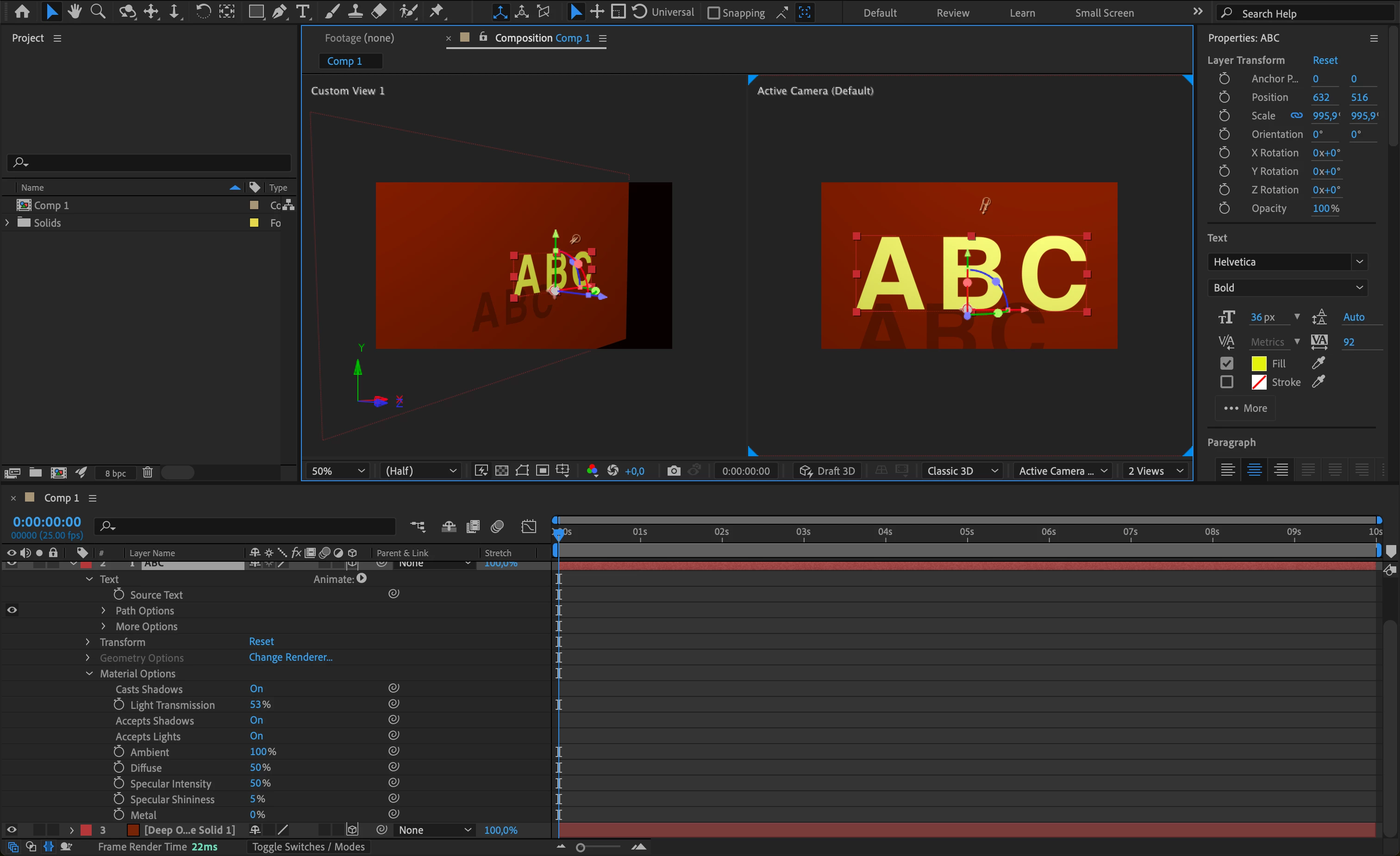
When I'm on Classic 3D, Geometry options are disabled and so I can't have "thickness"; when I'm on Cinema 4D, Geometry options appear but it disables all the light transmission options. What can I do? Mac M1.
Please see the two screenshots below. 
This topic has been closed for replies.

1 reply

Community Expert
October 31, 2023

If you open the Composition Settings/3D Renderer (Ctrl/Cmnd + K) and read the warning when you change to the C4D rendering option, you will discover a lot of unsupported features. 

It's not a bug. It is a limitation.

Participant
November 1, 2023

Hi, yes I know C4D doesn't support light transmission. My question is, if I use Classic 3D, how do I get the 3D letters like the ones on C4D, meaning having Geometry Options?
Thanks.

Mylenium
Legend
November 1, 2023

You can't. Those things are mutually exclusive. If you need advanced transparency trickery, you have to do things natively in a 3D program or buy plug-ins like Element 3D.


Mylenium