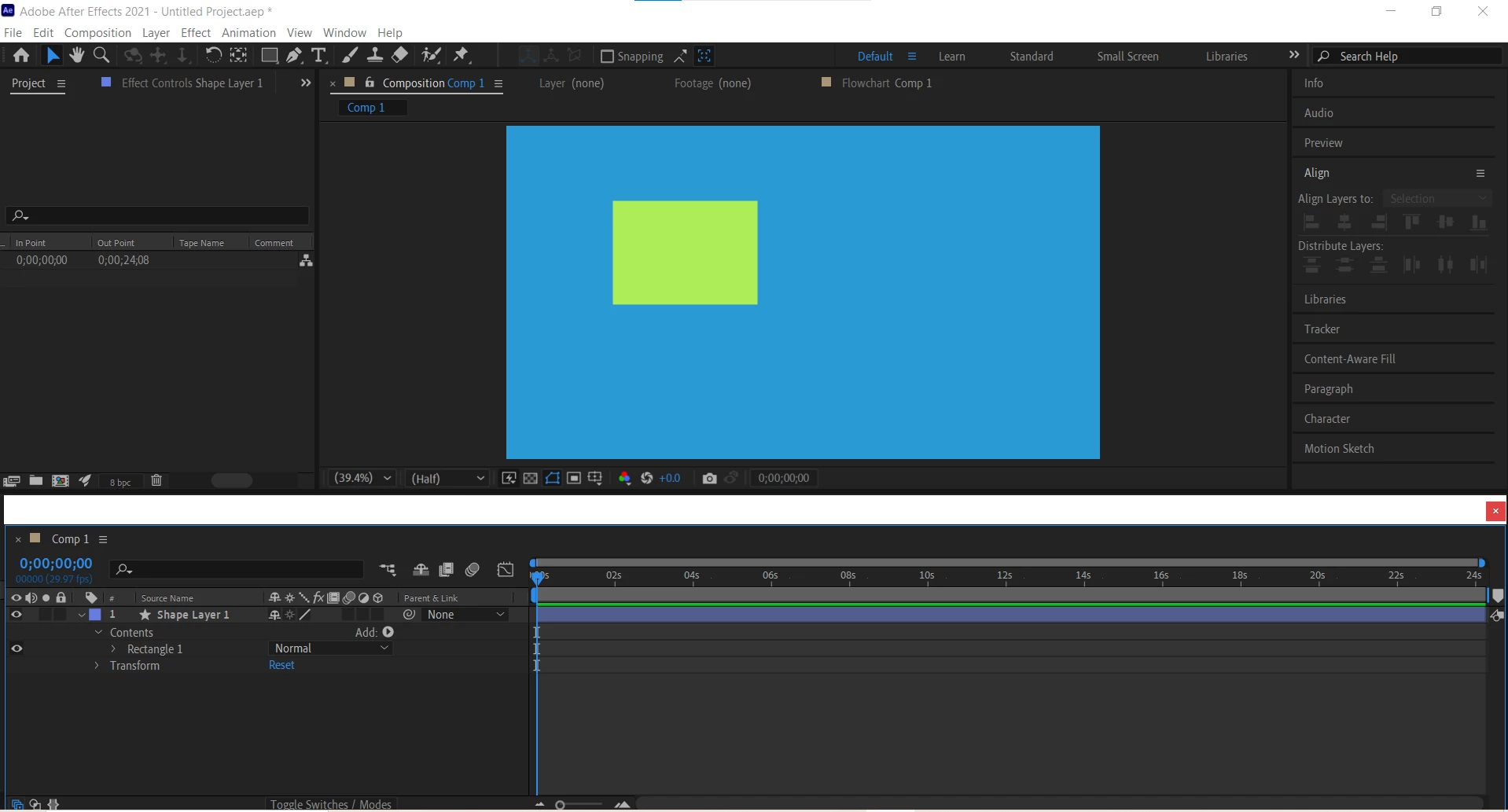
To solve this issue in After Effects, you can try the following steps:
1. Click on the tab of the timeline window and drag it back towards the main After Effects window. You should see a blue outline indicating where the window will be placed once you release the mouse button.
2. If dragging the window back does not work, go to the "Window" menu in the top toolbar and select "Workspace" > "Standard" to reset the layout of the windows back to the default.
3. If the timeline window still does not integrate back into the main window, you can try resetting the After Effects preferences by holding down the Ctrl+Alt+Shift keys while launching the program. This will prompt a dialog box asking if you want to delete your preferences. Click "Yes" to reset the preferences.
By following these steps, you should be able to resolve the issue and have the timeline integrated back into a single window in After Effects.






 AdChoices