



S_ A
Inspiring
December 5, 2023
Answered

Linear expression is not working

  • December 5, 2023
  • 1 reply
  • 880 views

Hello,


If my understanding about linear expression is correct then I dnt understand what is happening.


My text layer (Digit layer 9,2) is moving too slow but bar is progressing at a much higher speed. I am very sad, I cant figure out what is am doing wrong. Why the text layer  is not moving as fast as the bar progresses.

😥😥
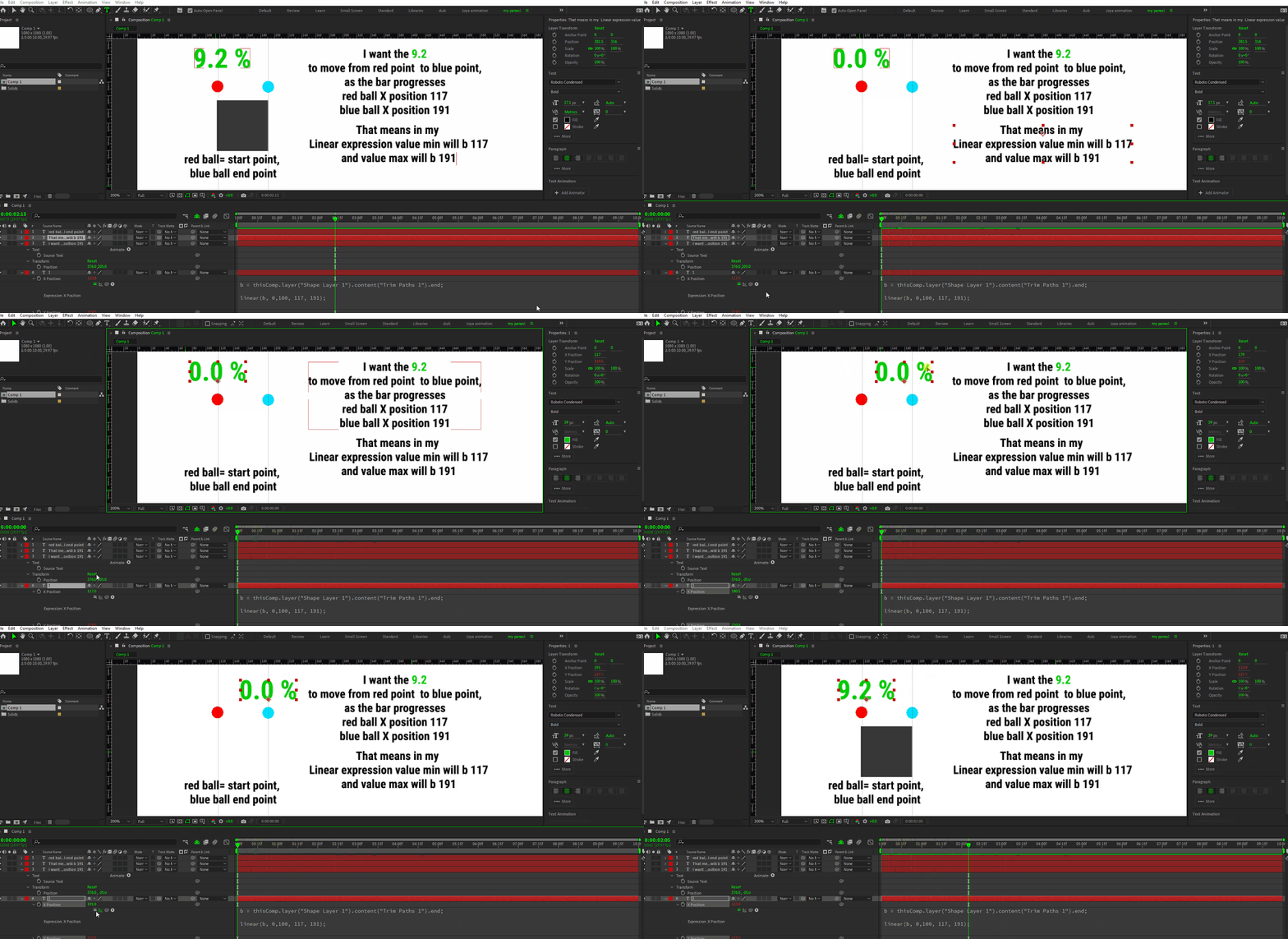


This topic has been closed for replies.
Correct answer Dan Ebberts

I was following this tutorial...

https://www.youtube.com/watch?app=desktop&v=LVFHeMNcG8w


He did it like magic.  :'( 


If you change the linear() expression to this, does it do what you want?

linear(c, 0, 9.2, 161,199);

1 reply

Dan Ebberts
Community Expert
Community Expert
December 5, 2023

One thing we're not seeing is what's actually going on with Shape Layer 1's Trim Paths End property. At the end of your animation, the calcualted X Position is 123.8 which, interetingly, if you run the linear calulation backwards, corresponds to an End property value ot 9.2%. I think we need more info. Can you maybe post the project file?

S_ A
S_ AAuthor
Inspiring
December 5, 2023

HI Dan, 


I was so mad that I didnt save that file, I created a new one, same results.  Kindly check 😥

S_ A
S_ AAuthor
Inspiring
December 5, 2023

I was following this tutorial...

https://www.youtube.com/watch?app=desktop&v=LVFHeMNcG8w


He did it like magic.  :'(
