

Question
Link effect intensity to gradient mask
Hey.
I have a concern that I though was basic but however I turn it, I can't find a solution myself nor find help for this on tutorials.
I have this Lettering and I would like to have the green lines wiggling underneath it.
I made a turbulent displace effect and it looks exactly as I wanted, but I would like the lines to be fixed to the letters. I tried in several ways to link the "amount" to a gradient ramp so that the top of the green lines is fixed and the more they go down the more they move.
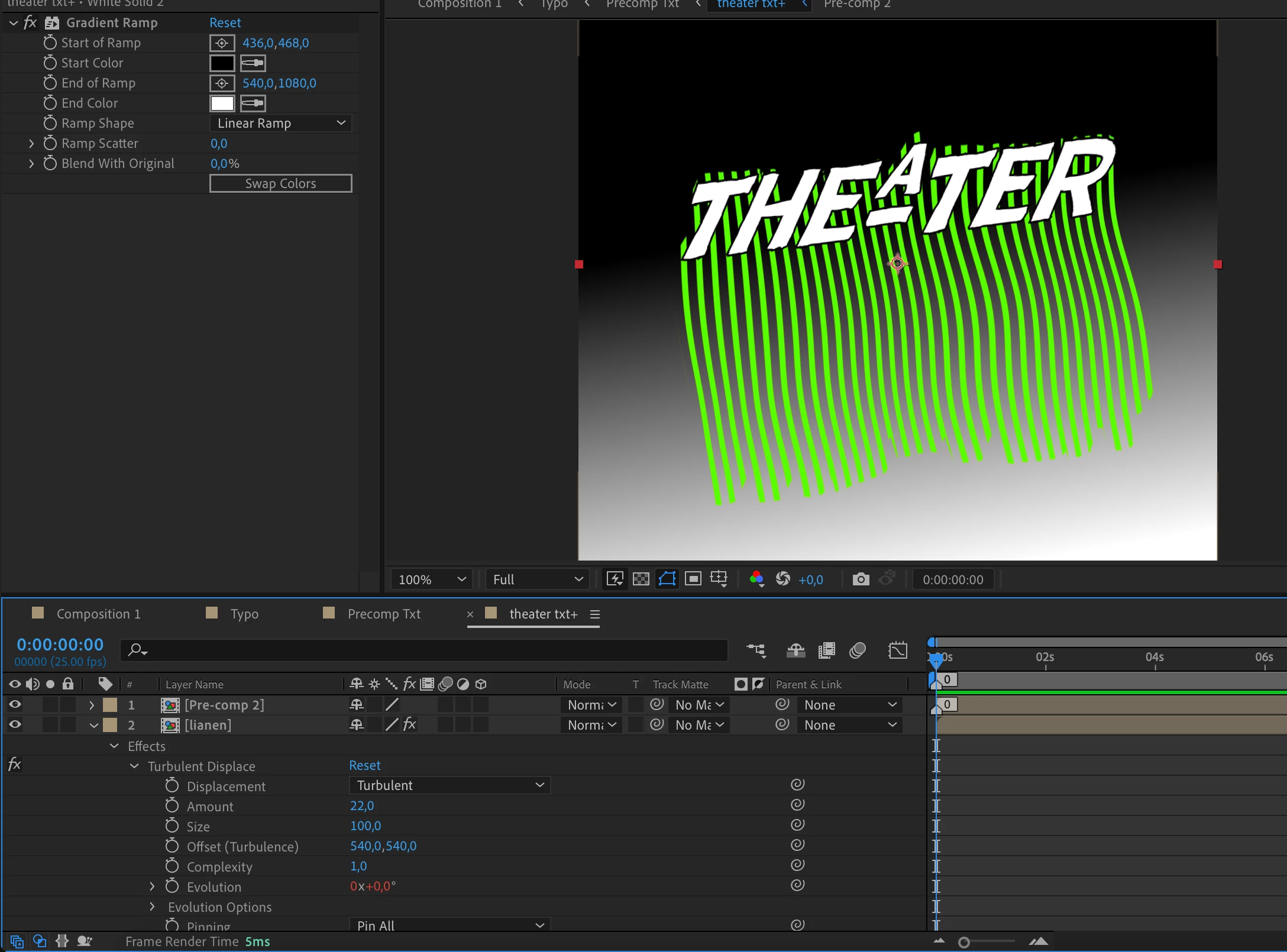
Does anyone have an idea how to do this?
Thanks a lot!
 AdChoices