Participating Frequently
August 5, 2023
Question

Linked AE composition in Premiere changes saturation

  • August 5, 2023
  • 5 replies
  • 421 views

Ok, here's the deal: I usually work in rec709 but yesterday i shot few minutes at a friends wedding (no bully) in HLG.

Edited in premiere, dropped a LUT, everything was great, exported with HDR data, no issues.

Now, i have a few dead pixels that i usually get rid of by replacing a clip with AE composition and then using a mask and content aware fill.

I worked out the kinks of Premiere accepting AE comp as HDR video but here lies the issue:

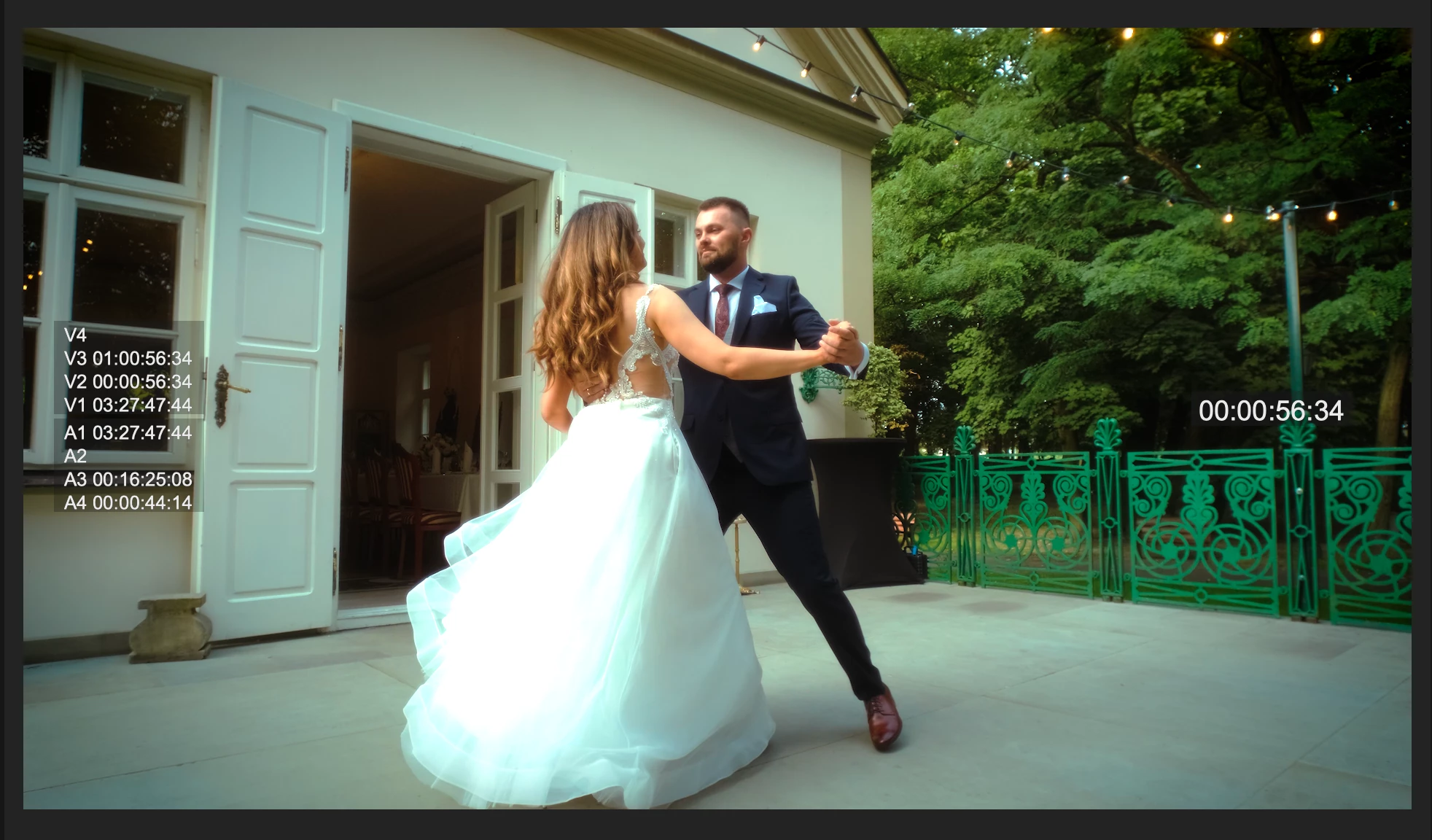
Clip with LUT applied (this is how its supposed to look):
but when i replace it with AE comp the saturation suddenly goes up:
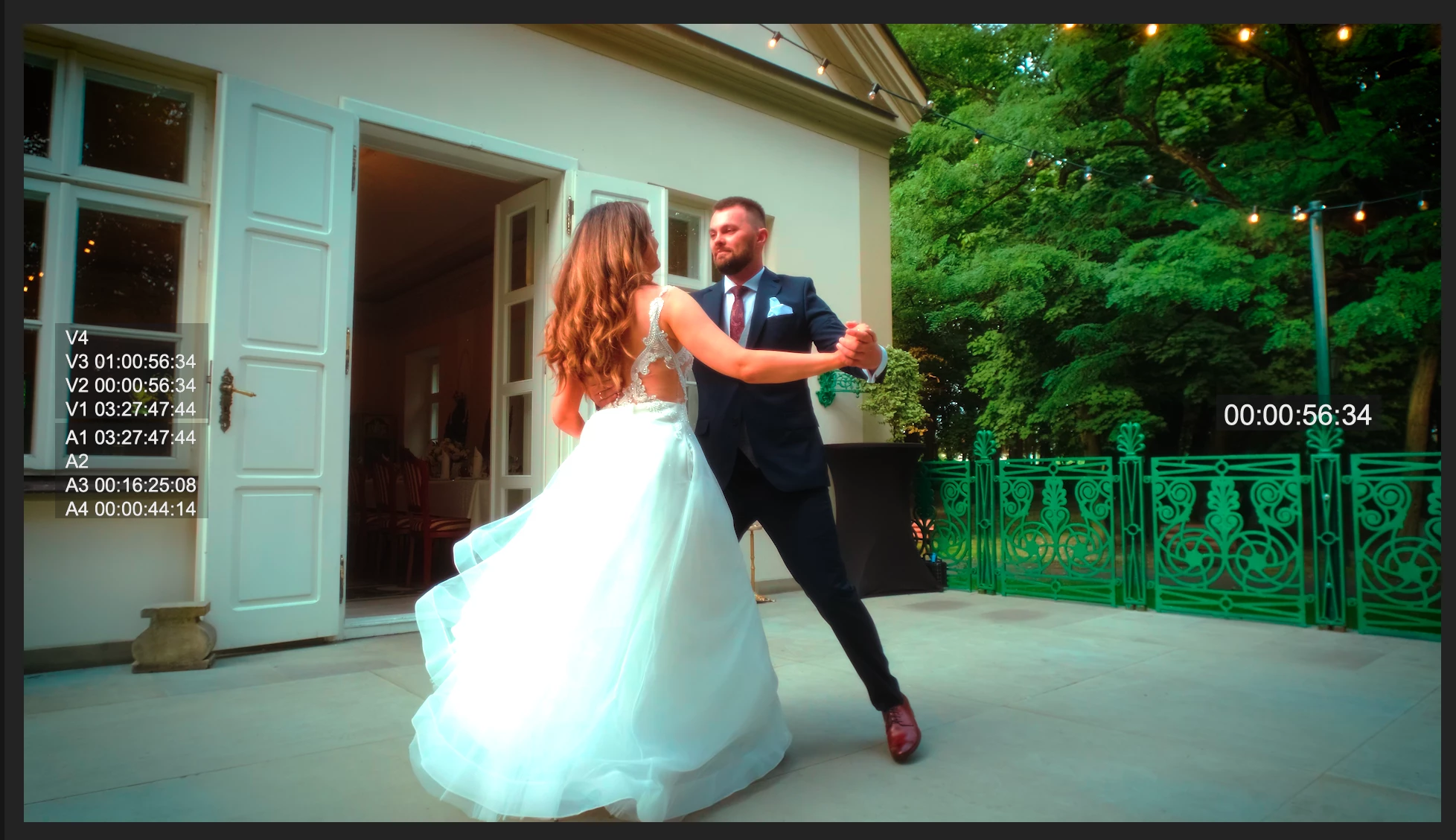
 

the white level info is the same, Premiere correctly displays the brightness but one of them messes with the saturation.

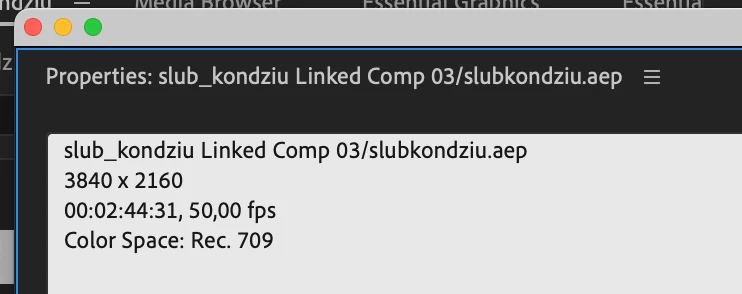
of course Premiere sees the comp in question as 709:
 

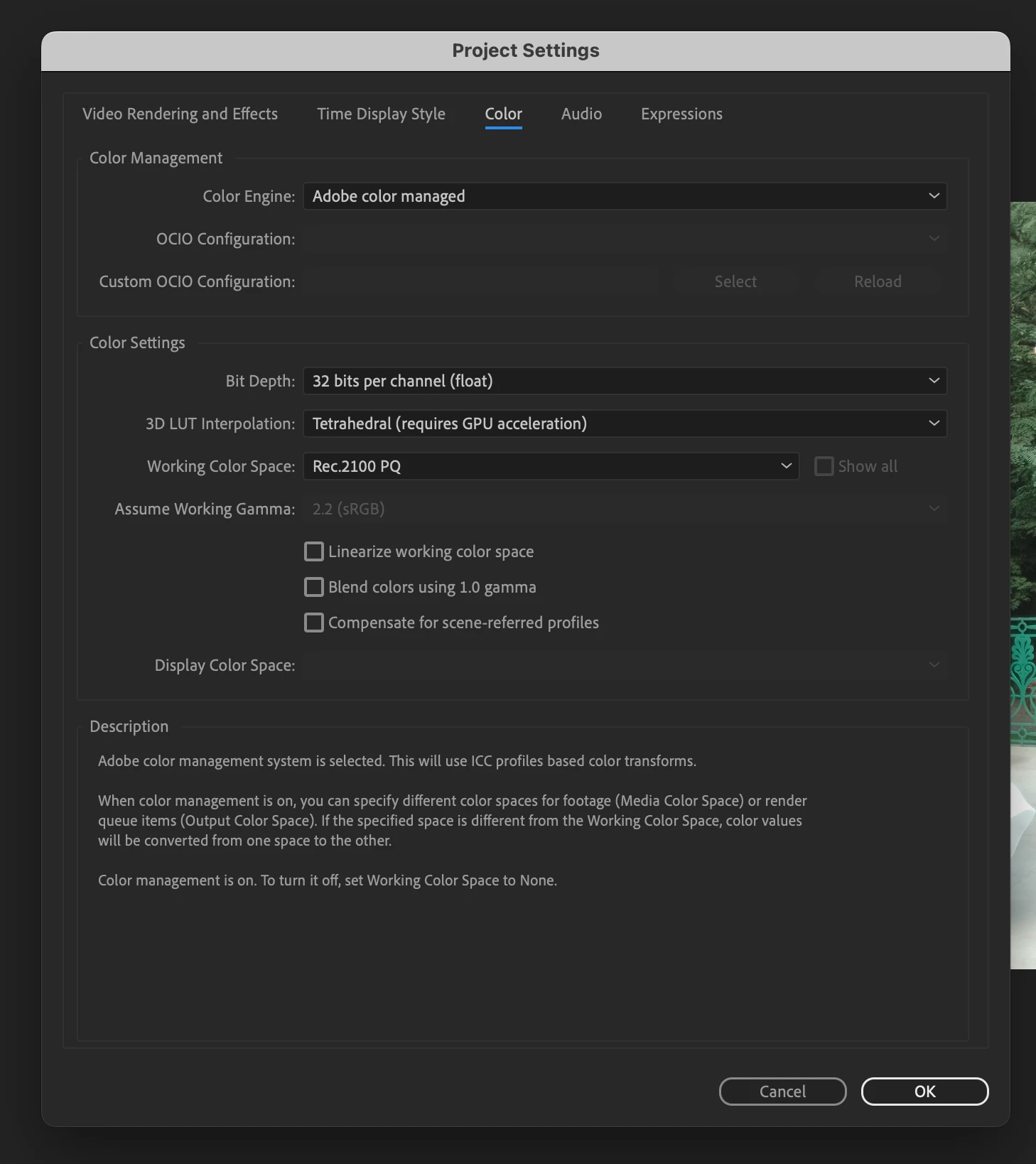
In Premiere as well as in AE the project settings are the same:
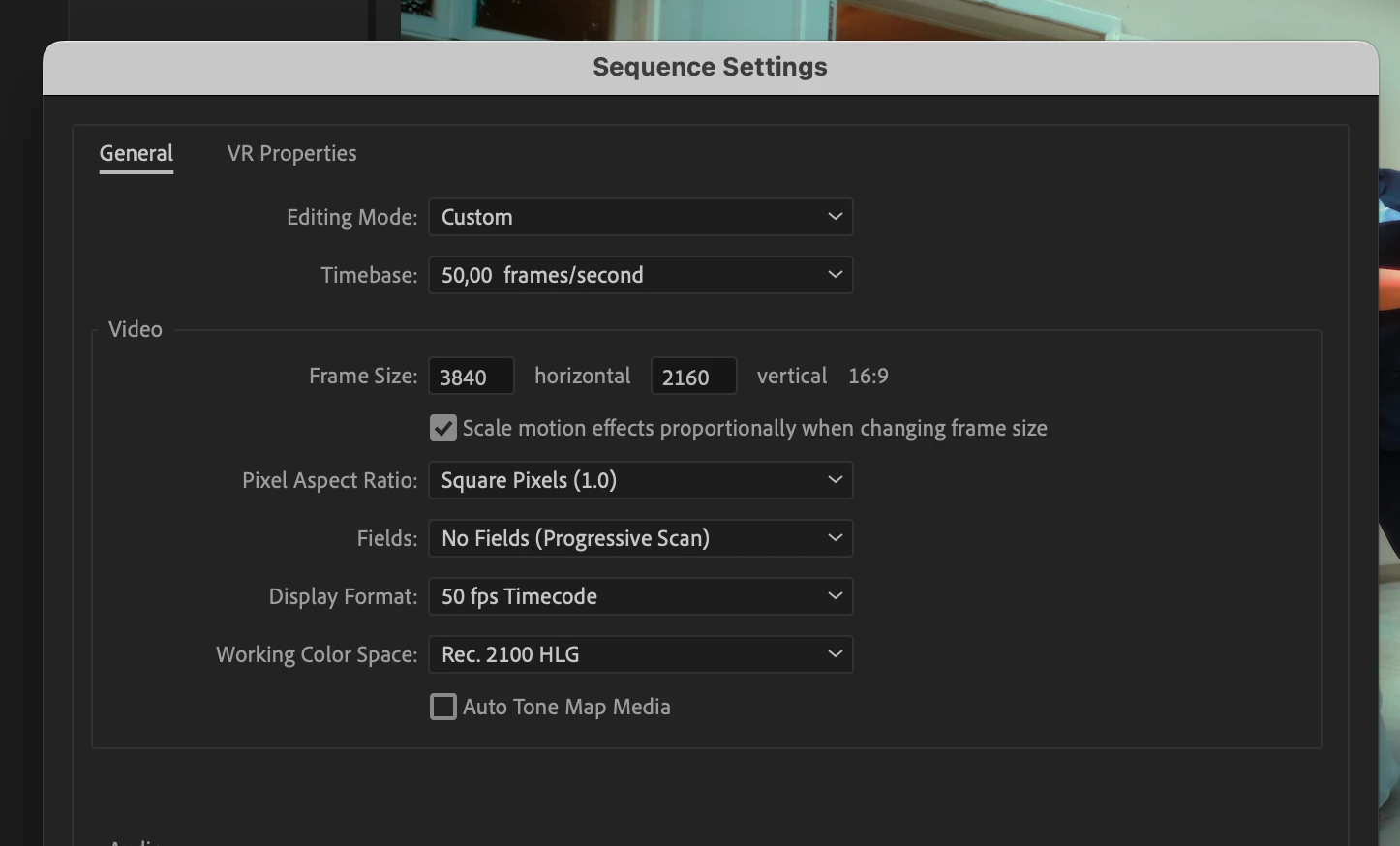
and the HDR part of the picture is great with Color Managment DISABLED for that clip in AE.

When i try to tell AE what color space the clip is in, it goes crazy:
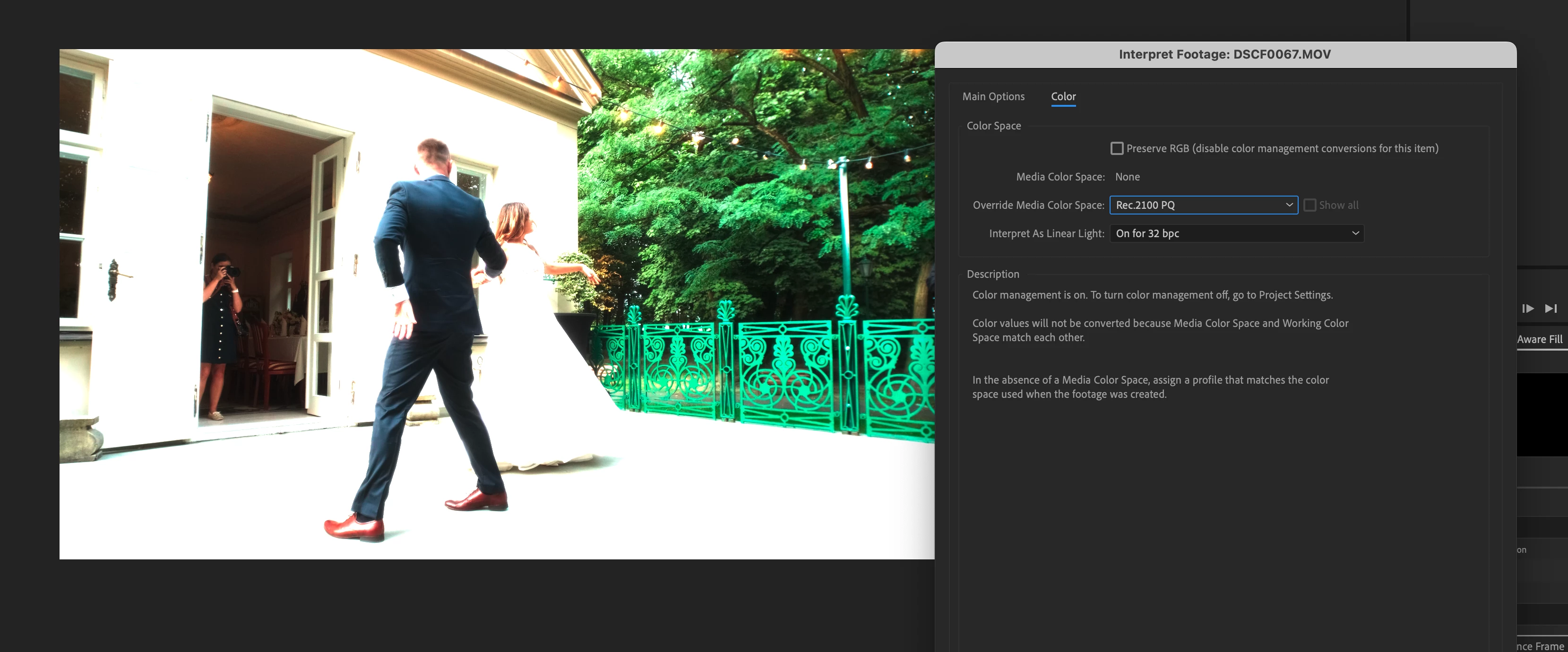
 

Does anyone have any clue what to do next? Besides lowering saturation in Premiere of course.

Thanks!
System is Mac M1 with 13.4.1

This topic has been closed for replies.

5 replies

nishu_kush
Legend
June 2, 2024

Are you still having the issue? Let us know.

I am moving this thread from Bugs to Discussions for now.


Thanks,

Nishu

Participating Frequently
June 2, 2024

I dont know, ended my subscribtion when i learned that adobe gave them for free in r*ssia. Now i'm happily sailing the high seas.

Participating Frequently
August 6, 2023

thats what i finally did, but it works only in this particular scenario. when i'll need to really do some corrections like removing people, adding vfx, or anything AE is designed to do- it'll not work. hope someone from adobe sees this and writes some lines of code.

Melanie Stirner
Participating Frequently
August 6, 2023

Ah, I see, so I got you wrong and the problem lies somewhere else. What a pity! 😕😕 Simply switching off the mov-layer beneath the aep you just tried I guess. 😄 Using only the masked parts from AE could maybe be worth a try?

Participating Frequently
August 6, 2023

unfortunately no, i use adjustment layers for LUTs precisely for this reason.

Melanie Stirner
Participating Frequently
August 6, 2023

Hi 🙂

Well, that's maybe not a color preset issue. You say that "i replace it with AE comp" – is it possible that you still have the LUT or other effects on the clip you import from AE, and thus the effects are twice on the clip? Just something that popped right into my head by seeing your screenshots.