Participant
May 27, 2024
Question

Linking/parenting effects together

  • May 27, 2024
  • 1 reply
  • 337 views

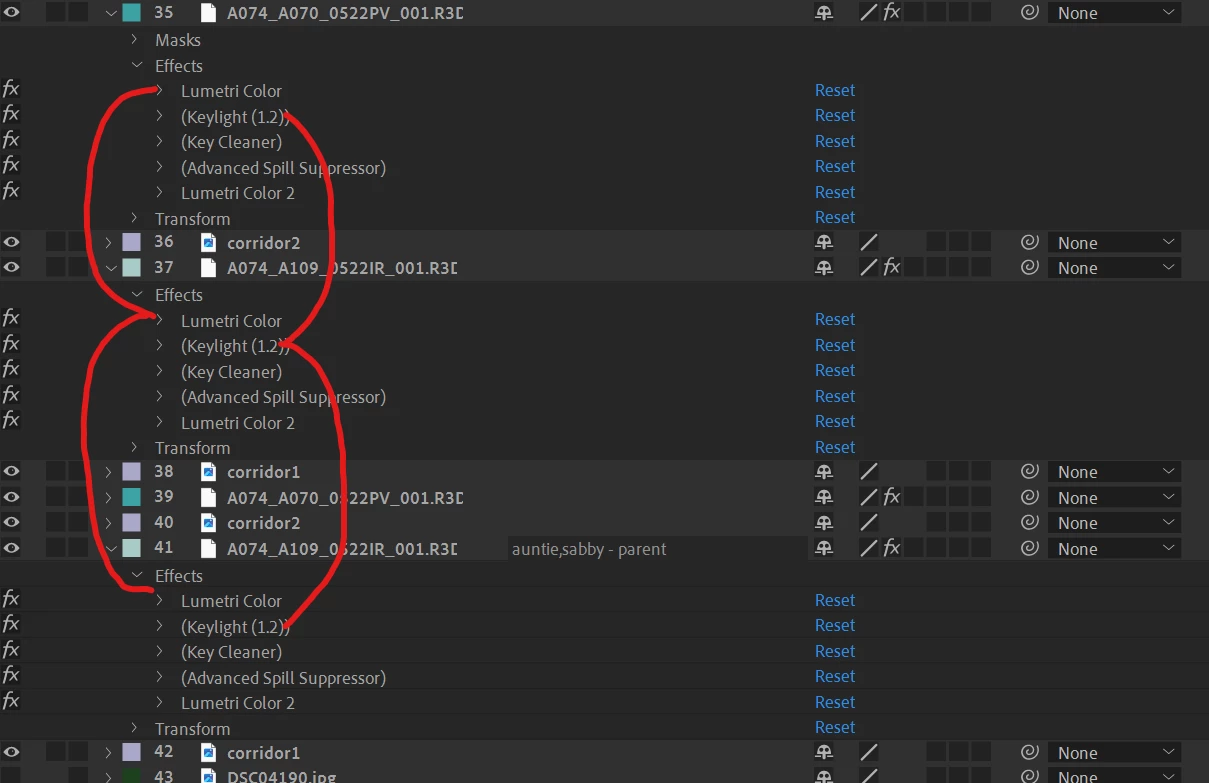
Is there any way I can parent or link similar effects together such that I don't have to manually change every layer's effect everytime I have a change?


Thanks for the help!
This topic has been closed for replies.

1 reply

Community Expert
May 27, 2024

Using the Parent/Link column, you can expose the properties you want to link in the timeline and drag a pickwhip from one to another. You will have to do that for every property that you edit.


This will only work if every shot in the timeline requires exactly the same color correction settings. That will only work if the shots have exactly the same lighting and exposure. High-quality color correction often requires more than one copy of Lumetri, some masks, and a lot of fine-tuning, some of that with keyframes. 


If all you are doing is applying a Lut to get the shots close, dragging the pickwhip from the bottom layers Lumetry/Properties to the master might work for you.


Participant
May 29, 2024

Yes, every shot requires the same exact colour correction settings and keylight settings. 

I figured that I can pickwhip it manually, just that effects like Lumetri and Keylight have so many properties. 

Was wondering if there is any other way I can do it automaticaly like a script or plugin.
