The first expression does nothing:
loopOut() means that if the first keyframe is zero and the next is 10 on frame ten the rotation will go from 0º to 10º to on frame ten, then snap back to 1º on frame eleven and then move to 10º on frame twenty and repeat that pattern.
In the next line value just returns the current value for rotation. Multiplying that by nothing does nothing then adding the = -1 just says value = -1 killing the loop in the first line. The actual result you get from the expression is -1 for rotation.
If all you wanted to do was reverse the loop all you have to do is put a minus sign in front of the loop like this:
- loopOut()
That is still an awfully convoluted way of making the rotation of one layer opposite of the other. No matter how you animate the rotation of layer 1 all you have to do to make layer 2 rotate in the opposite direction is start an expression for rotation on layer 2, type the minus sign then space then drag the pickwhip from layer 2 to layer 1 and you will get this expression:
- thisComp.layer("Layer 1").transform.rotation
Your comp would look like this:
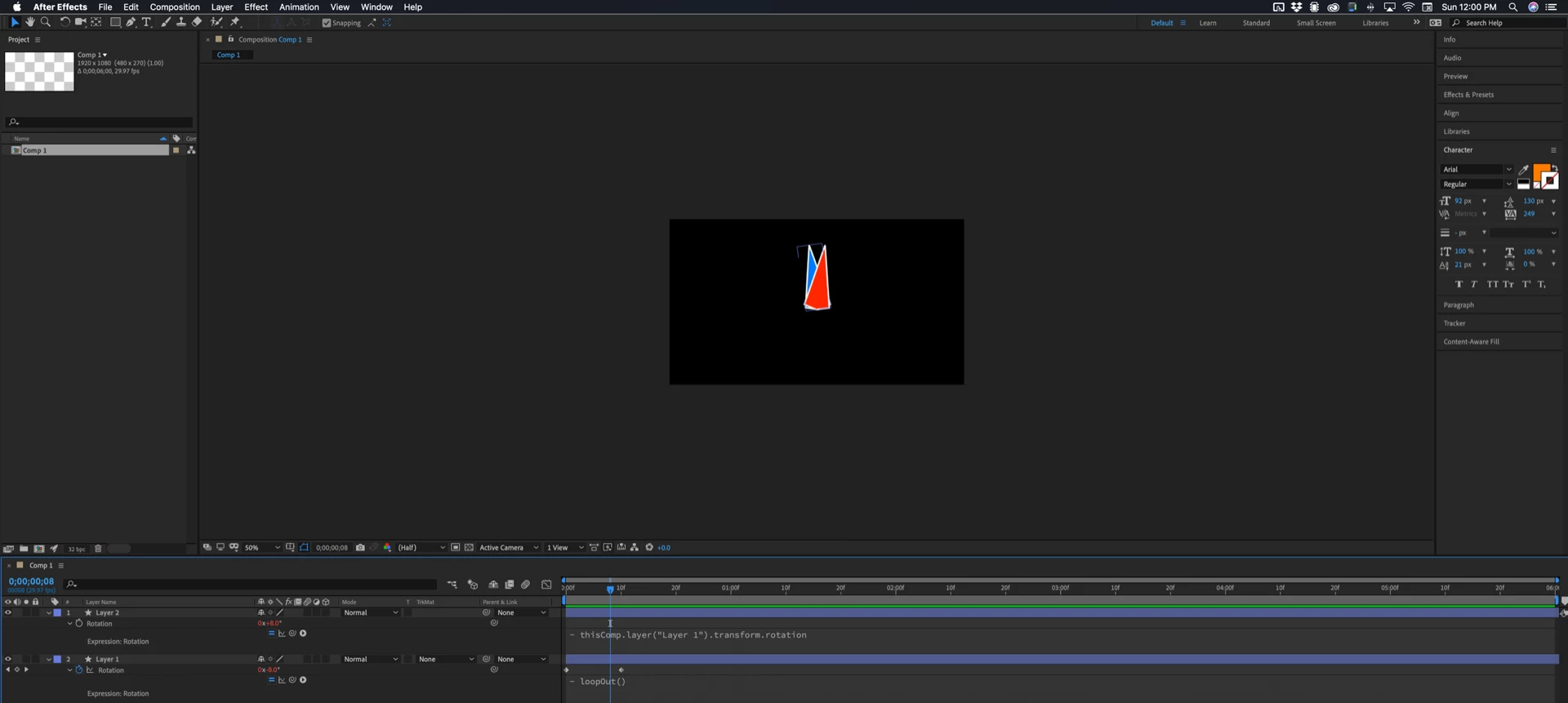
No copying keyframes and no problems.
There are also other options for the loop method like loopOut("offset") which would make a layer with only two keyframes continue to rotate. If you leave off the modifier the loop method defaults to "cycle". The only other option is "pingpong"
Here's another example:
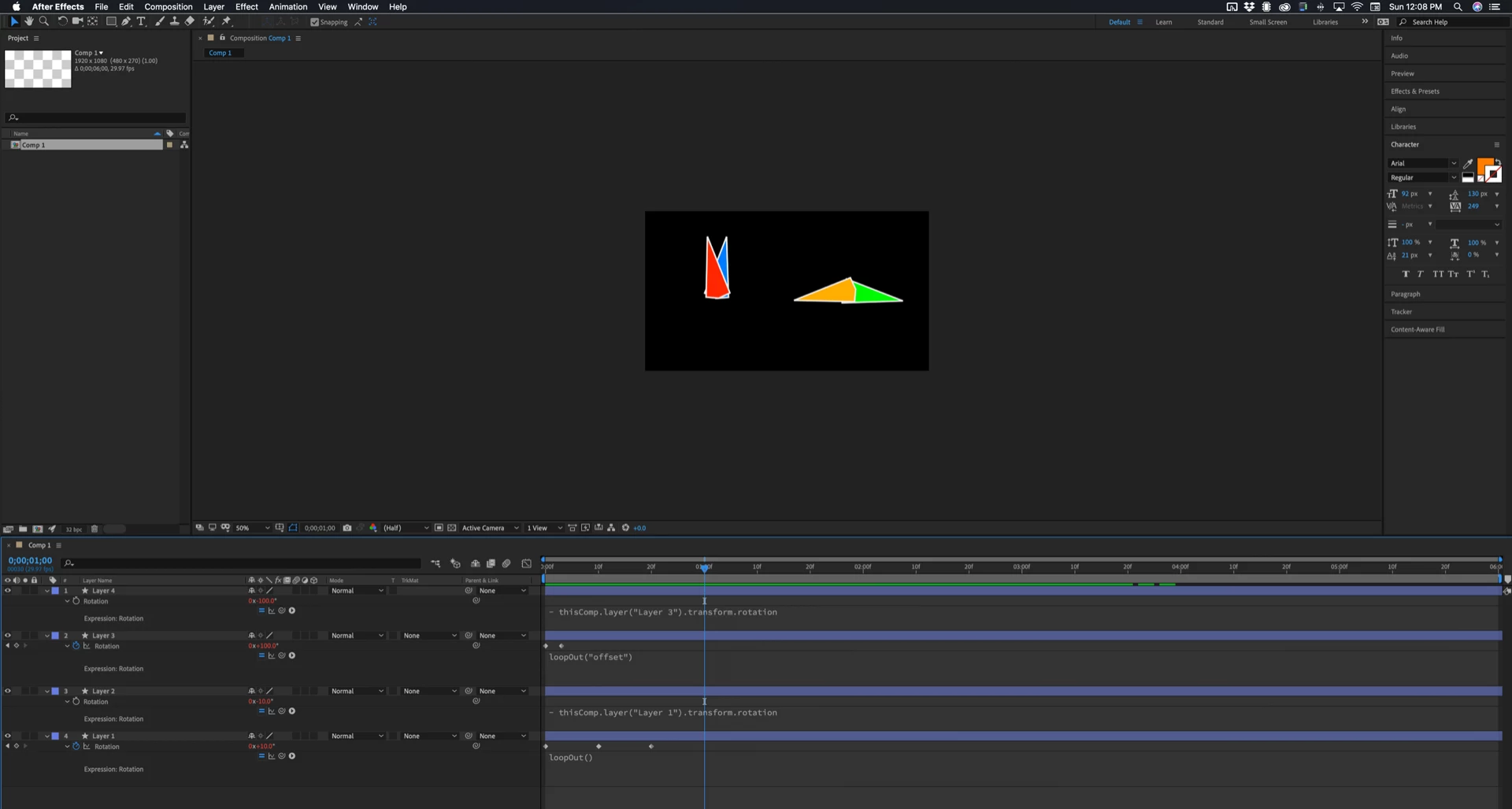
One and two are working like scissors, layer 3 and 4 are two pointers rotating in opposite directions.
You need to spend some time with the User Guide's Expression Language section. It's going to save you a lot of time to spend a couple of hours studying and learning the basics.

 AdChoices