janf1559732
Participant
December 14, 2016
Beantwortet

Lost selection bounding box in After Effects

  • December 14, 2016
  • 2 Antworten
  • 14429 Ansichten

When I select a layer in After Effects, I can't see a selection bounding box and am unable to drag the selected layer object to a new position. I am a newbie and was able to do this when I first started. I don't know if I disabled something.

Cntrl + shift + h does not work.

I see something else on the screen that does not help me move the object, but may be a clue to what I did to disable selecting the object. See screenshot.
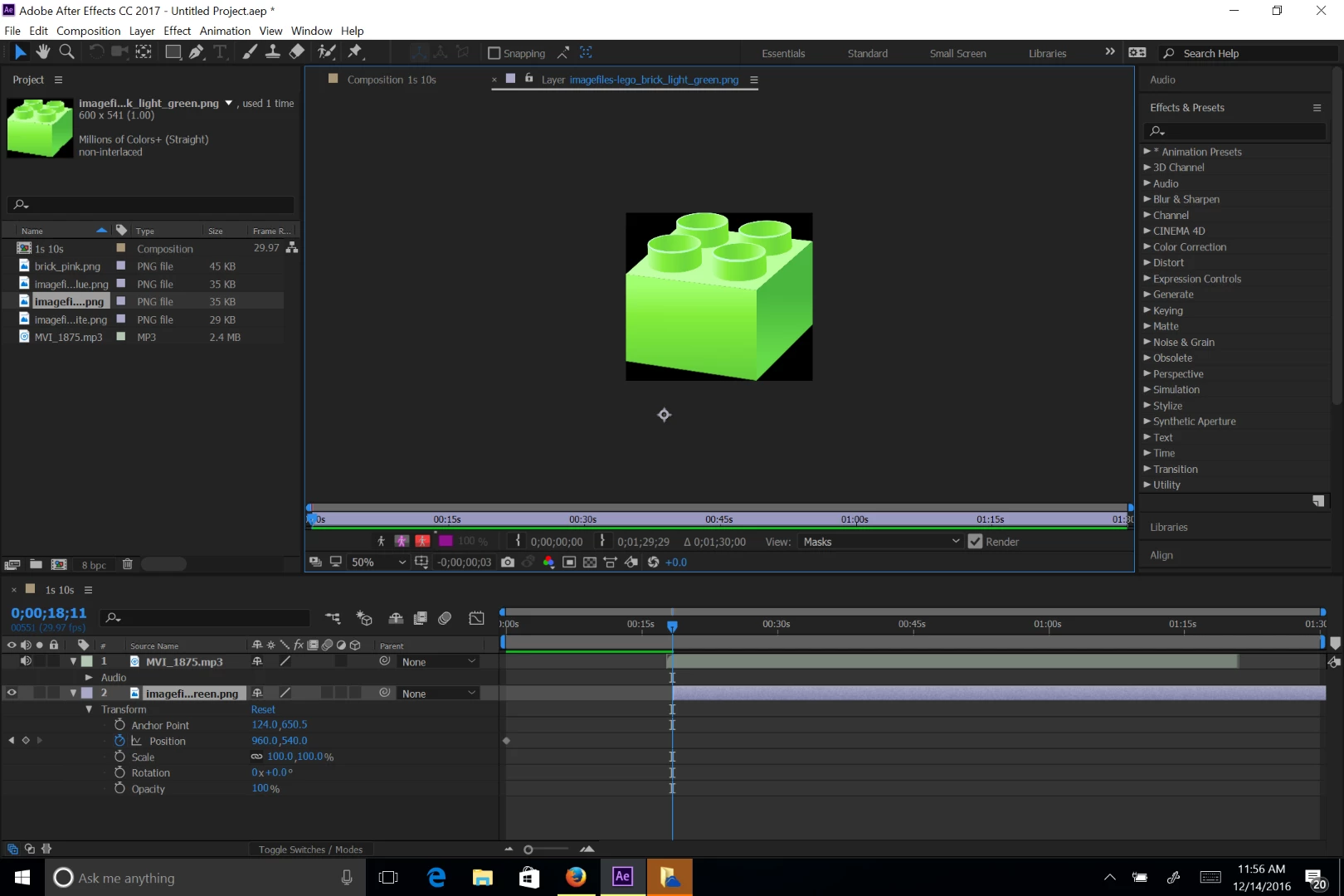
Any help appreciated. Thanks.

    Dieses Thema wurde für Antworten geschlossen.
    Beste Antwort von Dave_LaRonde

    You have the footage window visible, not the comp window.

    2 Antworten

    Roei Tzoref
    Legend
    December 14, 2016

    you can see the headline of the window that says - Layer panel/window

    it is a useful window for seeing the layer in the context of it's original source boundaries and manipulating effects, transparency and trimming time in the context of just the layer. when you click twice on any layer in the timeline that has a source, it will open up. this can sometime happen by mistake. you can close it by pressing the "X" symbol.

    here's a nice tutorial about the comp window vs layer window by my first Ae teacher, Brian Maffitt

    Dave_LaRonde
    Inspiring
    December 14, 2016

    You have the footage window visible, not the comp window.

    janf1559732
    Participant
    December 14, 2016

    Thanks. That helped. I had to undock the panel that was showing in the comp window space.