


Participant
Jan 31, 2023 3:52 PM UTC
Answered

Low memory warning After Effects 23.1

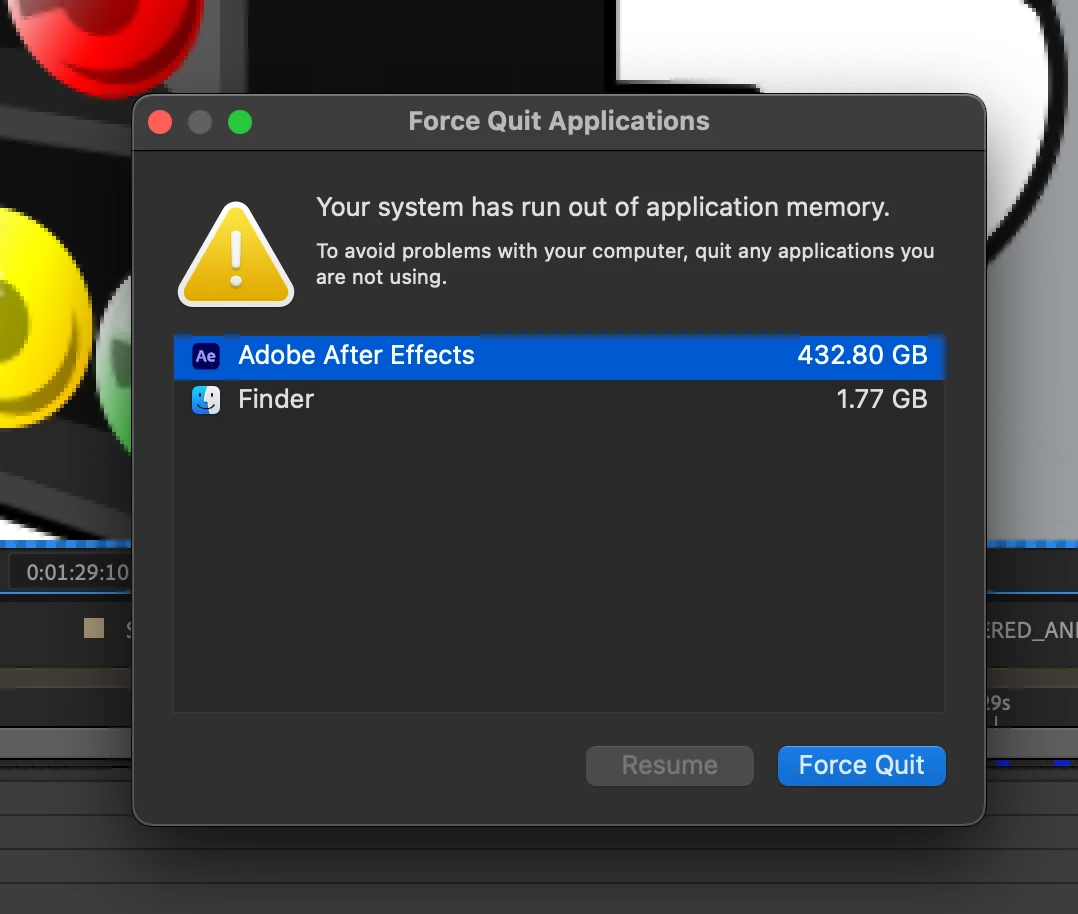
I know this has been posted before, but I've been having major issues with runaway memory use in AE 23.1. I'm using a M1 Max 16 inch Macbook Pro with 64gb. Running a fairly simple project with some pre-rendered .movs with alpha channels comped into scenes using Illustrator assets. Will run fine for 20-30 minutes before the system gets overloaded and I'm out of memory. You can see how much was getting used when it last crashed - 432gb!!


Wasn't an issue before M1 native update... looks like I'll be going back to an older version of AE for now
 

GFCMarkCorrect answer
Participant
Feb 20, 2023 2:48 PM UTC

Seems I may have solved this issue - I had multiple Quicktime video files with the Animation codec and alpha frame in the project. I've comveretd these to Pro Res 4444 and no more overloading memory!

11 replies

RiccaBucks
Participating Frequently
May 4, 2023 2:51 AM UTC

I resolved this by trashing preferences.


I was having issues for months. I thought it was a hardwear problem. Then trashed prefs and everything seems fine now. 


Press Alt (Windows) or Option (Mac OS) while launching After Effects. You can release the Alt or Option key when the splash screen appears. To reset preferences and plug-in cache at the same time, hold down Control-Shift-Alt (Windows) or Command-Shift-Option (Mac OS) while the application is starting.

Translate
Participating Frequently
May 22, 2024 1:25 PM UTC

This seems to help a lot. 

Translate
Participating Frequently
Mar 21, 2023 2:06 PM UTC

It is no longer possible to work with the combination of Apple M1 chip and After Effects 23.0. Even the smallest animations are blocked with not enough RAM.
Surely there must be a solution for this?

Specs:
MacBookPro M1 Pro
16 Gb RAM
1 TB HD (over half still free)
OS X 12.6
After Effects 23.0

Translate
nishu_kush
Legend
Mar 21, 2023 7:20 PM UTC

Hi Norman5CBE,


This issue has been fixed in future releases. Would you mind trying the latest version and see if that helps?

Let us know the results.


Thanks,

Nishu

Translate
Participating Frequently
Jun 5, 2023 9:37 AM UTC

I'm sorry Nishu,

but I've updated after effects to the 23.4 version and this issue is still there. The only solution was to downgrade, because restart every 20 minutes it's not a solution.

Translate
GFCMarkAuthorCorrect answer
Participant
Feb 20, 2023 2:48 PM UTC

Seems I may have solved this issue - I had multiple Quicktime video files with the Animation codec and alpha frame in the project. I've comveretd these to Pro Res 4444 and no more overloading memory!

Translate
Mohammad.Harb
Community Expert
Community Expert
Jan 31, 2023 6:40 PM UTC

have you tried purging the memory from 

Edit -> purge -> All memory and disk cache  ? 

Translate
GFCMarkAuthor
Participant
Jan 31, 2023 7:18 PM UTC

many, many times. restarting AE will reset the memory for a time but the issue will always return

Translate
iestynx
Inspiring
Feb 3, 2023 2:47 PM UTC

I'm getting the low memory warning banner in the preview window. But Activity monitor says I have plenty. Using latest AE & macOS on a Mac Studio with 128GB of RAM!

Translate