


Participant
April 20, 2025
Answered

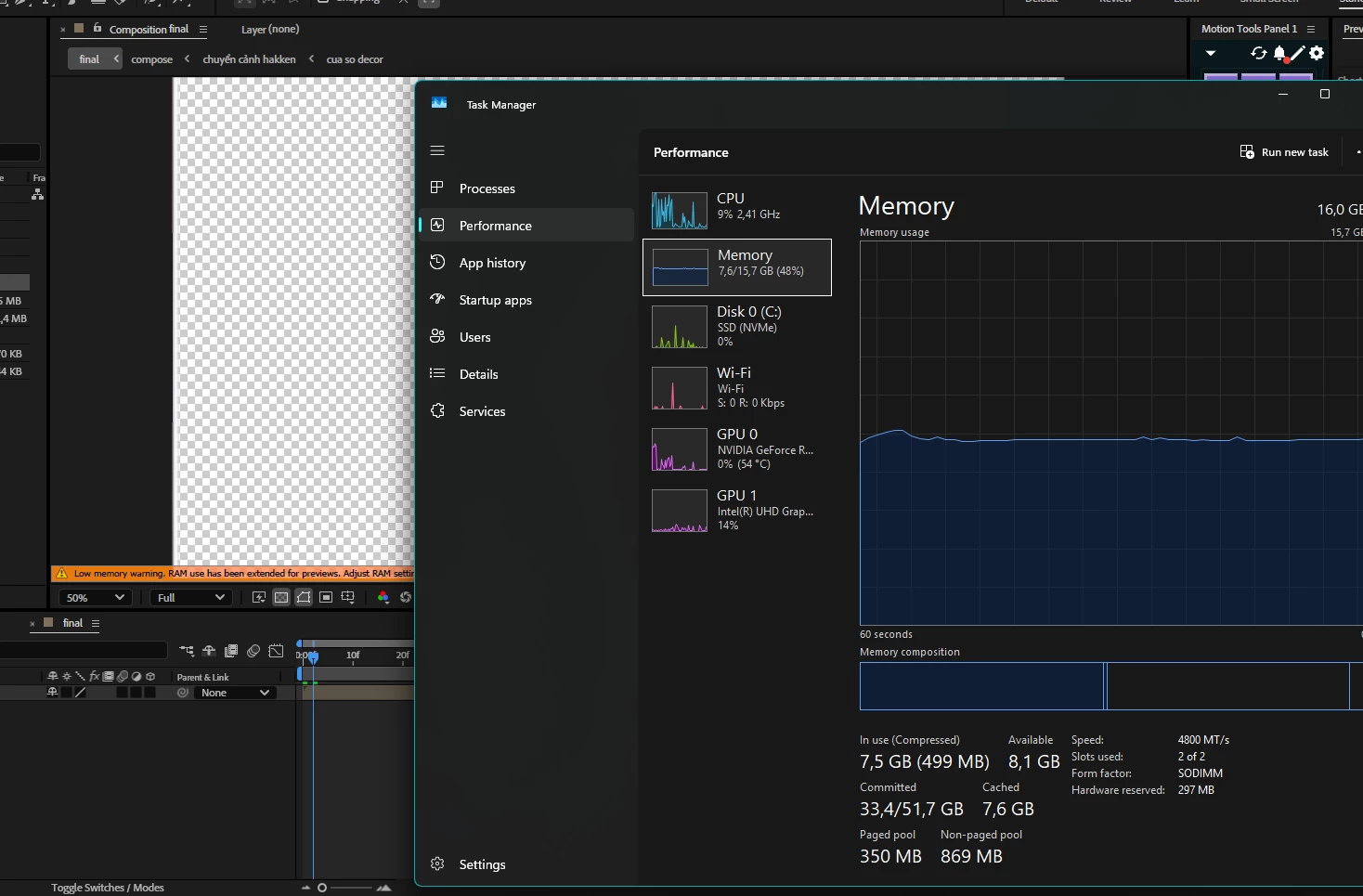
Low memory warning in after effect 2025
  • April 20, 2025
  • 2 replies
  • 1098 views

The adobe after effect said that i have low memory when its not even trying to use my ram what the hell, when i hit play its just repeat and stuck, i tried all the tutorial, purge, locate more cache, everything but nothing changed

Correct answer TÙNG38106924i4kg

Thank you, just solved it yesterday, i just have to reinstall my physical ram, clean it a bit, then boom, everything back to normal

2 replies

TÙNG38106924i4kgAuthorCorrect answer
Participant
April 21, 2025

Thank you, just solved it yesterday, i just have to reinstall my physical ram, clean it a bit, then boom, everything back to normal

Warren Heaton
Community Expert
Community Expert
April 27, 2025

@TÙNG38106924i4kg 


Thank you for sharing what resolved the issue for you. 

Jenkmeister
April 21, 2025

Assuming you're running the latest release, 25.2.2? If not, please upgrade to that.


Then if this continues, go to Preferences -> Memory & Performance and then Click the "Show Memory Usage Details...". Give it a few seconds to gather the data and it should show the Adobe processes that are using the memory. It may be you have Photoshop or Premiere open as well and that's using memory that AE may need.