Participant
July 25, 2025
Question

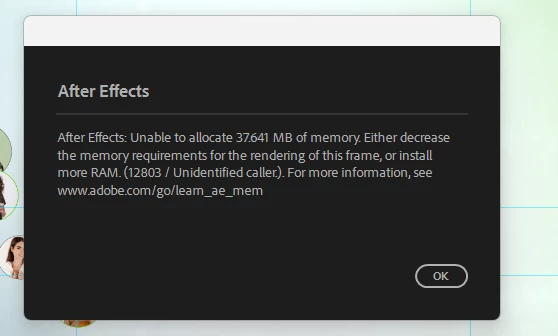
Low ram error
  • July 25, 2025
  • 3 replies
  • 217 views


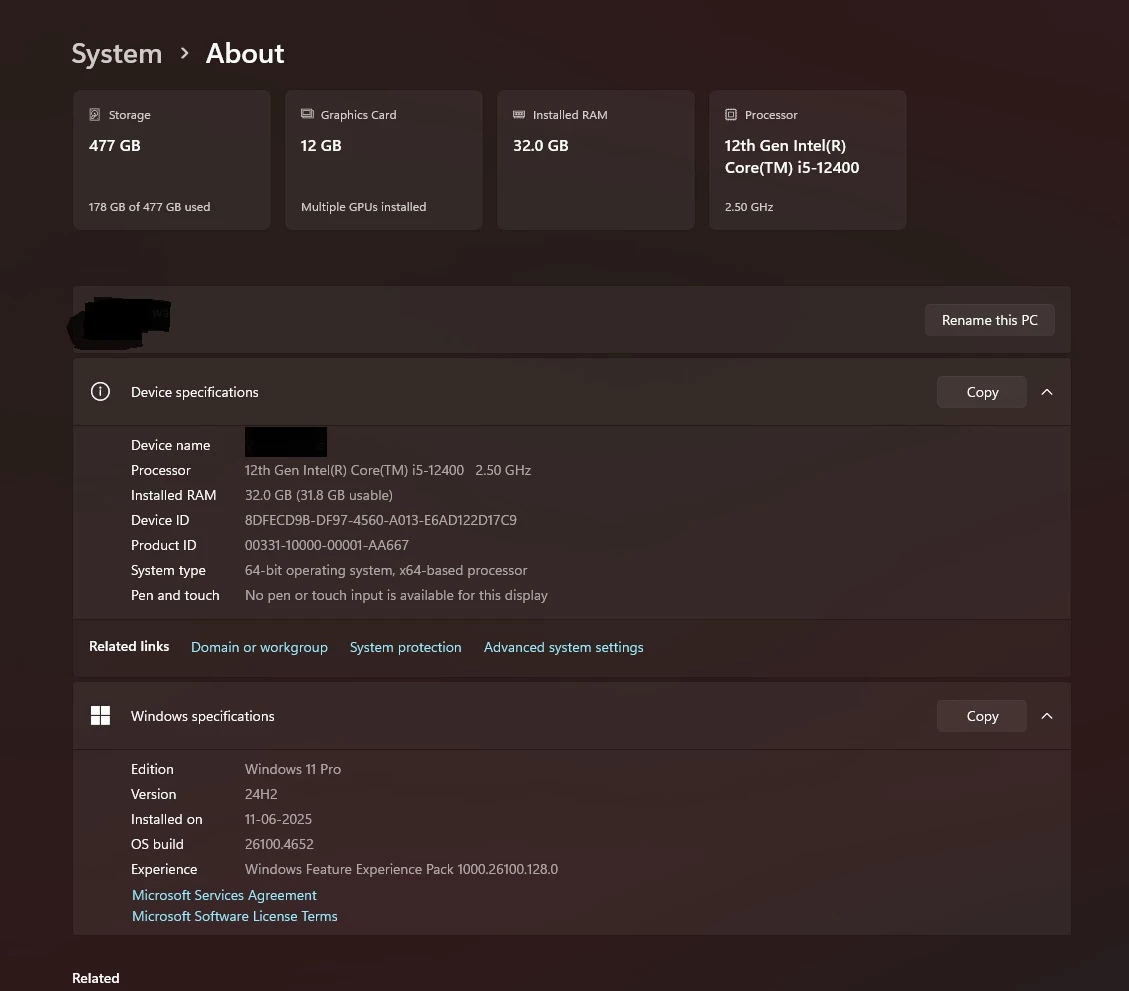
My system is high end machine but still i am facing low memory error. pls suggest me what to do?



3 replies

thepixelsmith
Community Expert
Community Expert
July 27, 2025

In After Effects preferences (Edit > Preferences) go to the Memory & Performance section and decrease the RAM reserved for other applications to as low as it will allow. This should free up more RAM for AE.

You can also reduces the playback quality of your previews. Reduce the Resolution/Downsample Factor menu at the bottom left of the Composition panel to Half or less.

Once note, previewing in AE requires RAM and each layer and effects contributes to the RAM load need to preview. You may have some footage or effects in your composition that are causing this problem.

Ishan Y
Inspiring
July 25, 2025

Hey,

I'm sorry to hear about this. Could you share some details so I can better understand the problem?


If you're working with imported media, please share the format and resolution.

Mention your composition resolution and any effects or plugins you're using in your project.

Current After Effects version (hover the mouse pointer to the menu bar at the top and go to Help > About After Effects).

Memory usage details (go to the top menu; Edit > Preferences > Memory & Performance > Show Memory Usage Details (share a screenshot of this window next time you see the error message).


Thanks,

Ishan

Please tag me (@) in your replies so that it notifies me and helps me respond promptly.
Bani Verma
Legend
July 25, 2025

Hi @Ghumen36366488a0fc,


I am moving your query to the correct community; experts there can help you better. 


Thanks,

^BS

Participant
July 25, 2025

Thank you Bani.