December 3, 2025
Answered

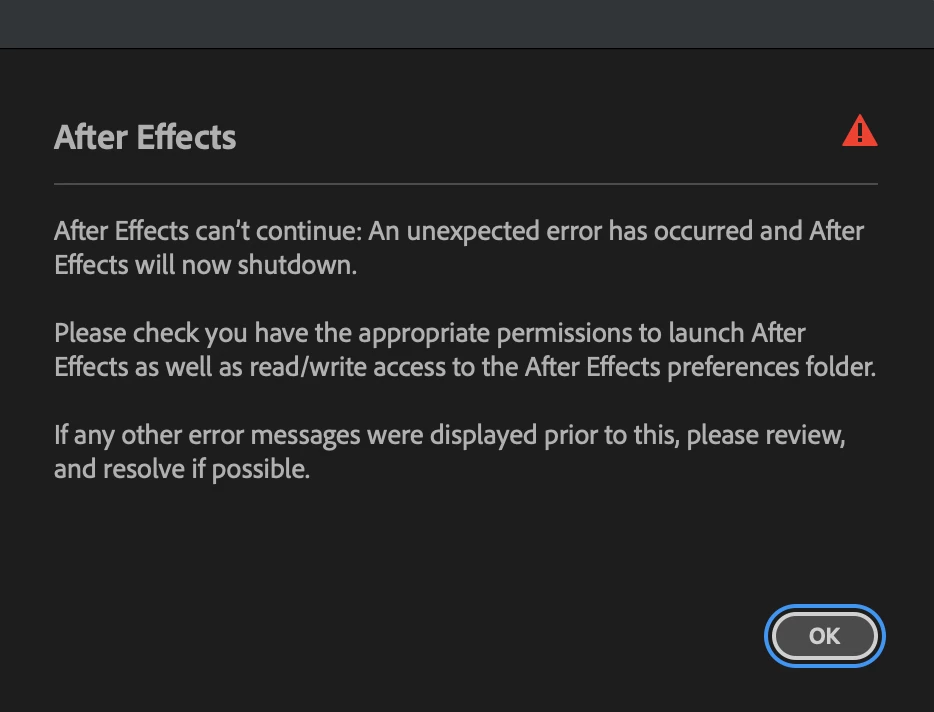
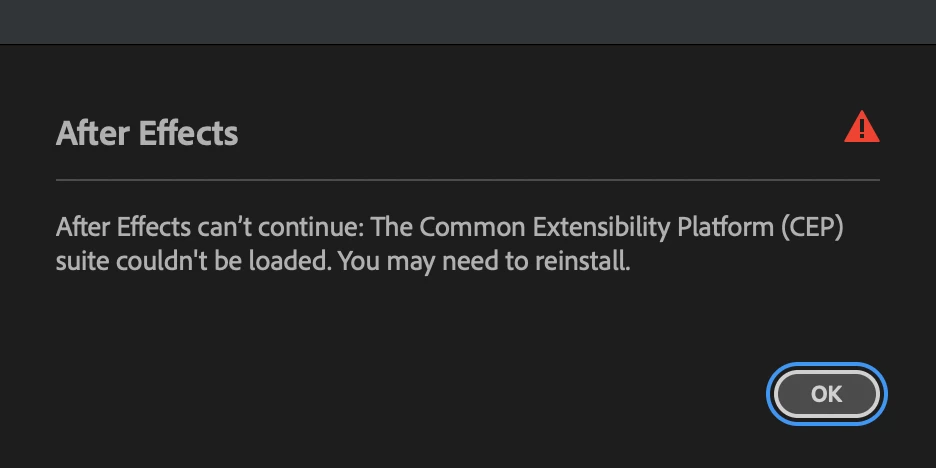
MAC OS: The Common Extensibility Platform (CEP) suite couldn't be loaded

  • December 3, 2025
  • 2 replies
  • 268 views

Hi,

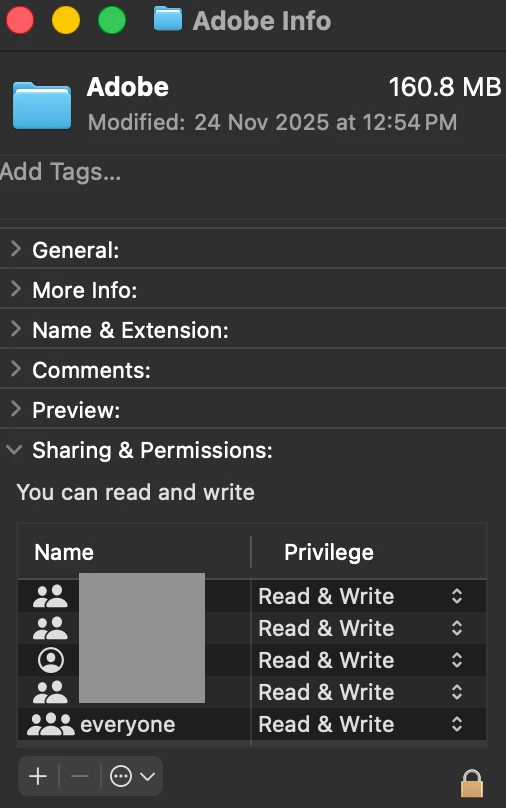
I am facing this problem where AE doesnt start due to CEP error. I've given Read & Write access to all users in Adobe folders in preferences and documents but still no luck. Even tried reinstalling multiple times and also different versions but getting same error. Please help as I feel I have tried everything that i found on internet and its impacting my work.


Thanks
Screenshot 2025-12-03 at 11.47.00 AM.pngScreenshot 2025-12-03 at 11.46.52 AM.pngScreenshot 2025-12-03 at 11.50.10 AM.png

Correct answer bhavesh995

So I figured out a way to fix this. Basically the problem happened in the following folder:
Documents>Adobe>Adobe After Effect 2025 

For some reason AE was having trouble accessing it even though full disk access was given to AE and also Read & Write access to all users on device. After realising this I simply deleted this folder and created a new folder with same name and it fixed everything.


Hope this helps to someone else who is facing this issue.

2 replies

bhavesh995AuthorCorrect answer
December 9, 2025

So I figured out a way to fix this. Basically the problem happened in the following folder:
Documents>Adobe>Adobe After Effect 2025 

For some reason AE was having trouble accessing it even though full disk access was given to AE and also Read & Write access to all users on device. After realising this I simply deleted this folder and created a new folder with same name and it fixed everything.


Hope this helps to someone else who is facing this issue.

nishu_kush
Legend
December 3, 2025

Hi there,


Sorry to hear about the issue. What version of After Effects are you using? Please try the steps in the following article (be sure to "apply to enclosed items"): https://adobe.ly/3Y6U8sd

If that doesn't help, try providing full disk access to After Effects. Here's how: https://adobe.ly/4izOp7P

Let me know how it goes. Moving this thread from Bugs to Discussions for troubleshooting.


Thanks,
Nishu

December 3, 2025

Hi,

Thanks for your response. The first link that you've shared isn't working for me (404 error). However I have given read and write access along with "apply to enclosed items". Also the full disk access is also something which I already did earlier but it didn't help yet. 

if you can share the first link again or tell me which specific folders should be given read/write access, I'll try that.

nishu_kush
Legend
December 4, 2025

That's my bad! Here's the link I meant to share: https://adobe.ly/3Y6U8sd

The link contains the information on which folders you need to provide access to. If that doesn't help, create a new user account with admin rights for testing and see if After Effects works in that account.

Let me know how it goes.


Thanks,
Nishu