

Caleb Bourgeois
Participant
February 8, 2019
Answered

Main comp audio heard in pre-comp

  • February 8, 2019
  • 2 replies
  • 7123 views

I have a main comp that will include an audio track, that has music and voice over. In that main comp, there will also be multiple pre-comps in sequence.

I want to be able enter into the pre-comps and make edits that correspond with the voice over audio in the main comp. I want to be able to hear the audio from the main comp, while I'm in the pre-comp. So I can make changes in the pre-comps that correspond to the audio, without having to go back to the main comp. But I don't want a separate audio track in each pre-comp. I want an alias, if you will, of the audio from the main comp, to be heard in the pre-comp.
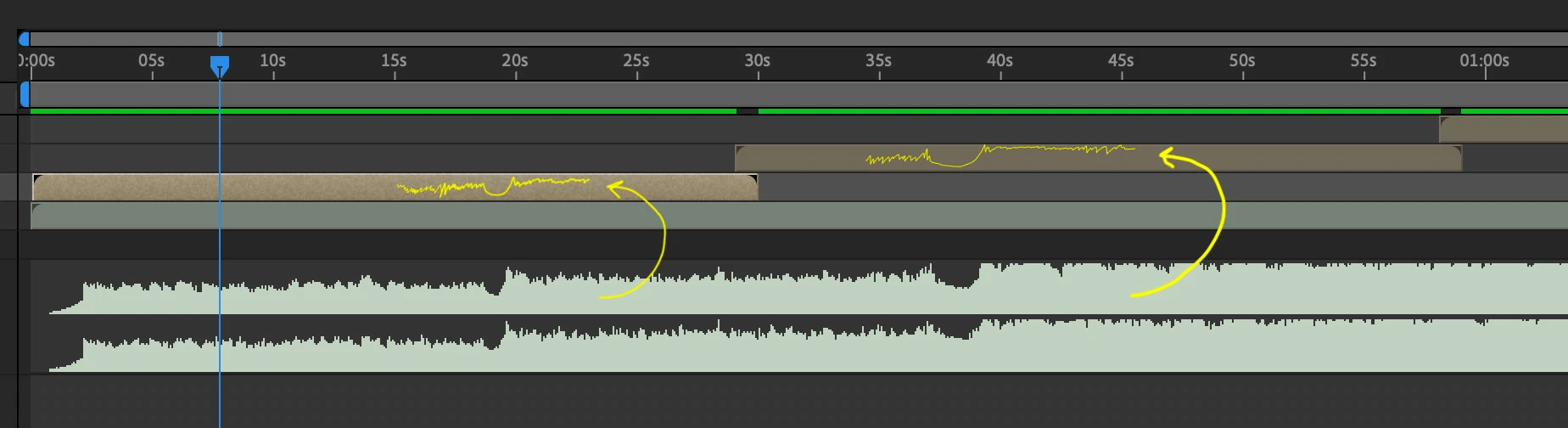
Is this possible?

This topic has been closed for replies.
Correct answer P.M.B

There's a $10 plugin that does it.

Universal Audio - aescripts + aeplugins - aescripts.com

2 replies

P.M.B
P.M.BCorrect answer
Legend
February 9, 2019
~Gutterfish
Caleb Bourgeois
Participant
February 14, 2019

Thanks for the info. That does the trick.

Dave_LaRonde
Inspiring
February 8, 2019

Sorry, there's no such thing as an audio layer alias.  You'll have to include them in your nested comps if you want to hear them.

I've had to do this myself on a number of occasions.  Writing down times for the nested comps' in & out points is helpful.  If you want to render out the main comp with audio and no interference from the nested comp audio, just turn off the little speaker icon on the nested comp layers.