Participant
January 22, 2021
Answered

Make exceptions to the mask

  • January 22, 2021
  • 1 reply
  • 217 views

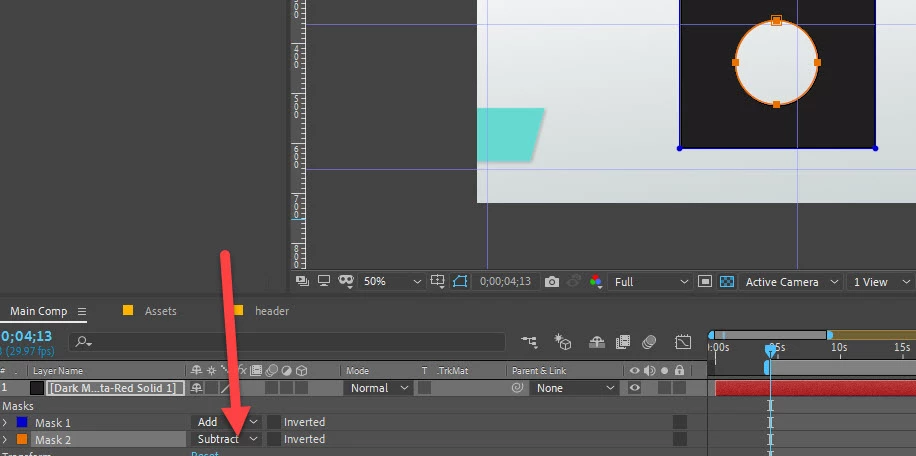
How do I draw a mask around something and then make exceptions within that mask? For example, a tire. I want to remove the tire but not the gap within it to let it not look extremely edited.

Basically, what I'm asking is, can I draw a mask of what I dont want to be affected within my bigger mask, for the purpose of letting After Effects know that I dont want that bit inside the mask to be edited? Thank you.
This topic has been closed for replies.
Correct answer P.M.B

Absolutely.  On the same layer just draw out a second mask and set it to subtract.  While your at it chck out all the mask operations and see how they affect

1 reply

P.M.B
P.M.BCorrect answer
Legend
January 23, 2021

Absolutely.  On the same layer just draw out a second mask and set it to subtract.  While your at it chck out all the mask operations and see how they affect

~Gutterfish