
Known Participant
January 9, 2023
Answered

Make Layer Fill Colour Black or White Depending on Dropdown Menu with 16 Colours

  • January 9, 2023
  • 4 replies
  • 516 views

AE 23.1.0

macOS BigSur 11.7.1


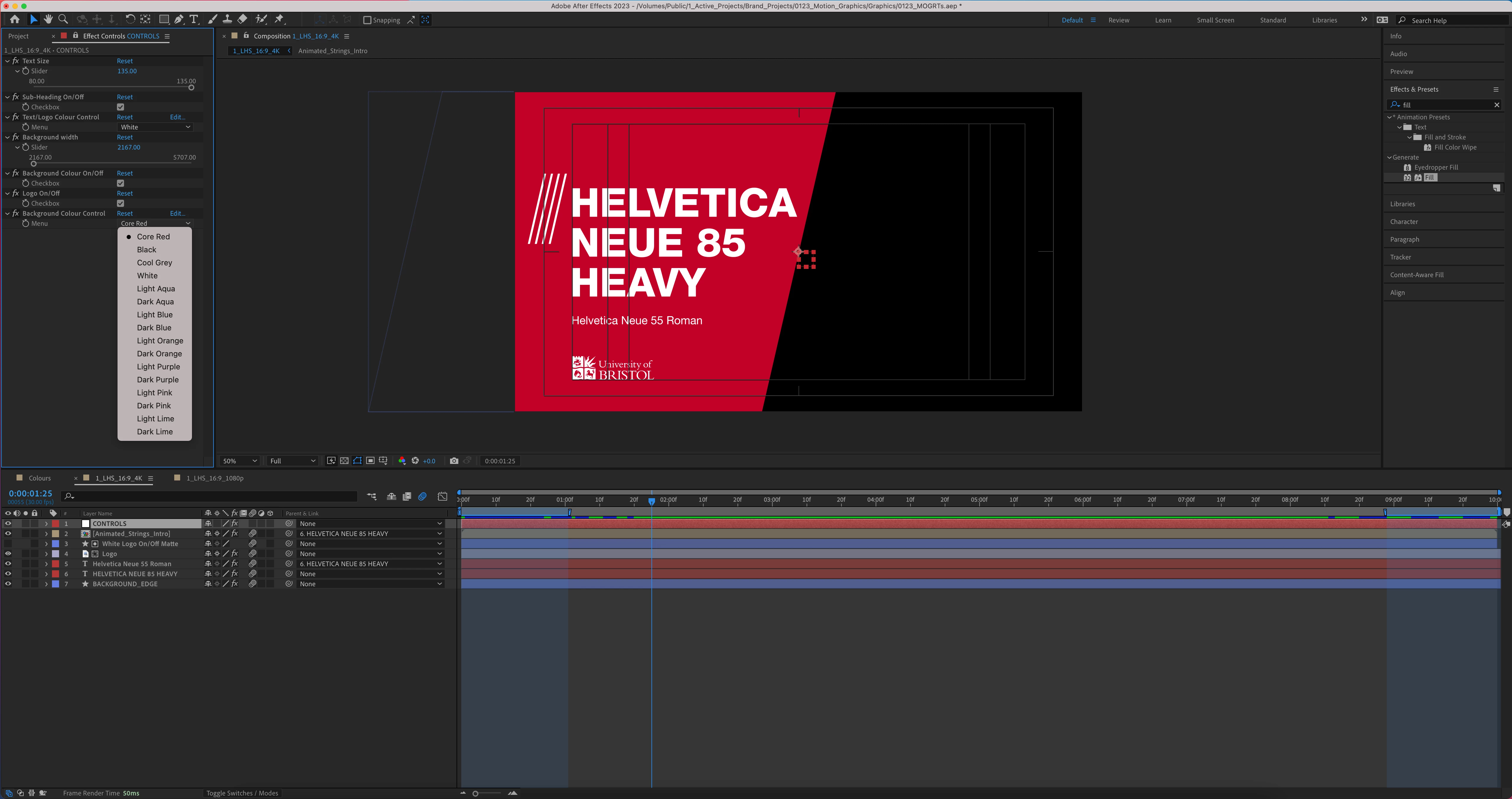
Hi. I'm in the process of making branded MOGRTs for our University. We have 16 brand colours, which I've made available to choose from via a dropdown menu in my 'CONTROLS' null. This controls the Effect > Fill on the background shape. See below.


I have a 'Text/Logo Colour Control' (to toggle between black or white elements), but we don't want to give users this control, because they may end up using black on a colour which is too dark, for example (see below).
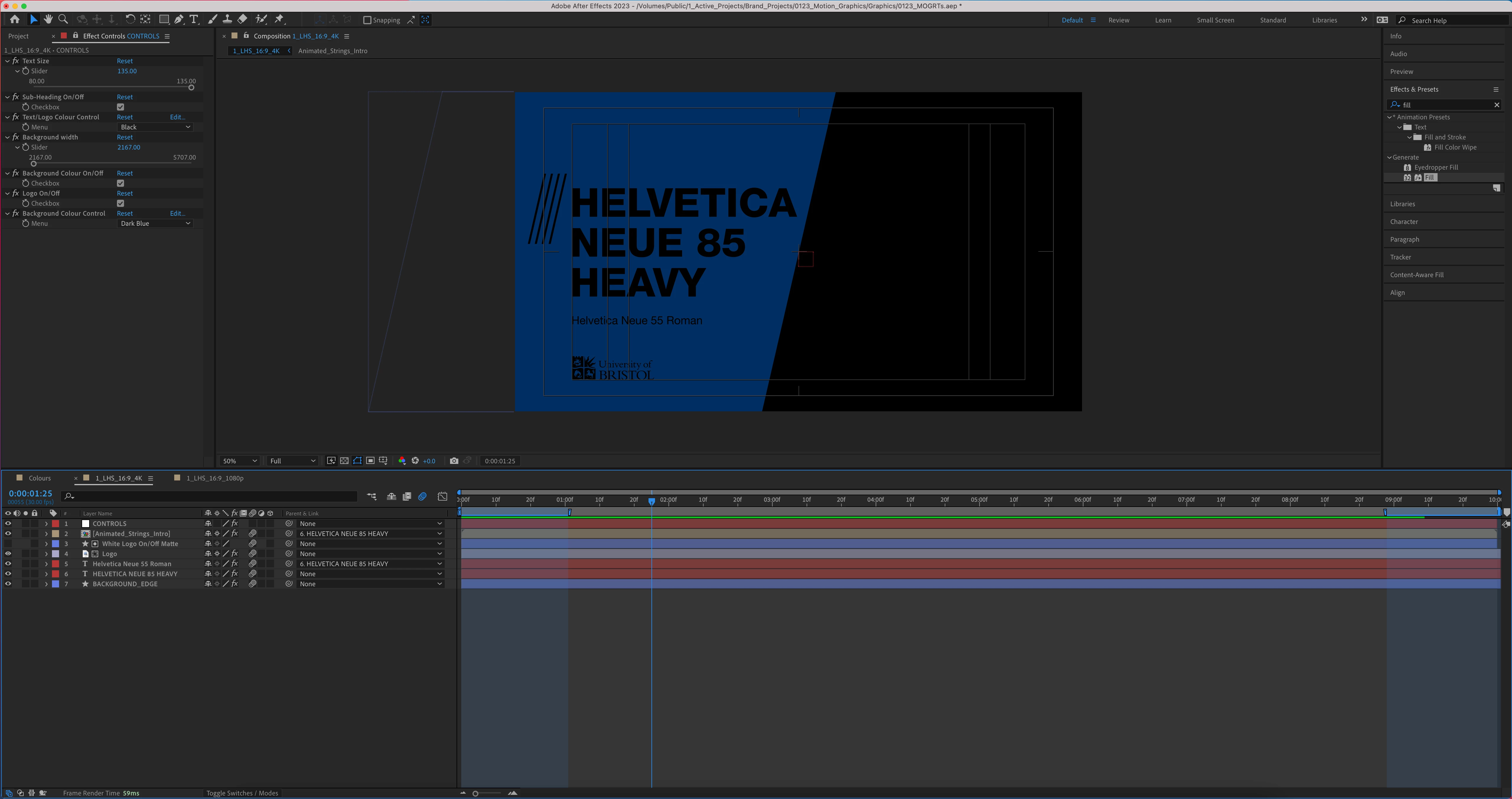
 

We want to restrict the text and logo elements to either white, or black, depending on the colour chosen for the background in the dropdown.


All the Fill effects on the text/logo layers are parented to the Effects > Fill on the headline layer 'Helvetica Neue 85 Heavy'. So in theory, I just need some code which tells After Effects to change the Effect > Fill on "Helvetica Neue 85 Heavy" to white or black, depending on the dropdown menu choice for the 'Background Colour Control'.


The code used on the background shape layer is:

dropDownIndex = thisComp.layer("CONTROLS").effect("Background Colour Control")("Menu").value; switch ( dropDownIndex ){
case 1: hexToRgb("B01C2E") break;
case 2: hexToRgb("000000") break;
case 3: hexToRgb("E5E6E5") break;
case 4: hexToRgb("FFFFFF") break;
case 5: hexToRgb("00C0B5") break;
case 6 :hexToRgb("00434F") break;
case 7: hexToRgb("0CC6DE") break;
case 8: hexToRgb("002F5F") break;
case 9: hexToRgb("EE7219") break;
case 10: hexToRgb("6D2601") break;
case 11: hexToRgb("9278D1") break;
case 12: hexToRgb("42145F") break;
case 13: hexToRgb("E0249A") break;
case 14: hexToRgb("772059") break;
case 15: hexToRgb("BED600") break;
case 16: hexToRgb("53682B") break;
default: hexToRgb("B01C2E") };


Please let me know if it's possible to achieve only white or black for the text/logo elements, conditional on the colour a user chooses for the background shape. We're assuming it's an if/else expression of some sort!


Thanks in advance for any help you might have.

This topic has been closed for replies.
Correct answer Dan Ebberts

I think I'd do it this way:

dropDownIndex = thisComp.layer("CONTROLS").effect("Background Colour Control")("Menu").value;
switch(dropDownIndex){
  case 3:
  case 5:
  case 7:
  case 9:
  case 13:
    [0,0,0,1];
    break;
  default:
    [1,1,1,1];
    break;
}

4 replies

Mylenium
Legend
January 9, 2023

Try this:


dropDownIndex = thisComp.layer("CONTROLS").effect("Background Colour Control")("Menu").value;

if
(dropDownIndex == 3 ||
dropDownIndex == 5 ||
dropDownIndex == 7 ||
dropDownIndex == 9 ||
dropDownIndex == 15)
{[0,0,0,0]}
else
{[1,1,1,1]};


Sorry for the confusion... It's one of those days.


Mylenium

Chris5EF3Author
Known Participant
January 10, 2023

Thanks a lot for all of your help on this, much appreciated!

Mylenium
Legend
January 9, 2023

You have to include the reference of course. As per your original post:


dropDownIndex = thisComp.layer("CONTROLS").effect("Background Colour Control")("Menu").value


Mylenium

Chris5EF3Author
Known Participant
January 9, 2023

Ok thank you. Where am I going wrong? Sorry, I'm not au fait with the coding side of things. See below (still not changing text/logo colour as needed):

Dan Ebberts
Community Expert
Dan EbbertsCommunity ExpertCorrect answer
Community Expert
January 9, 2023

I think I'd do it this way:

dropDownIndex = thisComp.layer("CONTROLS").effect("Background Colour Control")("Menu").value;
switch(dropDownIndex){
  case 3:
  case 5:
  case 7:
  case 9:
  case 13:
    [0,0,0,1];
    break;
  default:
    [1,1,1,1];
    break;
}
Mylenium
Legend
January 9, 2023

My bad. A simple typo. It's of course == (equals operator), not = (assignment):


if (dropDownIndex == 3||5||7||9||15)

{[0,0,0,0]}

else

{[1,1,1,1]};


Mylenium

Chris5EF3Author
Known Participant
January 9, 2023

Thank you, but it's still not changing to white/black depending on the bg shape colour. AE wants me to define 'dropDownIndex'. How do I do that?


Mylenium
Legend
January 9, 2023

Sure.


if (dropDownIndex = 1||2||3||5||13)

{[0,0,0,0]}

else

{[1,1,1,1]};


Mylenium

Chris5EF3Author
Known Participant
January 9, 2023

Thanks for replying so quickly @Mylenium 

See below. AE is happy with the expression (which I've tweaked, based on the colours in the menu), but I think it needs pick-whipping - or I've missed something. Can you help me further? Eg. dropdown option 1 should return white text/logo elements. Thanks again