Participant
February 8, 2022
Answered

Making a layer transparent without masking

  • February 8, 2022
  • 1 reply
  • 307 views

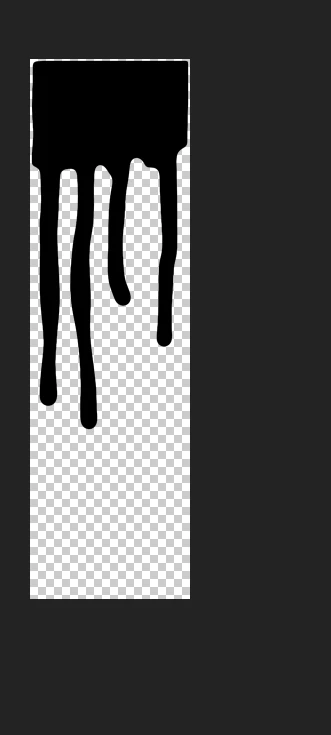
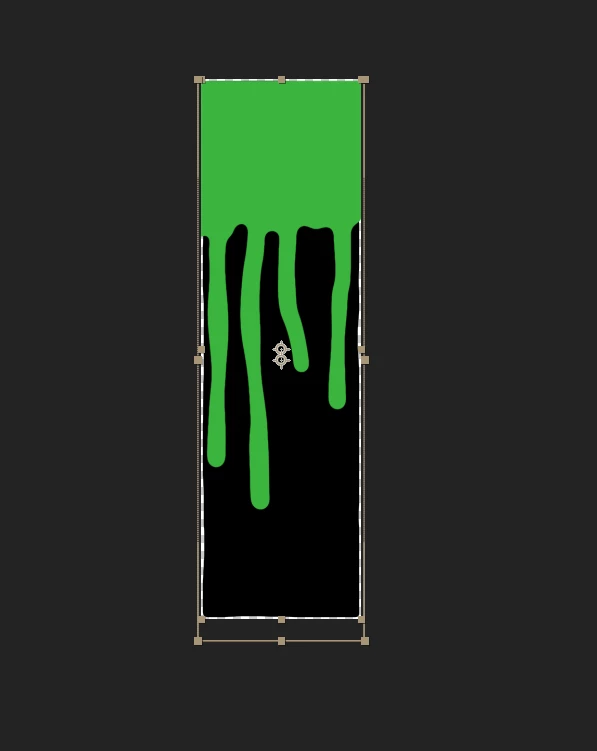
Not sure what to call it but please help ahaha. So basically I want the black to stay and on the second photo I want the green to be transparent and it wipe off the black. I hope this makes sense. I want to make the green transparent without masking as it would take me a while to do it neatly. Any help on what effects and what not to use would be hugely appreciated.

Sam


This topic has been closed for replies.
Correct answer Warren Heaton

While the Layer is selected, choose Effects > Keying > Keylight.  Then use the Screen Colour eyedropper to select the green.


It should knock out cleanly.

1 reply

Warren Heaton
Community Expert
Warren HeatonCommunity ExpertCorrect answer
Community Expert
February 8, 2022

While the Layer is selected, choose Effects > Keying > Keylight.  Then use the Screen Colour eyedropper to select the green.


It should knock out cleanly.

Participant
February 8, 2022

Thank you good sir you are an icon