Legend
November 2, 2021
Answered

Making Mask Appear MidClip

  • November 2, 2021
  • 3 replies
  • 463 views

Trying to get a mask like to appear midclip so that I may run a sort of video within it like a picture frame? 


Thought the Opacity Settings for Mask Keyframing would help, but perhaps I am not doing it right. 


What would a good way to do this be?


Thank you


(Please don't answer if you are not going to help, and are only here to be an obnoxious know it all without anything to say on the matter other than criticim in hopes of making your own self feel good somehow)


This topic has been closed for replies.
Correct answer Rick Gerard

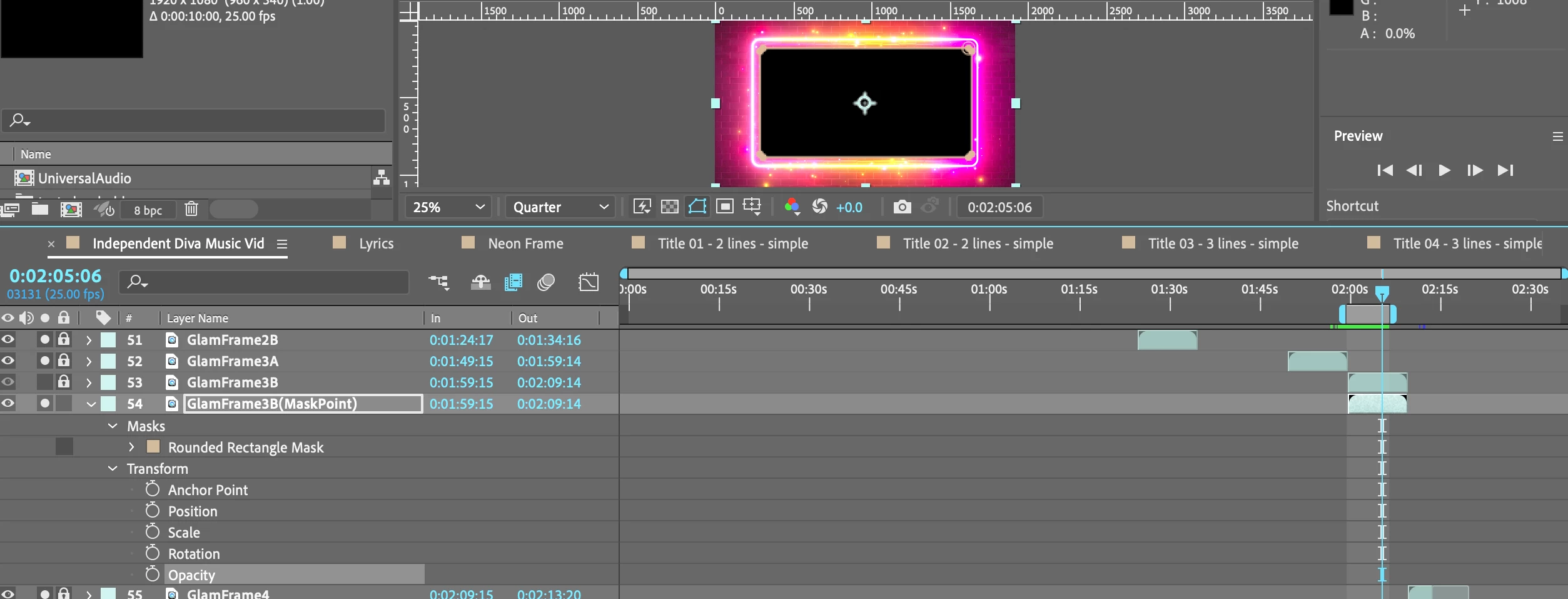
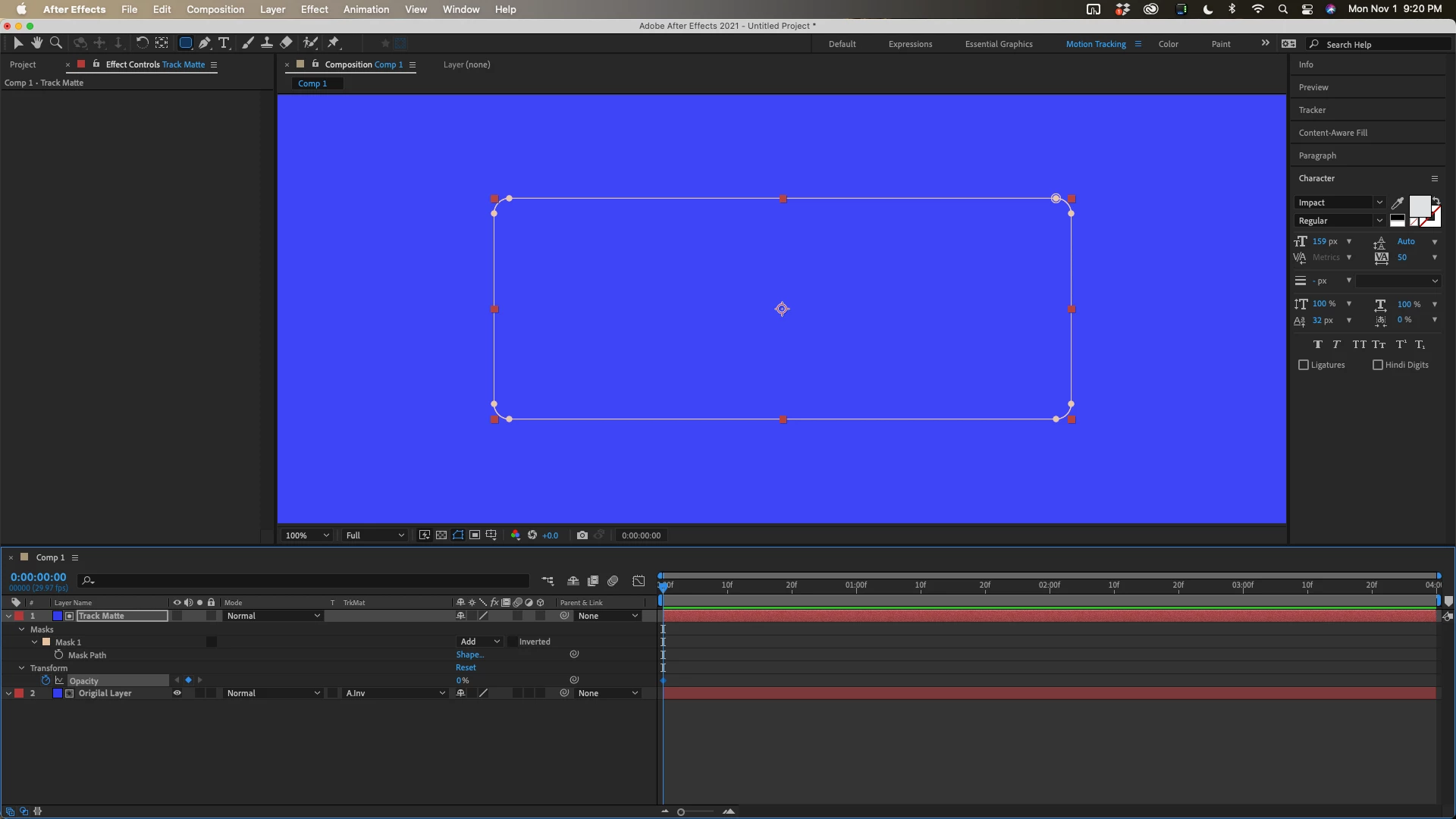
This will require 2 layers. Either split the layer or put the mask on another layer and set it as a track matte for the original layer. For your application set the mask to add on the top layer, set the top layer to Inverted Alpha, then animate the track matte layer's opacity:


3 replies

Roland Kahlenberg
Legend
November 2, 2021

Use the Hold Keyframe for the Mask Path property. So, you'll need two Mask Path property keyframes. At the time where the mask has to be active, create a keyframe for Mask Path. Move the CTI (current time indicator) back in time, one frame will do and move the Mask Path off frame/composition. Select the newly created keyframe and set its Interpolation to Hold. You can do this in three ways - 
1) hold down the ALT + CTRL keys and click once on the keyframe

2) select the keyframe and hit the ALT+CTRL+H keys

3) right click on the keyframe and select Toggle Hold Keyframe from the Contextual Menu


HTH 

Very Advanced After Effects Training | Adaptive & Responsive Toolkits | Intelligent Design Assets (IDAs) | MoGraph Design System DEV
Rick GerardCommunity ExpertCorrect answer
Community Expert
November 2, 2021

This will require 2 layers. Either split the layer or put the mask on another layer and set it as a track matte for the original layer. For your application set the mask to add on the top layer, set the top layer to Inverted Alpha, then animate the track matte layer's opacity:


One&DoneAuthor
Legend
November 2, 2021

Thinking I probably need to make it an inverted mask or something, as when I set the initial keyframe opacity at 0% to 100% (the next keyframe), it is effecting the pink area around it instead..

One&DoneAuthor
Legend
November 2, 2021

Just trying to create a transparent shape mask to enter at a specific point within the frame. 


Getting really really tired of After Effects lacking an intuitive nature. 

It's 2021, Get it together Adobe.

One&DoneAuthor
Legend
November 3, 2021

Spent over 20 hours on this and it still makes no sense. Isolated the two scenes, now what would one do to first create a frame inside the currently displayed scene, in order to see within??