
Participant
January 21, 2017
Question

Making text fall behind multiple objects (track mattes)

  • January 21, 2017
  • 2 replies
  • 599 views

So I have a drone shot traveling backwards over some trees and the word Iceland looks like it is sitting between the trees. The good news is, I was able to get the words to go behind one of the two objects, I just could get it to only go behind one tree at a time. I can even get the track matte to switch between the two objects but never both at the same time.

Please see the attached image for reference, this will help greatly in understanding my problem I think.

Perhaps there is a better way to achieve what I am trying to do? Perhaps I do not understand how to use track mattes in the best manner? Any help would be greatly appreciated!
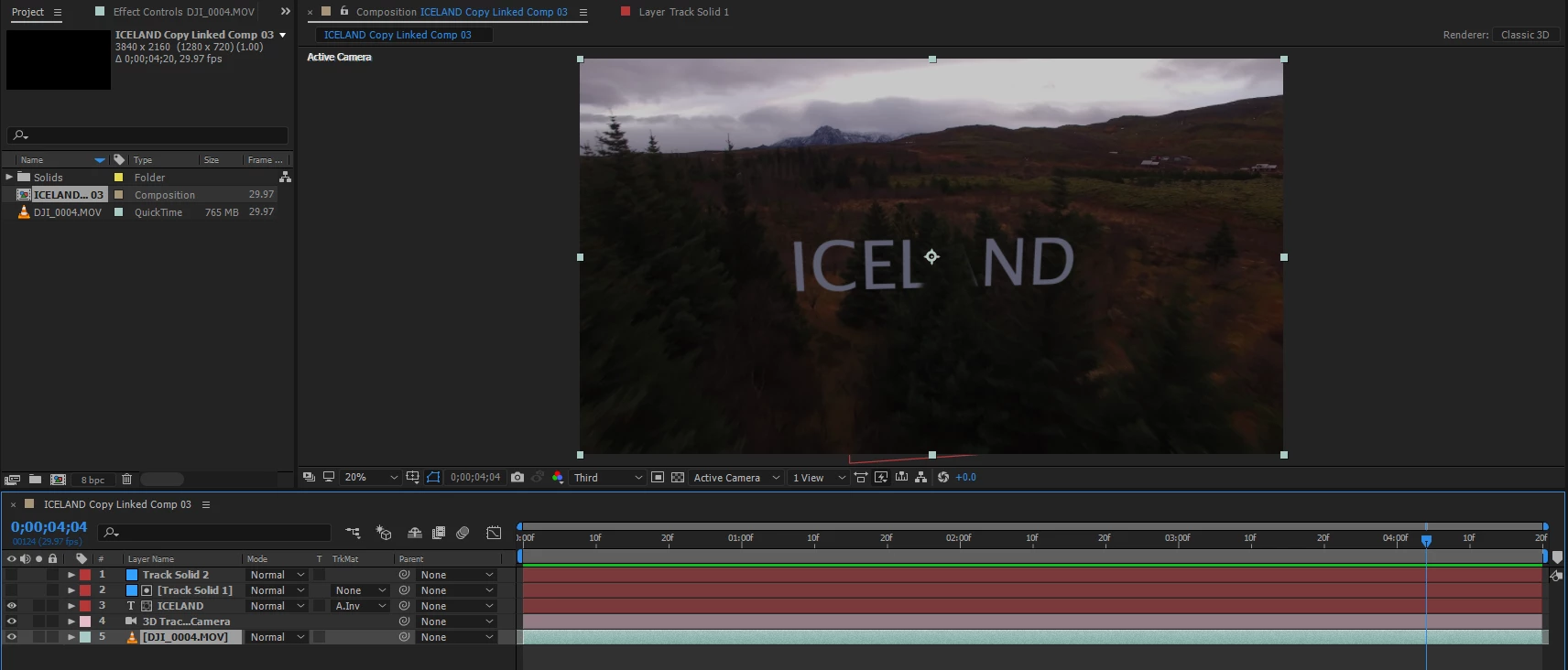
If you cannot read the text in the comp details in the bottom left, please let me know, I'm new here and not exactly sure what things will be most helpful to the pros to get a good understanding of how to help me with this issue.

THANKS!

This topic has been closed for replies.

2 replies

Kevin J. Monahan Jr.
Community Manager
Community Manager
February 11, 2017

Hi TannerC,

Sorry you had trouble. Did you ever get this solved? Some excellent advice here. Did any of the responses help you? Please let us know how you achieved the effect or if you still need help.

Thanks!
Kevin

Kevin Monahan - Sr. Community and Engagement Strategist – Adobe Pro Video and Audio
Mylenium
Legend
January 21, 2017

Pre-compose the matte layers to combine them into one.

Mylenium

Participant
January 22, 2017

Awesome! Thanks so much!

I'm sorry to ask this but I am a rookie to all of this, should I just google how to do pre-composing matte layers?

Roei Tzoref
Legend
January 22, 2017

1. select all your matte layers and right click -> pre-compose.

2. in the master comp set the collapse switch for the mattes pre-comp

this will be your alpha matte. if you want to see the boundaries of the layers inside the precomp you can toggle the 3D switch too, but it's not necessary for this to work.