artisanaltv
Inspiring
July 5, 2018
Question

Markers are offset

  • July 5, 2018
  • 3 replies
  • 1070 views

Has anyone else been having a problem where you draw a mask around a part of the image, only to have that mask offset from the intended portion of the frame?
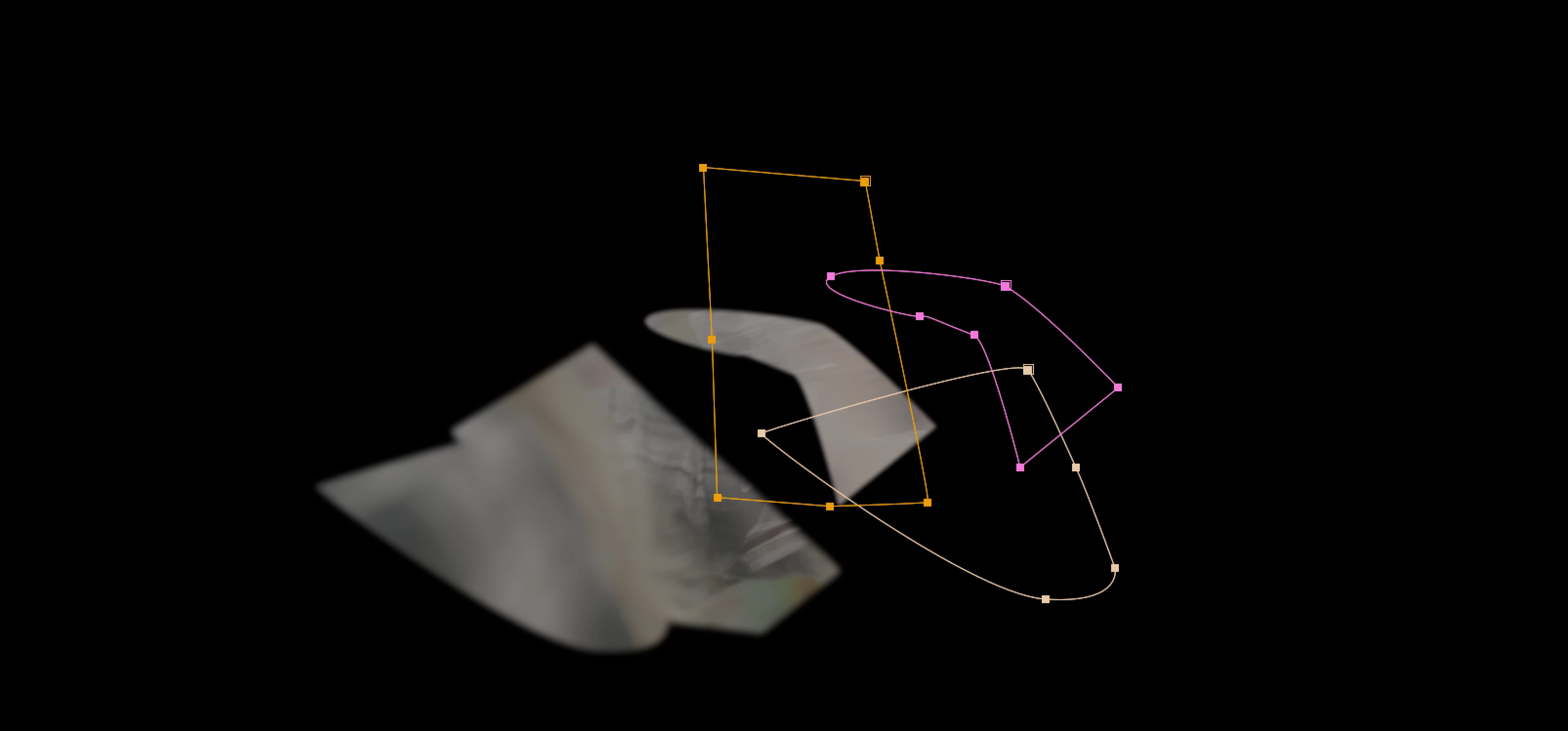
If so, see if you have an instance of Mocha applied to the layer. If you do, remove it. That fixed the problem for me. I'm totally confused about why this behavior would happen, but this seems to be the solution. Hope this helps someone. It took me about half an hour to figure out what was going on...

This topic has been closed for replies.

3 replies

artisanaltv
Inspiring
July 6, 2018

Sorry, I used the word "marker" in the headline when I meant "mask" and now there doesn't seem to be any way to edit it.

I'm not sure if you saw the text below the screenshot in the original post, but I wrote: "see if you have an instance of Mocha applied to the layer. If you do, remove it. That fixed the problem for me."

So no. I didn't copy or paste the masks. I didn't have collapse transformations/continuous rasterizations switched on. I hit G, then drew the mask with the pen tool, made a "mask path" keyframe and moved on to the next frame. Five frames into my quick-and-dirty roto, I noticed that the while the masks were still where I'd drawn them, the portion of the image that was showing through was offset 100 or so pixels to the left. (See the screenshot I uploaded.)

I eventually realized that I had an instance of "mocha pro" in the effects panel for this layer. And as soon as I removed it, the mask behavior reverted to normal.

So the purpose of my post was to ask if others had had this same problem, and to tell them how I solved it.

Participant
May 18, 2023

I'm getting this now, and it looks like it's caused by my having tried to adjust the geometry with the corner pin tool. Mocha also uses corner pins a lot, so it seems like the same issue. Oddly, I didn't notice the offset until I reopened the project later.

Mylenium
Legend
July 5, 2018

Could be anything from the layers being 3D to using collapserd transformations/ continuous rasterization to specifci effects being applied. Impossible to know since you realyl haven't provided us with any useful info.

Mylenium

Omar.Fathy
Community Expert
Community Expert
July 5, 2018

it happens when we copy masks between layers differs in Scale or Anchor Points.

You applied effects to this layer?
Can you take a screenshot of the layer parameters and the Effects Control panel?!
or tell us what did you exactly do to make these masks ?!