Known Participant
March 15, 2025
Answered

Mask an animated gradient with a vector file

  • March 15, 2025
  • 1 reply
  • 271 views

I have created an animated gradient in After Effects. I now want to mask that gradient with a vector logo. The only way I can think of doing it is rendering the gradient and then masking the video. Surely there's an easier way?

Correct answer Rick Gerard

You can use another layer as a Track Matte. Track Mattes can use any layer's Luminance or alpha channel to create transparency. 


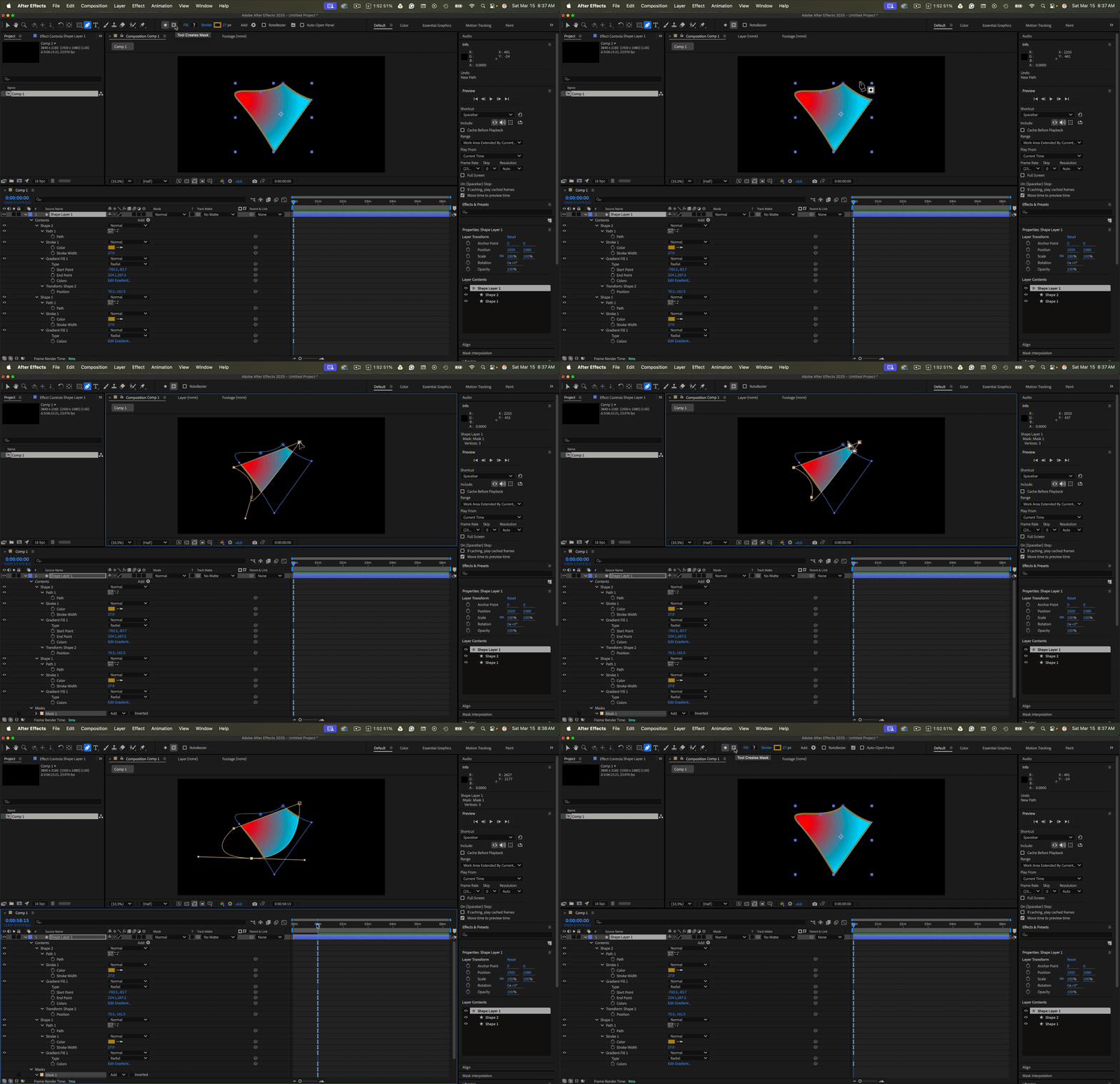
You can also add a mask (g) to a shape layer by looking at the Tool Bar and selecting the Mask option instead of the default shape option. 
For specific instructions, we need to see a screenshot of your timeline with all modified properties of the problem layers. Select the layers, press the 'u' key twice, take a screenshot, and then drag or copy and paste it to the reply field on the forum. Please don't use the "Drag & drop here or browse button files to attach" to share screenshots.

1 reply

Rick GerardCommunity ExpertCorrect answer
Community Expert
March 15, 2025

You can use another layer as a Track Matte. Track Mattes can use any layer's Luminance or alpha channel to create transparency. 


You can also add a mask (g) to a shape layer by looking at the Tool Bar and selecting the Mask option instead of the default shape option. 

For specific instructions, we need to see a screenshot of your timeline with all modified properties of the problem layers. Select the layers, press the 'u' key twice, take a screenshot, and then drag or copy and paste it to the reply field on the forum. Please don't use the "Drag & drop here or browse button files to attach" to share screenshots.