Inspiring
September 16, 2021
Question

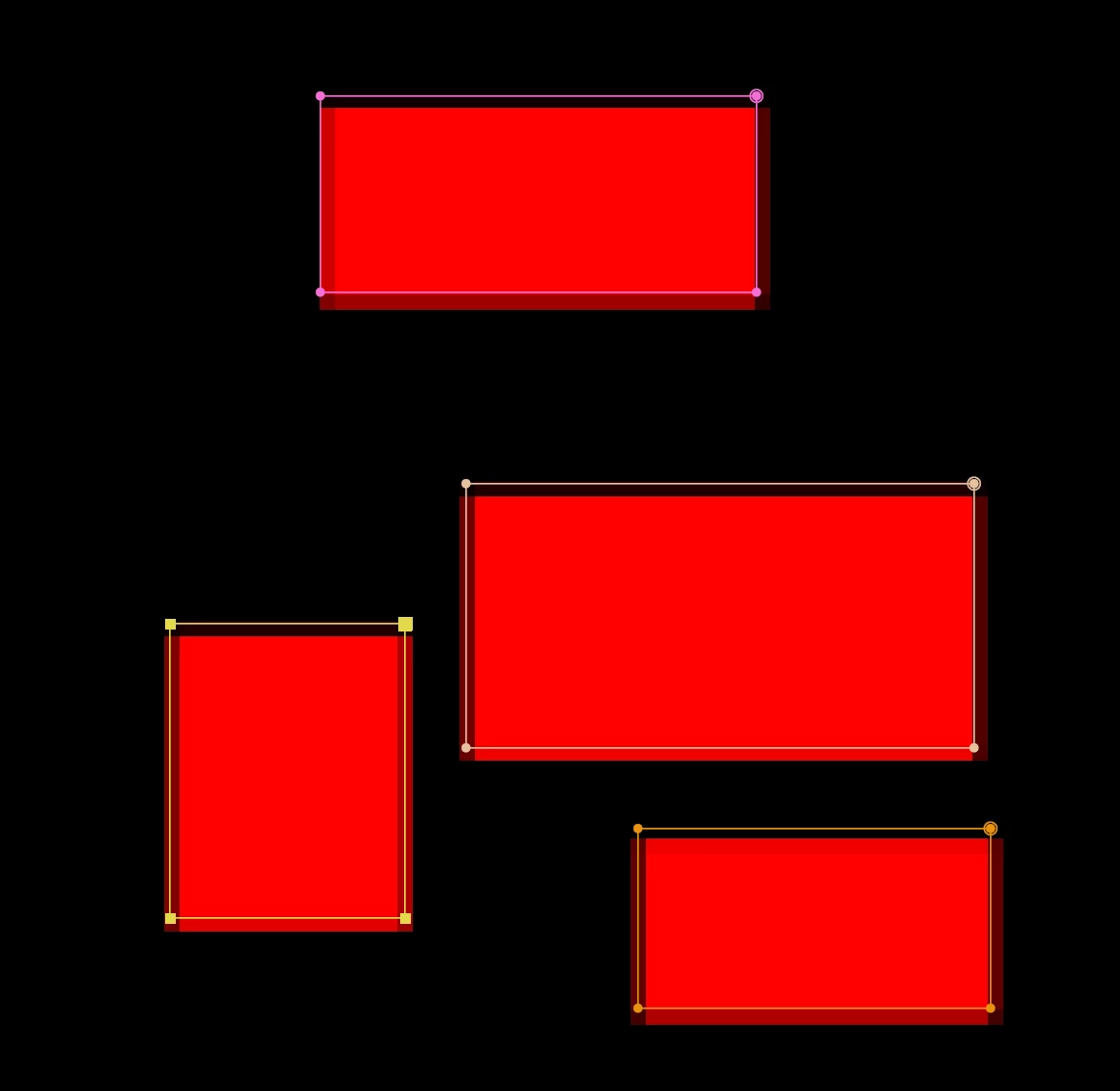
Mask offset??

  • September 16, 2021
  • 4 replies
  • 1140 views

What's going on here? Masks are offset by a pixel??


This topic has been closed for replies.

4 replies

Inspiring
September 16, 2021

Here is the same thing in AE 17.6 - no offset. To any AE dev reading this, whatever has been done to break this, please unbreak it.


Community Expert
September 16, 2021

You may have a very small percentage of smoothing applied, and you also have a very low resolution factor. You must show us with one or more complete screenshots the settings of the mask and the adjustment of everything related to quality, resolution and zoom, perhaps that way we could see something that you need to adjust.

Byron.
Inspiring
September 16, 2021

Nope. Try it yourself. Make a comp, add a solid, draw a mask. Zoom in to 1600% and see if you can get your mask to match the edge.

Just checked with AE 17.6 and everything works as it should. 


Something is seriously off and is effecting EVERY composition you and everyone else is working on right now.

Inspiring
September 16, 2021

Here's another example. This is a 24x24 pixel solid. No masks. Why is it offset from its layer bounds?


Inspiring
September 16, 2021

24x24 pixel solid in AE 17.6. Layer bounds match the edges of the solid.


Inspiring
September 16, 2021

Something is broken.

Here is a 1x1 black solid. It has no position or anchor point offset. It should be fully opaque and the anchor point should be in the middle.


Community Expert
September 16, 2021

Use integer numbers in the position property and see if the problem persists. If you use decimal numbers (eg: 25.3 pixels) After effects will round the position of the boundaries and it will look as if it's wrong.

The same applies for the masks in your first post, as those are not positioned at exact integer pixels values.

Inspiring
September 16, 2021

Try it yourself. Make a comp, add a solid, draw a mask. Zoom in to 1600% and see if you can get your mask to match the edge.
