
Participant
June 13, 2023
Question

Masking a pre composition but somehow got cut beyond the masking path

  • June 13, 2023
  • 1 reply
  • 115 views

Hey, I'm particaly new to After Effect, I want to cut a line from a layer when im designing the kid. So the shortcut to do that that i found is to just mask the entire pre-composition so i dont need to find the excact layer. 
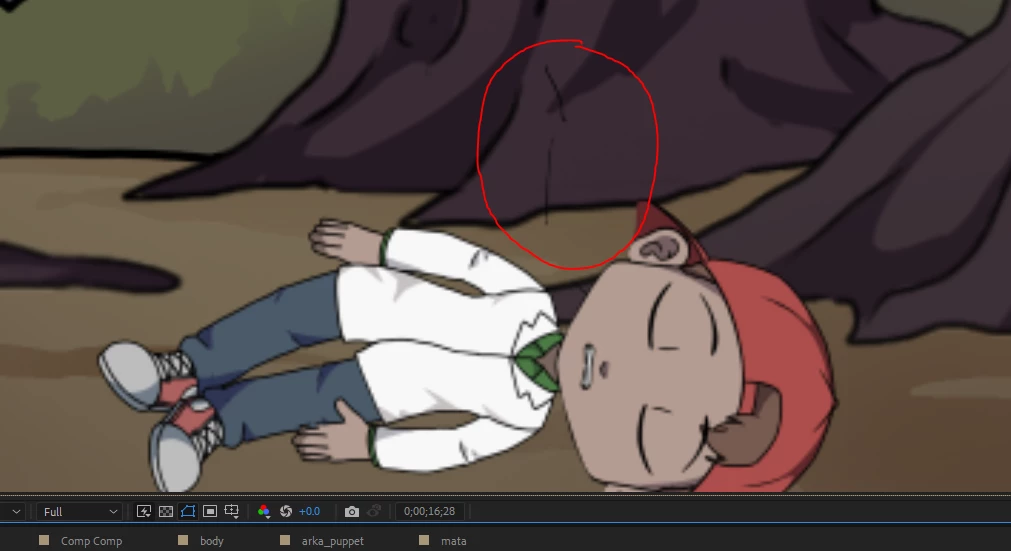
* I want to remove the thing that i circled
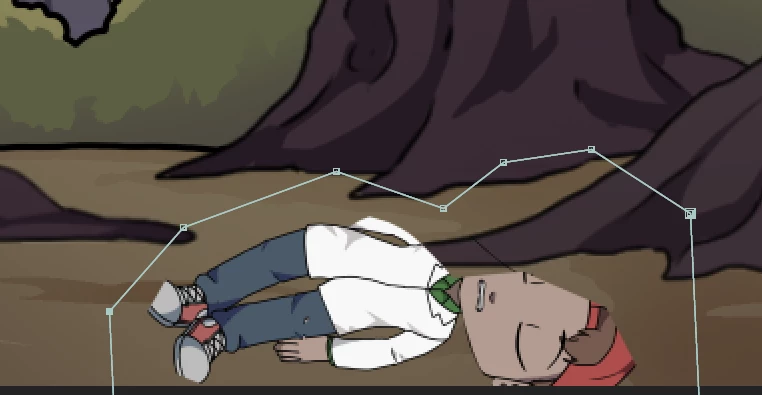
 

i masked it but somehow the kid's face is cut by itself 


Is there any step that i missed or this is just a bug (if it is just a bug i already restarted the app but it still happening)

This topic has been closed for replies.

1 reply

Community Expert
June 13, 2023

When you post screenshots, it is important that you show the entire UI and the modified properties of the problem layer. You can select a layer, press the 'u' key twice, and it will show everything on that layer that has been modified from the original settings. 


I am guessing that you scaled and repositioned the layer, then collapsed transformations. That will foul up the placement of the mask because it the mask is now actually being applied to the original layers in the pre-comp. 


Turn off CT in the main comp or double-click on the nested comp (your pre-comp) to open it and do your masking in there.