
Inspiring
October 16, 2018
Question

Masking Animation

  • October 16, 2018
  • 2 replies
  • 532 views

Hi forum.

I'm practising with the camera animations and settings, and I came across a thought on how to mask a particular section of my animation. I cannot figure out how to

mask the section when the text makes the rotation at the point of the statue. So what I did was, as seen in the video link I have provided, I played with the opacity settings and made it seem like it is disappearing when it gets to that certain frame. and reappears as the text rotates into view again. But I'm keen to know how to

use a mask, because I tried some things but cannot figure it out.

Thank you.
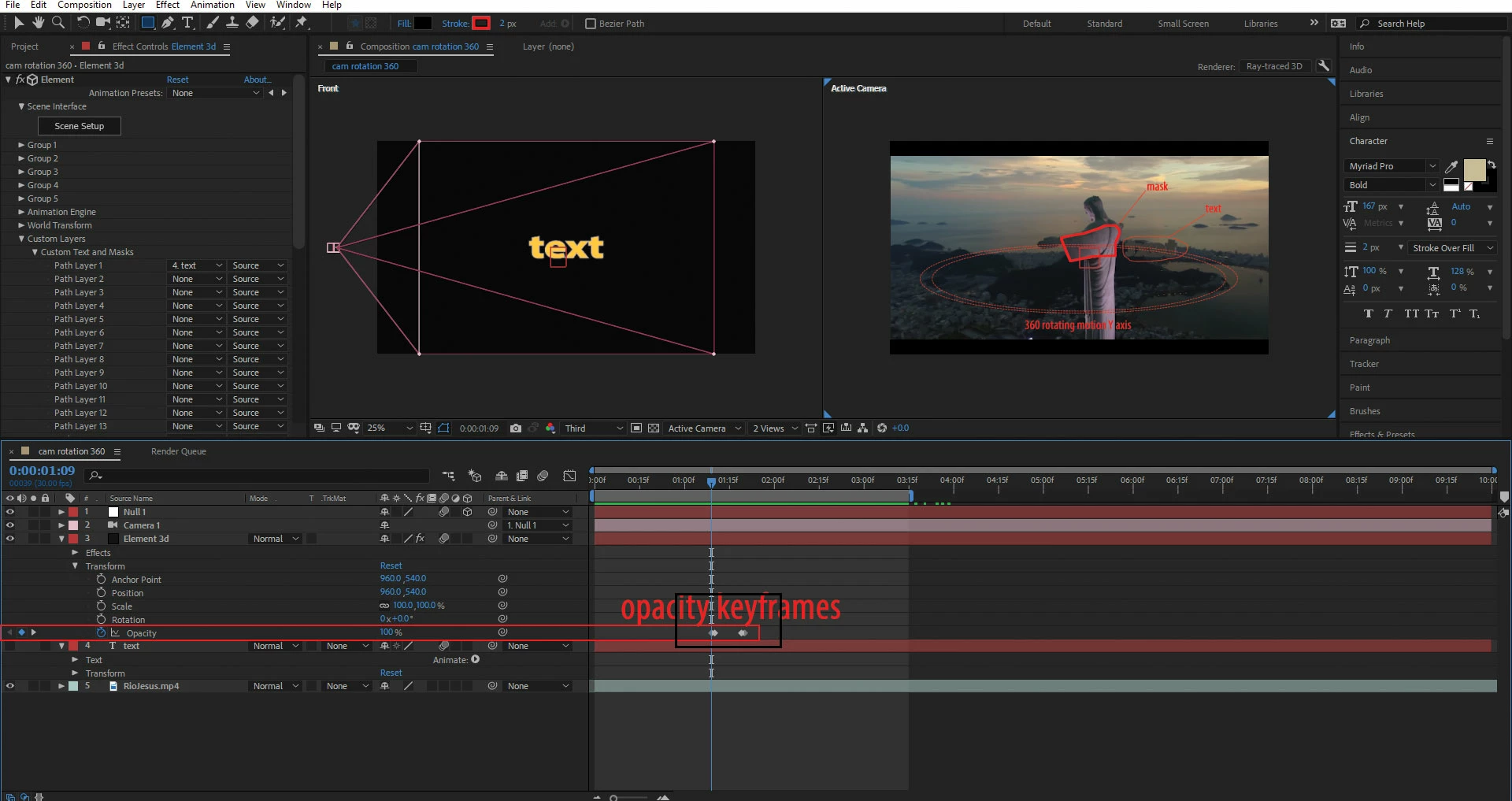
https://ufile.io/9cszn

    This topic has been closed for replies.

    2 replies

    Inspiring
    October 16, 2018

    Hi Rick, that was the way to go, but my element 3D layer needed to track matte the solid which is the mask. I should of mentioned that Element 3D is a plugin and the text is generated within this plugin. But because the mask was interfering with the text animation I simply made the mask, disappear and reappear using the opacity settings and the result was spot on!

    Thanks heaps Rick!

    lambiloon
    Community Expert
    Community Expert
    October 16, 2018

    Hi check given video hope that helps you to understand masking in After effects...thanks.

    Ali Sajjad / Graphic Design Trainer / Freelancer / Adobe Certified Professional
    Inspiring
    October 16, 2018

    Hi Thanks for the reply.

    I believe there is more than meets the eye in this case with Masks. Because this text is rotating in 3D space. I have tried masking separately on each layer one at a time to see if masking will work. I'm only trying to achieve masking on particular frames within the animation on a specific part on my object.

    lambiloon
    Community Expert
    Community Expert
    October 16, 2018

    yes there are many ways you can try which is good for you .... thanks

    Ali Sajjad / Graphic Design Trainer / Freelancer / Adobe Certified Professional