Participant
January 14, 2022
Question

masking issue
  • January 14, 2022
  • 4 replies
  • 417 views

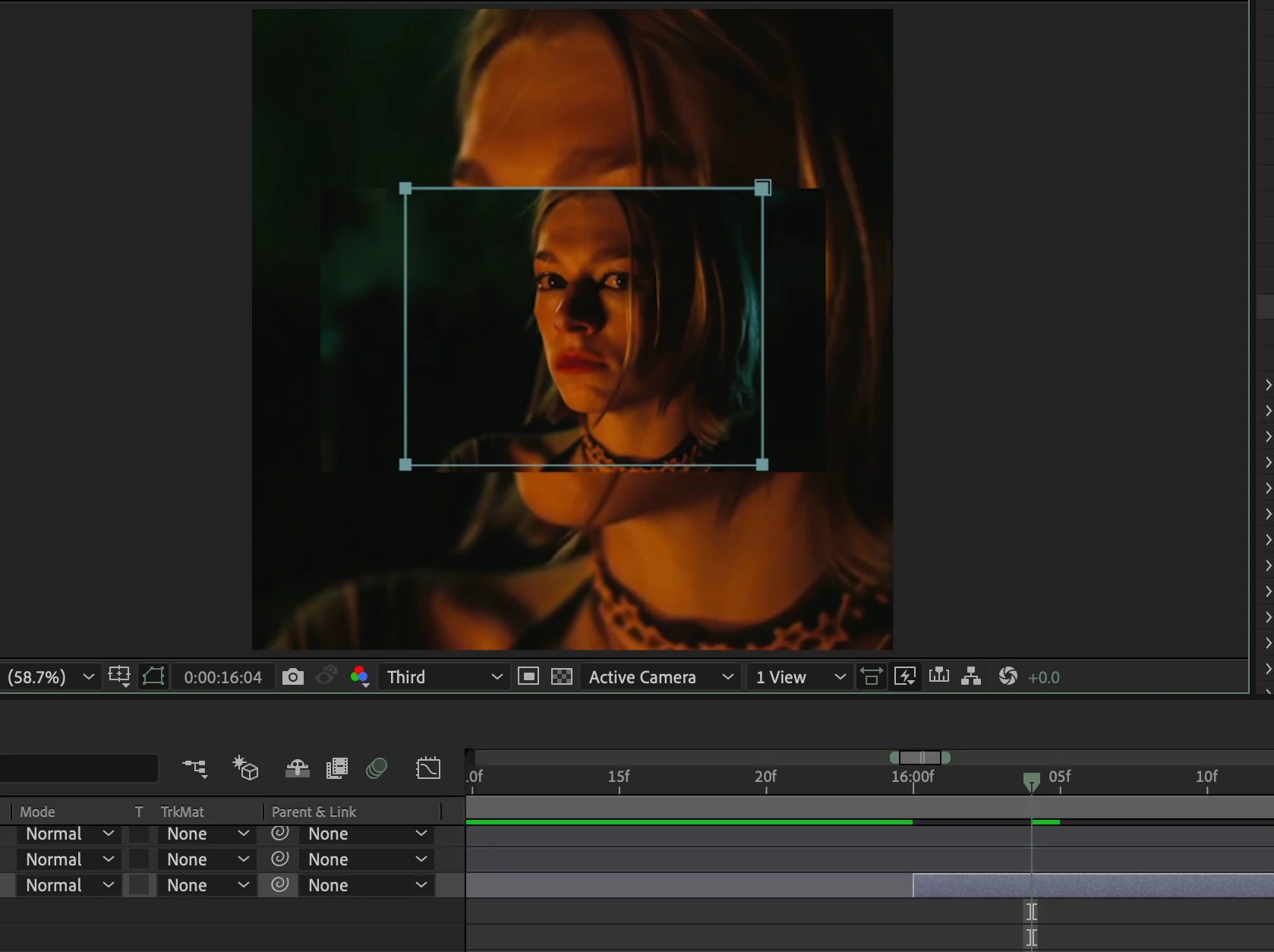
everytime i try to mask a clip, it doesn't mask like it is supposed to. can someone help me???

This topic has been closed for replies.

4 replies

Andrew Yoole
Inspiring
January 15, 2022

I'll reiterate my post above: we can make a million guesses about the cause, but if you press UU to reveal all changed properties on the problem layer, then post a screengrab of the whole screen, it will be far easier to diagnose.

Jose Panadero
Community Expert
Community Expert
January 15, 2022

Are you using any effect on the same layer? Some filters like Corner Pin or Power Pin (and some other) can cause the mask to not properly shown when masking (remember that AE renders masks, then effects).

Kibe5EB7Author
Participant
January 15, 2022

I am using the twixtor plugin.

ShiveringCactus
Community Expert
Community Expert
January 16, 2022

Twixtor is a complicated plugin and while I've never used it, I've hlped others out with it before.  You need to precompose your footage and apply Twixtor to the precomp.  Any masking should be done inside the precomp (I think)

Andrew Yoole
Inspiring
January 15, 2022

Also, please provide a complete screengrab rather than a cropped one, preferably with the Mask parameters visible on the problem layer, so we can see the full UI.

nishu_kush
Legend
January 15, 2022

Hi Kibe5EB7,


Thanks for writing in.

Would you mind sharing more details on what's happening so that we can understand and troubleshoot the issue properly?

We're here to help, just need more info.


Thanks,

Nishu

Kibe5EB7Author
Participant
January 15, 2022

Sure. What I did is click on the masking tool and mask the shape that I wanted ( which is a square ). However, it never masks. The effects I had on were twixtor and motion tile ( which I have tried removing but unfortunatly, there was no difference ).