
Masks related to image layout help
I’m assuming this may be a basic question and answered by anyone having gone through the first few levels of AE schooling but that’s not me. Consequently, I do not know the correct terminology to search the question to solve myself.
I have a template that i’m trying to modify...
Letterbox Slideshow - Free After Effects Template | Mixkit
The same one my previous question was about.
My issue is when replacing the placeholder image with my own, I want to increase the size of the image on screen. I want it to fill the space more. Enlarge the image. The problem is that the placeholder is constrained by a mask (Mask 2) limiting it’s size and position. I have found the mask and increased the size (Window the image can be seen through) Seen here with a purple box…
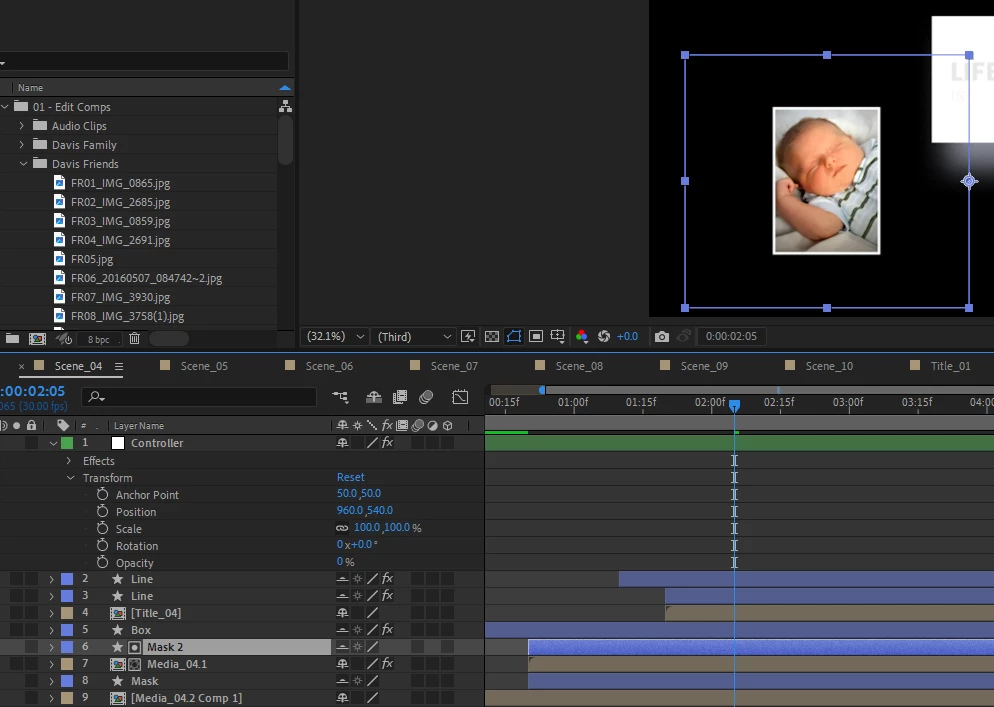
You can see i enlarged it to almost double the baby pic size. Roughly 50% more space below and 50% above. At this point i though i had my issue solved.
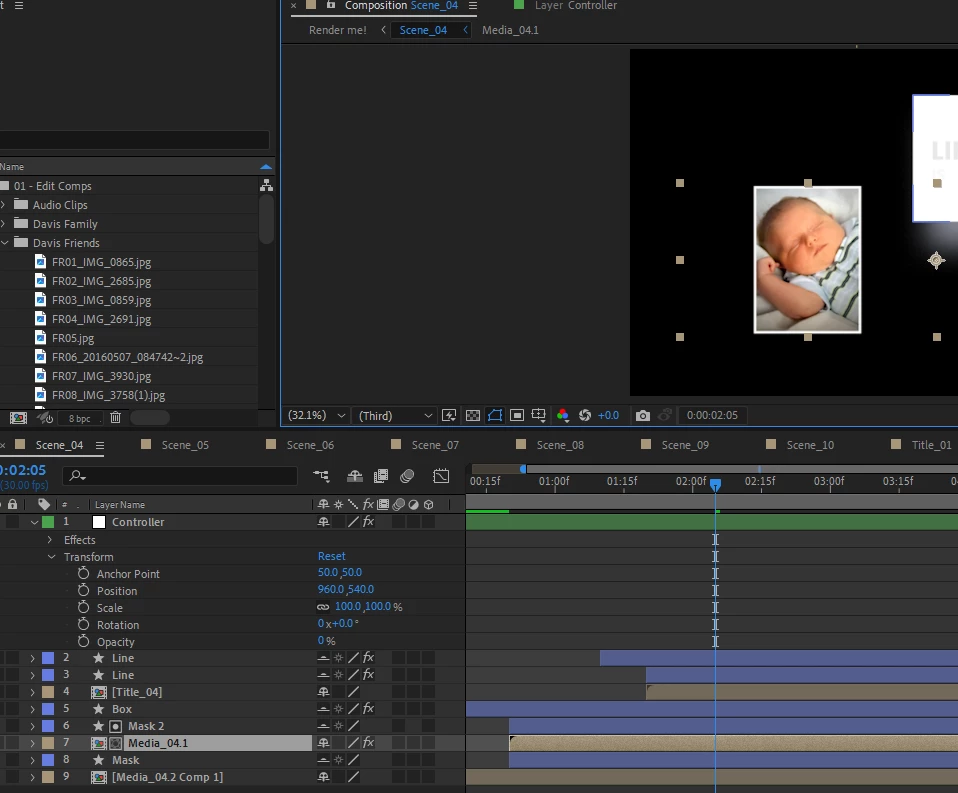
When i click on the scene with the image i see the following with a set of tan colored markers that look to represent the edges of the MASK. You will notice that the markers are not showing the increase I made with the mask size increase seen in the previous image. My first clue my fix did not work.
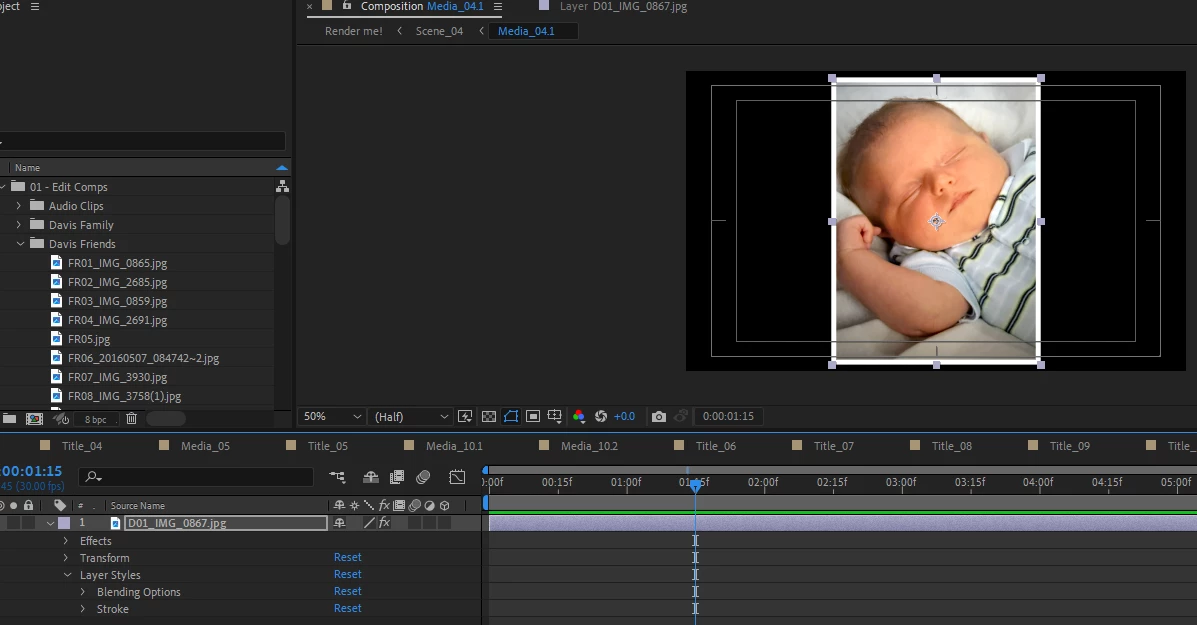
Next i opened the Media layer to increase the image size. I’m still getting the narrow black box that I had before i increased the first box (purple) in the first image. This looks to be the same size and the Tan Markers were in image 2. If i enlarge the image outside this black box it gets cut off.
I need help with enlarging the image area but also if someone could fill me in on some of the correct language for some of these features or parts, windows, boxes, etc. I’m trying to learn so i can find my own answers in the future.
Thanks all, you are great!


 AdChoices