Participant
November 17, 2016
Answered

Masks won't feather, they just form hard edges

  • November 17, 2016
  • 3 replies
  • 4747 views

Help!

I've been working on a project with 6K anamorphic Red footage (3792x3160) and have been extensively using masks with little issue.

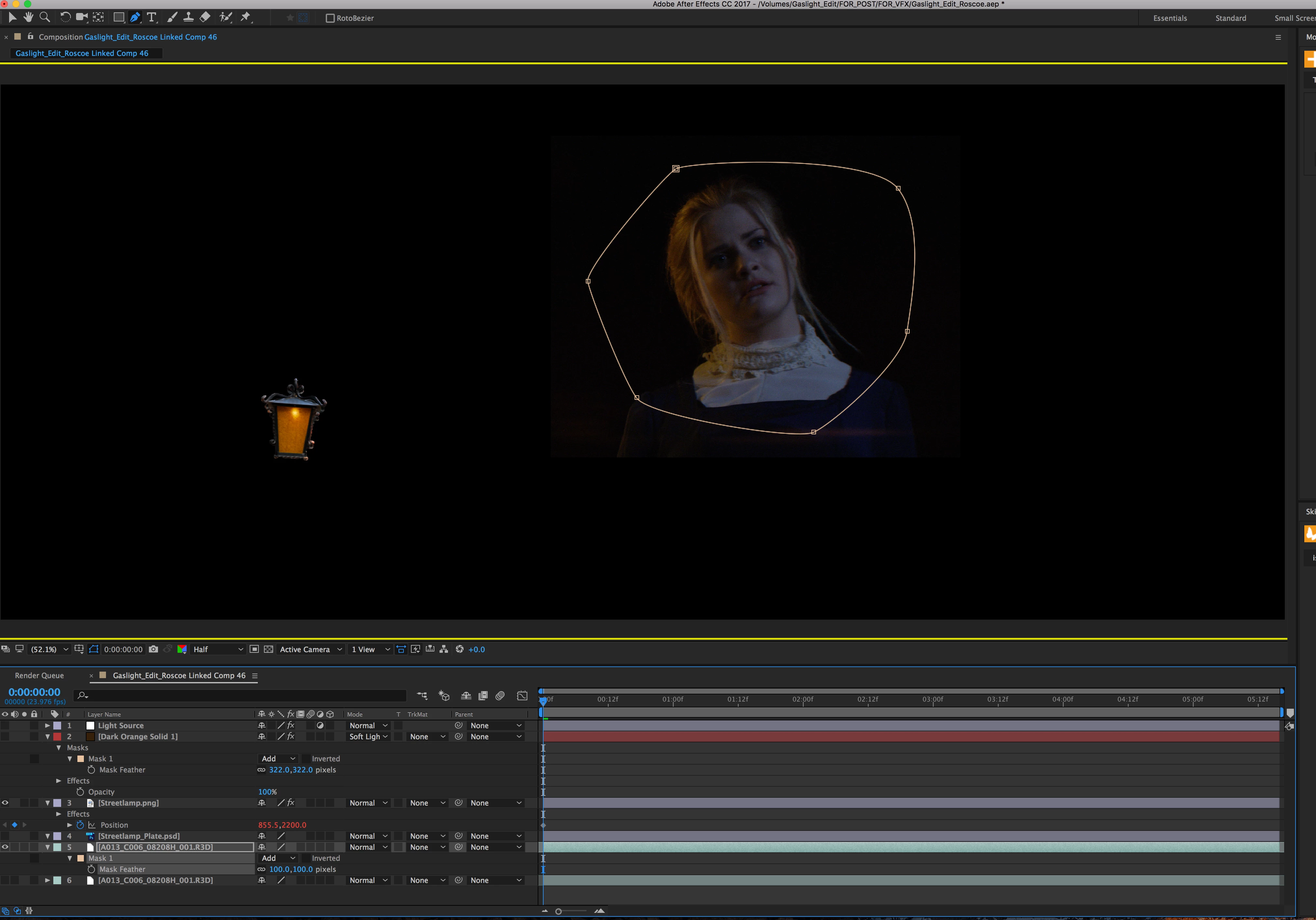
Now, suddenly, the masks aren't feathering anymore. When I increase the feather, it just expands a hard edge. Yet when I open the masked layer in the layer panel, it looks properly feathered, but remains an expanded hard edge in the composition. This is applying to both Footage and solids/graphics.

Below are some screenshots of how the feathered masks look in the composition.
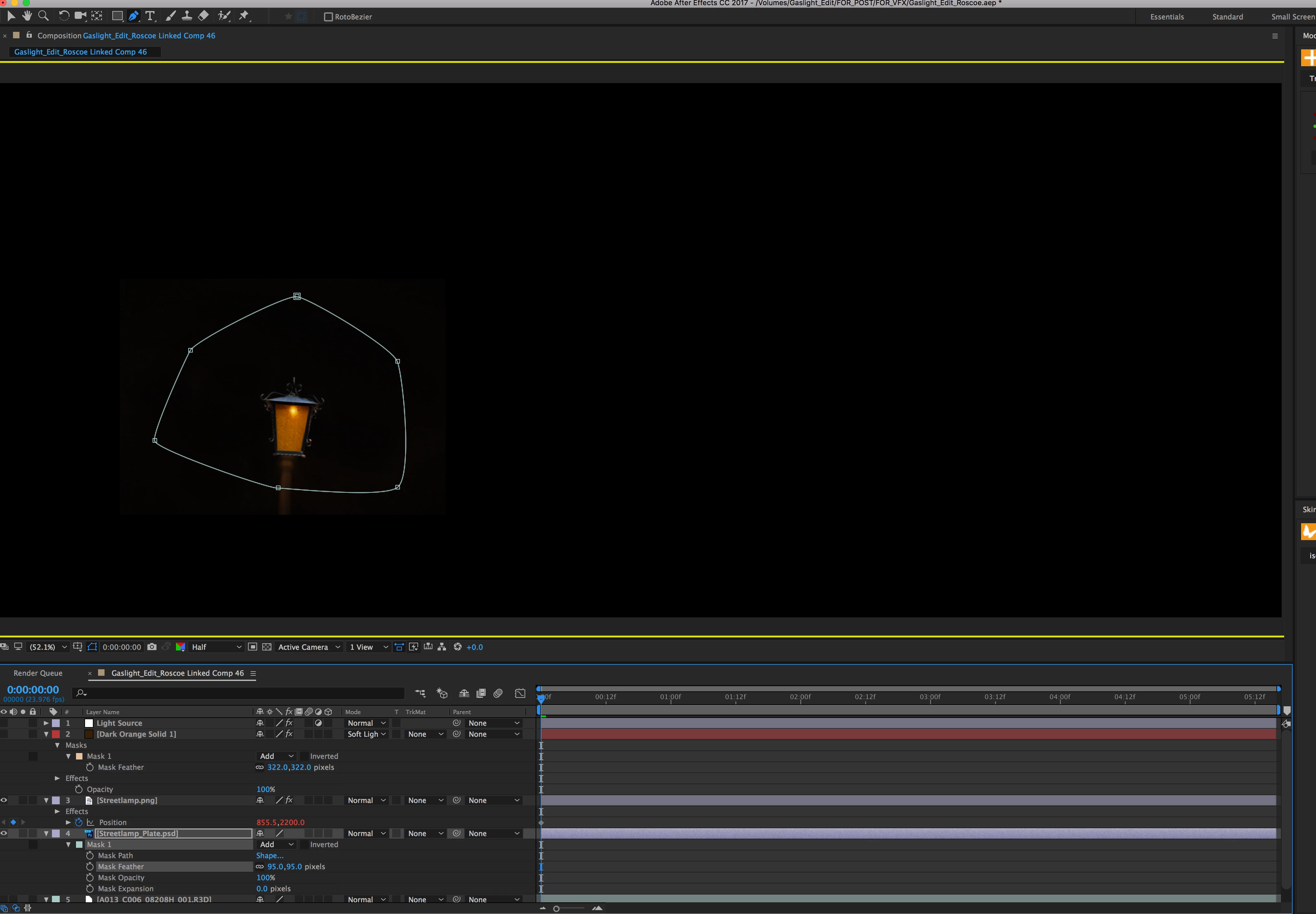
And below is how it looks in the layer panel (and how it's supposed to be in the composition).
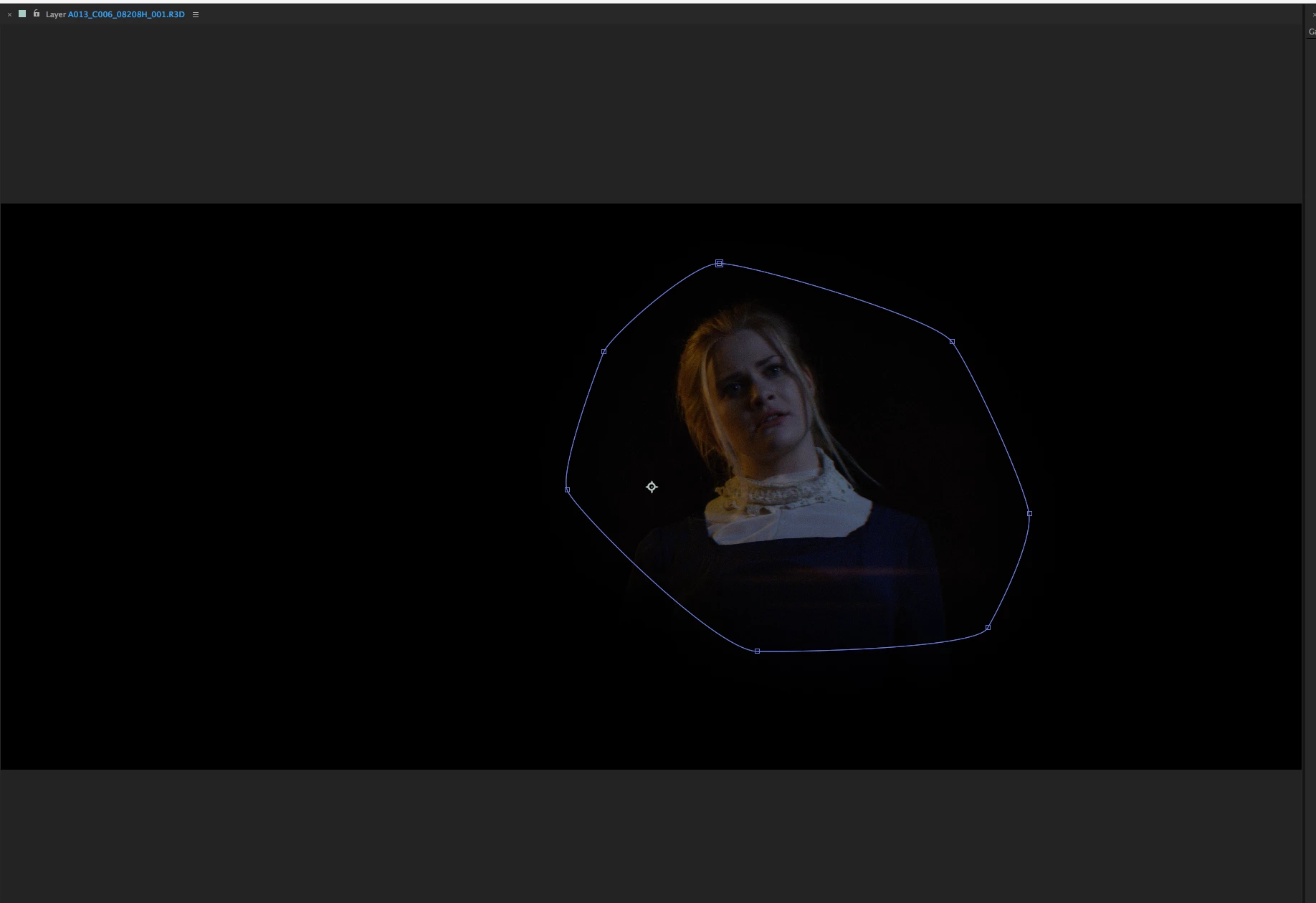
This topic has been closed for replies.
Correct answer Roei Tzoref

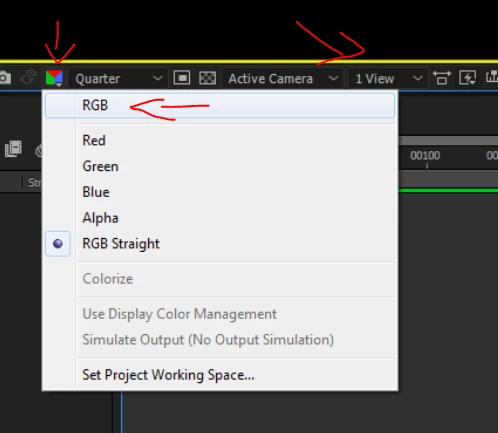
the yellow outline in your composition is the indication to which channel you are viewing. change your composition channels view to the default RGB and not RGB Straight

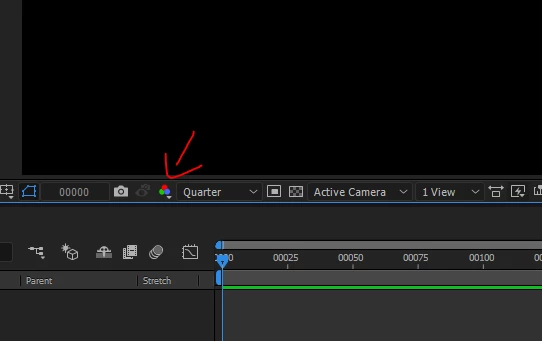
this is how it looks when you are viewing the default RGB view.

3 replies

steveh78333837
Participating Frequently
August 25, 2018

Didn't work for me. I have never had a problem with this before until attempting an important tutorial. I masked a solid and made a narrow horizontal mask. When I set the feather as indicated, it brings in a hard edge with a very slight feather. A 25 minute tutorial has turned into 4 hours so far and I'm not even a quarter done yet.

Participant
October 19, 2020

I think i have the exactsame problem. For me it does this: 

RoscoeSasAuthor
Participant
November 17, 2016

Perfect, thanks!

Roei Tzoref
Roei TzorefCorrect answer
Legend
November 17, 2016

the yellow outline in your composition is the indication to which channel you are viewing. change your composition channels view to the default RGB and not RGB Straight

this is how it looks when you are viewing the default RGB view.