Massive slowdowns in Trapcode Particular when I set it to emit from a light layer
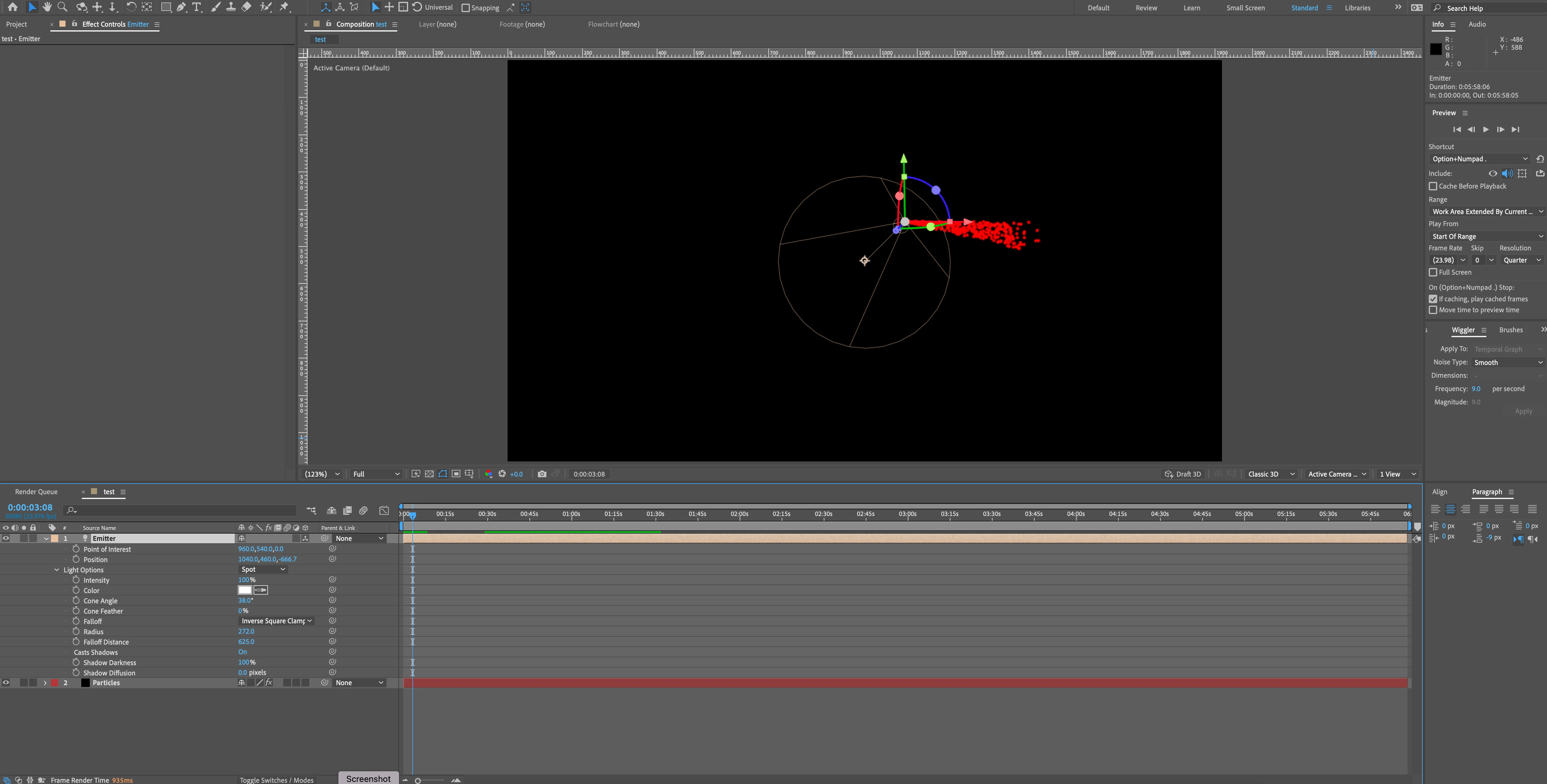
Like the title says, I've been getting massive slowdowns when I do this lately. It didn't used to be this way. My Particular settings are borderline default, I'm only changing the direction to directional and setting emitter type to light(s). There's only one light emitter in my comp, and it's set to spot and 100% intensity. So before I even get to fine tuning the settings to really get the look I'm going for, I'm already getting massive slowdowns. I'm talking a 20 second preview time for changing the particle color at times, where doing so in an identical comp with particular emitting from a point instead previews near instantaneously like usual, so I'd hate to imagine how much slower things would run once I get the nitty gritty settings in. Has anyone else encountered this? And especially curious if anyone has a fix. Here's my system information:
MacOS Monterey Version 12.6.1
3 GHz 10-Core Intel Xeon W Processor
128 GB 2666 MHz DDR4 Memory
Radeon Pro Vega 64 16 GB Graphics Card
After Effects v22.6
Trapcode Particular v2023.1.0
And here's a screenshot with the applicable settings visible. It's doing that annoying thing where the direction doesn't match the direction of the spot light, but I'm used to wrestling with that anyways. I'm far more interested in solving the slow-down issue:
 AdChoices