



Answered
Math sin expression problem-2
Hi,
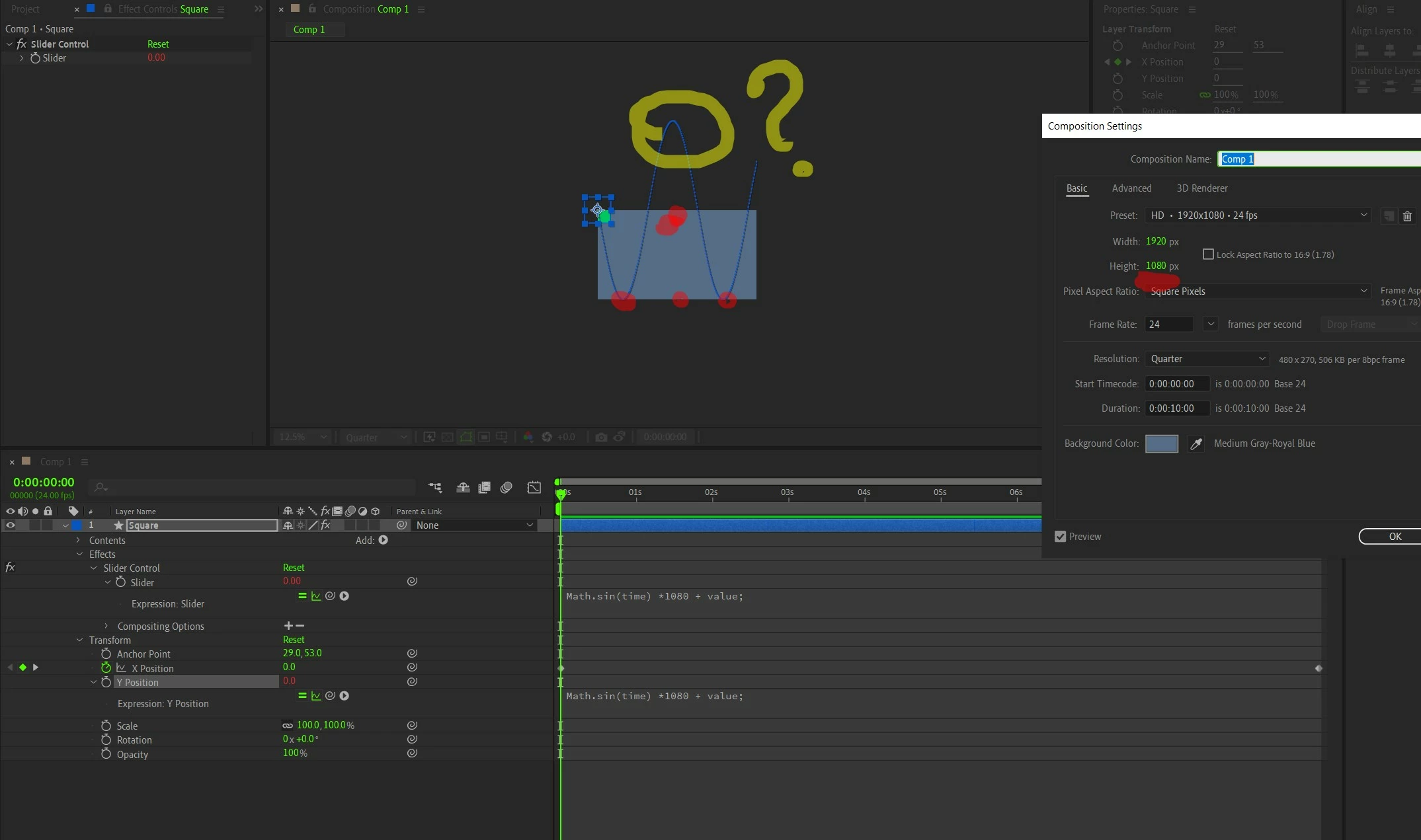
I need some guidance from seniors here. If my AE comp height 1080, That means my Y axis limit is from 0 t0 1080. Right? that means My Sin wave's crest/peek will touch only two borders/egdes up and down where in Y axis down is 0 pixel and up is 1080. Then why the sin wave crossing the top/up edge here?? I already told the AE that value is 1080 in expression. then why its not listeing to the expression? When I specify the value in 'Expression' , the property that is linked to the expression must listen to that right? Please help me.
Square's Y position must stay between 0 and 1080, I mean it must only oscillate in between 0 and 1080, nowhere I said go beyong that. then why its going?
 AdChoices