


christinem42037195
Inspiring
August 12, 2026
Answered

Media Encoder issue

  • August 12, 2026
  • 3 replies
  • 19 views

I’ve only been using AE for a year or so. Usually doing the same thing, special effects with video and graphics over a music track. Over 100 videos, never had a problem. This time my pre comp is 10m 50, shows as 10m 50 in the file info, when I play MP4 on QuickTime Player it’s 10m 50 but it shows as about 9m when I imported the MP4 into the main project. Which throws all of my effects out of sync with the music.  I should add that I’m using the  MP4 more than once in the total project.

Also, for info, the project was giving my iMac a hard time with all of the effects which is why I rendered the pre comp and imported it back in.

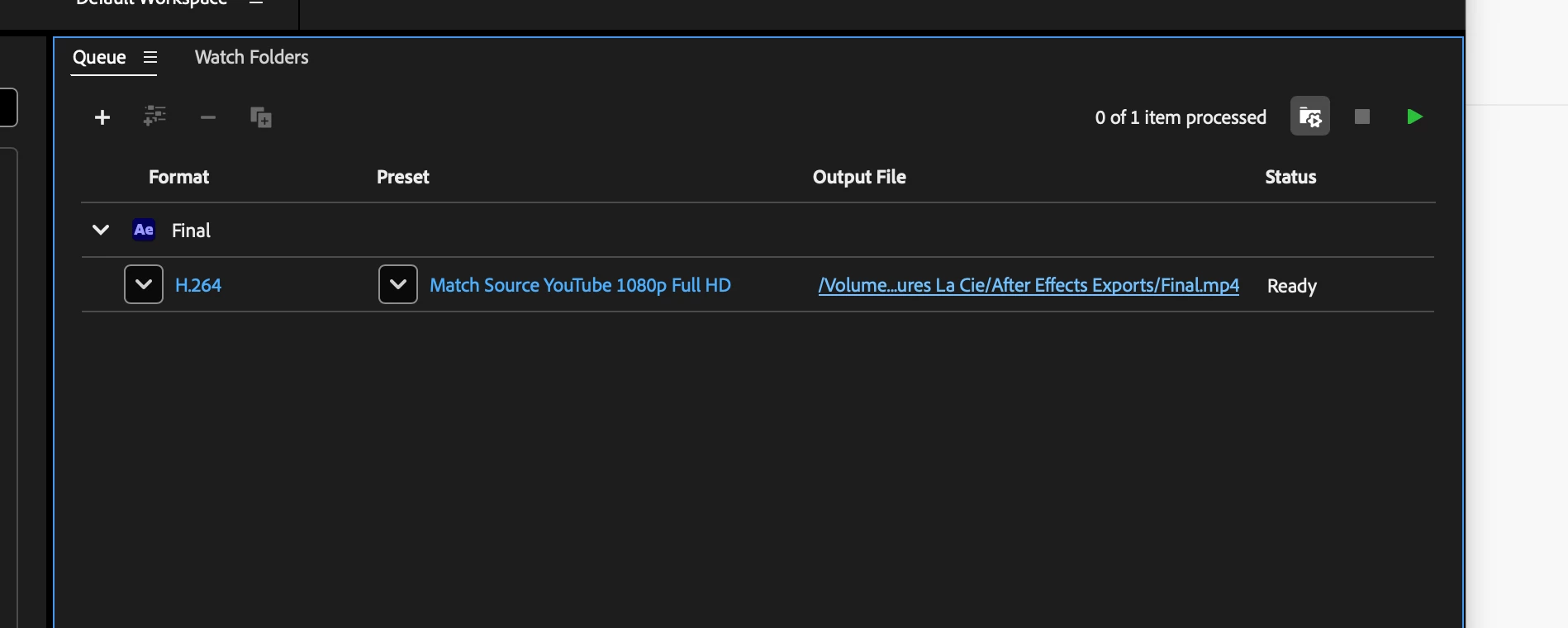
I always use standard settings in the Media Encoder. The main video in the comp is the same FPS as the pre comp. I’m at a loss. 

I’m not sure which other screenshots would help.

I hope this makes sense……...Can anybody help me please?
 

    Correct answer Nishu Kushwaha

    Hi christinem42037195,


    In addition to what the expert suggested, if the MP4 was exported at one frame rate (say 25 fps) but AE is interpreting it as a different frame rate on import (say 30 fps), you could see the issue.

    If that's the case, try:

    1. In the Project panel, right-click the imported MP4 and choose Interpret Footage > Main.

    2. Under Frame Rate, check what AE has assumed. Try "Conform to frame rate" and enter the actual frame rate the file was exported at (the same as your pre-comp).

    3. Click OK. Your effects should snap back into sync.

    A few details that would help if that doesn't resolve it:

    1. What frame rate is your pre-comp?

    2. What frame rate did Media Encoder export the MP4 at? (Check the preset settings.)

    3. What frame rate is your main composition?

    Also, a general tip: for pre-rendering intermediates that you'll re-import into AE, using a codec like ProRes 422 is more reliable than MP4 because it retains the quality better than MP4.

    Hope that helps!


    Thanks,

    Nishu

    3 replies

    Nishu Kushwaha
    Community Manager
    Nishu KushwahaCommunity ManagerCorrect answer
    Community Manager
    August 12, 2026

    Hi christinem42037195,


    In addition to what the expert suggested, if the MP4 was exported at one frame rate (say 25 fps) but AE is interpreting it as a different frame rate on import (say 30 fps), you could see the issue.

    If that's the case, try:

    1. In the Project panel, right-click the imported MP4 and choose Interpret Footage > Main.

    2. Under Frame Rate, check what AE has assumed. Try "Conform to frame rate" and enter the actual frame rate the file was exported at (the same as your pre-comp).

    3. Click OK. Your effects should snap back into sync.

    A few details that would help if that doesn't resolve it:

    1. What frame rate is your pre-comp?

    2. What frame rate did Media Encoder export the MP4 at? (Check the preset settings.)

    3. What frame rate is your main composition?

    Also, a general tip: for pre-rendering intermediates that you'll re-import into AE, using a codec like ProRes 422 is more reliable than MP4 because it retains the quality better than MP4.

    Hope that helps!


    Thanks,

    Nishu

    ShiveringCactus
    Community Expert
    Community Expert
    August 12, 2026

    A different length in the rendered version?  And with the effects out of sync?  That suggests it is a frame rate issue with the video.  I wonder if it’s the YouTube preset, which is forcing a change in FPS  (that’s me guessing)  What happens if you use the preset Match Source, High bitrate instead?   You can either then put that video through AME or just upload it directly to YouTube.

    christinem42037195
    Inspiring
    August 13, 2026

    Thank you for this answer. It’s something to check as I learn…..so much to learn!
