


Participant
Jan 6, 2020 11:35 AM UTC
Answered

Memory allocation exceeds internal limits, After Effects crash

Hello guys,


Do you have similar experience on encoding failure? How can you solve that?

I have tried rendering in AE and in Media Encoder; in different format like h264 and quicktime. Even tried to render with another computer. Still when it comes to that specific point, it never be able to make it. 


Here is how Media Encoder said:

- Encoding Time: 00:41:57
01/04/2020 07:42:31 PM : Encoding Failed
------------------------------------------------------------
Export Error
Error compiling movie.

Render Error

Render returned error.

Writing with exporter: H.264
Writing to file: /Users/admin/Desktop/projects/20191107_EH_Animation/AE Files/EH_animation_master_AME/EH_Animation.mp4
Writing file type: H264
Around timecode: 00:00:37:17 - 00:00:38:24
Rendering at offset: 37.680 seconds
Component: H.264 of type Exporter
Selector: 9
Error code: -1609629695


Here is how AE says when it crushed:
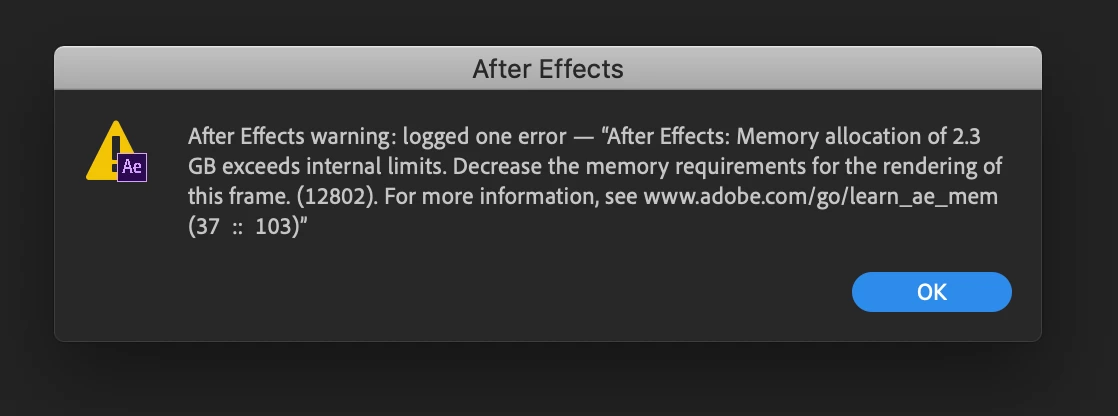
 

Grateful for any help!! Many thanks!


Paul


Title edited by Mod.
JG Pixel MediaCorrect answer
Participant
May 2, 2024 9:30 PM UTC

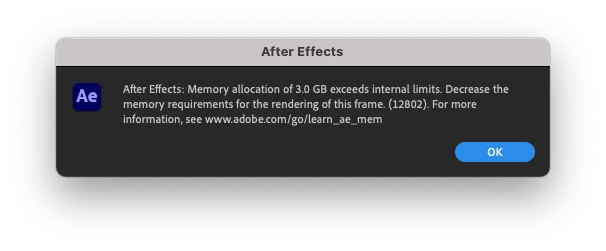
Same here! I've started to have this error yesterday! I have 64 Gb memory installed and AE uses 58Gb. I get the error when I import a single image 10000x13600 pixels.


Same here, I have 128 GB Memory and a M3 Max Chip - I was rendering a 4K transition  from MYFX

12 replies

Participant
Feb 19, 2025 5:44 PM UTC

It sounds like there's a corrupted frame, effect, or asset at that specific point. Try isolating the problem by rendering just that section. Clear your media cache in AE and Media Encoder, and check if any third-party plugins are causing the issue. If the problem persists, try exporting as an image sequence first, then reassemble it in Premiere or AE.

Translate
nishu_kush
Legend
Jan 6, 2020 3:21 PM UTC

Hi Paul,


Welcome to the community and sorry for your issue. I see that After Effects is crashing when you try to export your project.

It looks like you have at least one frame that requires a vast amount of RAM. Have you used any large resolution image or applied any effects at the point of time where After Effects stops exporting and crashes?

Looking forward to your reply.


Thanks,

Nishu

Translate
Participant
Jan 7, 2020 10:18 AM UTC

Hi Nishu,


Yes you're right. I just found the super large image and camera responsible for the crash. It is solved now. Many thanks!!!!!!


Cheers,

Paul

Translate
nishu_kush
Legend
Jan 16, 2020 10:51 AM UTC

Glad to know that Paul! Feel free to reach out if there are any other questions.


Thanks,

Nishu

Translate