Participating Frequently
April 12, 2019
Question

Mercury Transmit/Video Preview Bug

  • April 12, 2019
  • 11 replies
  • 4836 views

I've been seeing this posted more and more lately, so I'm glad to know I'm not the only one experiencing this.  CC 2019 and recent updates have broken the mercury transmit feature.  As of now, I open the preferences to switch my preview to a new monitor and when I hit okay, nothing happens.  I open the preferences panel again and just see this:
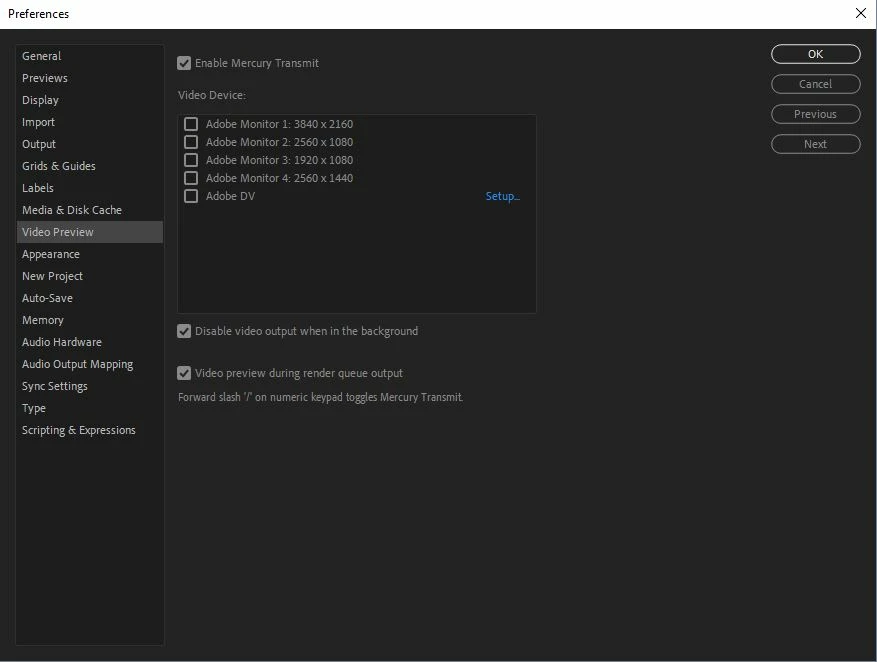
No mater what I do it deselects any monitor I choose.  Sometimes it defaults to Monitor 2 (which isn't the one I want) and still nothing even shows up on that screen.  Was working perfectly before so this most recent updates must have broken it.  Has anyone figured out a fix for this yet?  I've reinstalled all my drivers, all my programs, and I'm comfortable saying this is a bug with After Effects, not my system. 

Any help would be appreciated, thanks.

This topic has been closed for replies.

11 replies

Kevin-Monahan
Community Manager
Community Manager
April 15, 2019

Very sorry about this Locomotive. We have identified this issue and are working on a fix.

For After Effects, please upvote here: Mercury Transmit issue in 16.1 – Adobe video & audio apps

The issue is the same on Premiere Pro and are related.

If on WIN, and if possible, can you please upvote this Premiere Pro bug to give it more traction?: BUG -Mercury Transmit will not use screen 2 in 3 screen setups on Windows – Adobe video & audio apps

For those having the issue on Premiere Pro for Mac, upvote this bug: BUG -Mercury Transmit will not use screen 2 in 3 screen setups on Mac OS 10.13.6 – Adobe video & audio apps

Thank You,

Kevin

Kevin Monahan - Sr. Community and Engagement Strategist – Adobe Pro Video and Audio
Motioncraft
Participant
April 25, 2019

Great to hear this has been picked up as an issue and a fix is being worked on - we can't ask for more than that and I look forward to this being rolled out. Interestingly though, in my case Premiere Pro seems to be working fine - for me the issue is just limited to After effects. I'm on Windows 10, specs as quoted on the AE bug report link.